
 Reeve
Security basics
"null value in column violates not-null constraint" in Supabase
Supabase "null value in column violates not-null constraint": a required column arrived empty. Where the null came from, and the fix.
In short
- Supabase "null value in column violates not-null constraint" (Postgres code 23502, HTTP 400 in your app) means a row arrived with nothing in a column that must always hold a value. The message names the column and the table. Nothing was saved.
- The empty value comes from a field your app never sends, a null your code sends on purpose, or a column with no default where you assumed one. An upsert and a bulk insert can each produce it on a row that looks complete.
- Keep the rule and fix the row. From server code, never pass the raw error back to the browser: its "Failing row contains" line can print the whole row.
You press Save on a new task in your app and nothing is saved. The page shows no error and the list stays as it was. The browser console has the reason:
{
  "code": "23502",
  "details": null,
  "hint": null,
  "message": "null value in column \"category_id\" of relation \"tasks\" violates not-null constraint"
}
Supabase "null value in column violates not-null constraint" means a row reached
your database with nothing in a column that must always hold a value, and
Postgres refused the whole row. Here the column is category_id in your tasks
table. The save sent no category.
The quickest fix is to remove the rule: one line of SQL that lets the column stay empty. The error goes away, and rows start arriving with that box blank, which the rest of your app then meets somewhere you were not looking. Find out where the empty value came from first. It is nearly always one of a few places.
What does "null value in column violates not-null constraint" mean?
It means one column of the row your app tried to save was empty, that column is marked as one that may never be empty, and Postgres refused to save any of the row. Nothing was written. Null is Postgres's word for no value at all, which is different from a zero or from text with no letters in it.
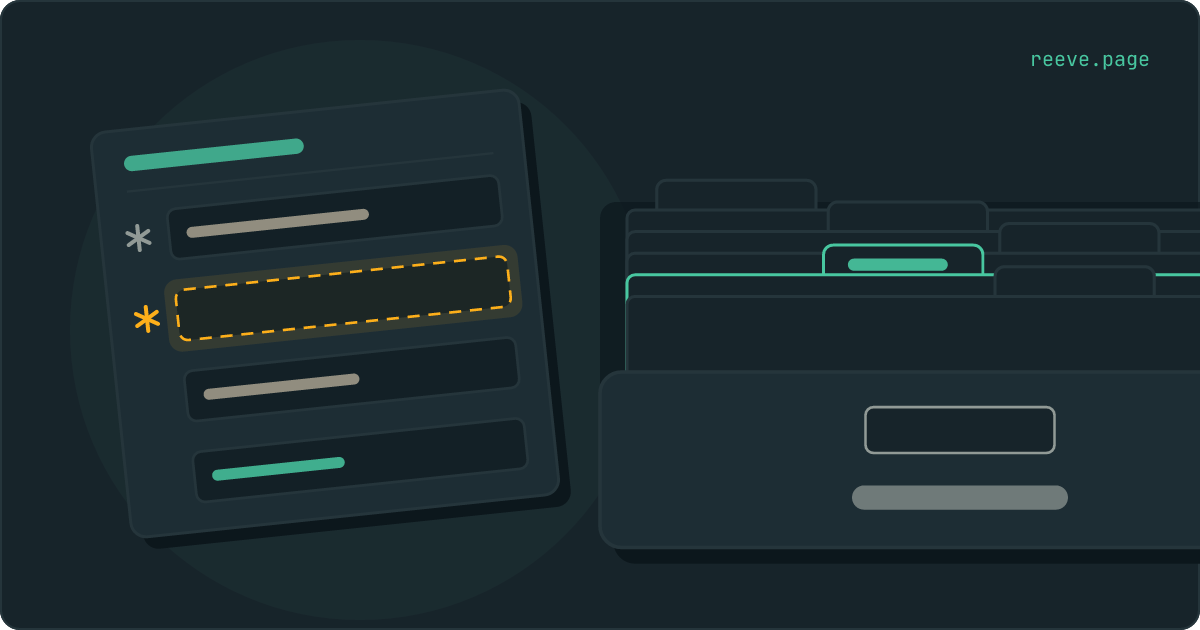
Think of each row as a paper form and the table as the filing drawer it goes into. A not-null constraint is a star printed beside one box. Postgres is the clerk at the drawer, and the clerk files nothing with a starred box left blank. The form comes back, and the message says which box.
| Field | Example | What it tells you |
|---|---|---|
code | 23502 | Postgres's code for this error, named not_null_violation in its list of codes |
message | null value in column "category_id" of relation "tasks" violates not-null constraint | The empty column, then the table. "Relation" is Postgres's word for a table |
details | Failing row contains (…), or null | A copy of the refused row, when Postgres decides the caller may see it. A section further down covers when that is |
hint | null | Nothing to add for this error |
| HTTP status | 400 Bad Request | PostgREST, the part of Supabase that turns supabase.from(...) calls into SQL, has no special case for 23502, so its code falls through to 400 |
The wording is Postgres's own, from the function that raises it, and it reads the same whether the row came from your app, a trigger or the SQL Editor.
Where did the empty value come from?
Usually from one of three places in your app's own code, and the column in the message tells you which to look at first. Two more start inside the database.
A field your app never sends. This is the commonest. The column became
required after the form was built: an AI builder added category_id to the
table when you asked for categories, marked it required, and left the form that
saves tasks as it was. Nothing in the request names the column, the column has no
default, so it is empty. Compare the columns in your Table Editor with the object
your app passes to .insert(). The missing one is the one in the message.
A key spelled differently from its column never gets this far. PostgREST refuses
categoryId sent to a column called category_id before Postgres sees the row,
and that error has a post of its own.
A null your code sends on purpose. { category_id: selected?.id ?? null }
sends an explicit null when nothing is selected, and an explicit null is a value
as far as the request is concerned. JavaScript's undefined behaves
differently. JSON has no such value, so
JSON.stringify
leaves it "omitted (when found in an object)", and a key set to undefined never
reaches Supabase at all. Which of the two your code produces decides whether a
default can step in, and the next section is about that.
A column with no default where you assumed one. created_at usually fills
itself in, because the table says default now(). user_id usually does not,
because nothing in Postgres knows who is signed in unless the column is told how
to find out. A later section shows how.
A sign-up, under another message. A trigger that copies each new user into a
profiles table reads their sign-up details with ->>, and
Postgres's JSON operators
"return NULL, rather than failing, if the JSON input does not have the right
structure to match the request; for example if no such key or array element
exists". A sign-up form that never sent full_name hands the trigger an empty
name, a required full_name column refuses it, and Supabase reports the whole
sign-up as "Database error saving new user".
The 23502 itself is in the Postgres logs, and that post shows where.
A delete somewhere else. A foreign key set to on delete set null empties
the column in every row that pointed at the deleted one. If that column is also
required, the delete fails with this message instead, and
the post on deleting users covers choosing a
rule that fits.
"But the column has a default"
Then the request named the column and sent it empty. Postgres fills in a default only when a column is left out of the row entirely. Its documentation on defaults says: "When a new row is created and no values are specified for some of the columns, those columns will be filled with their respective default values." An explicit null counts as a value specified. On the form, a box with a value printed in it counts as filled until somebody writes "none" over the print.
supabase-js writes "none" over it in one place you would not expect: a bulk
insert, where you pass an array of rows. It names every column that appears in
any of the rows, and
its source
documents the option that decides what happens to the gaps, defaultToNull:
"Make missing fields default to null. Otherwise, use the default value for the
column. Only applies for bulk inserts." It is true unless you change it.
PostgREST's documentation
says the same for a request that lists its columns, which is what supabase-js
sends for an array: "any missing columns in the payload will be inserted as
null value by default."
So here the second task goes in with status empty, even if the table says
status defaults to 'todo', and a required status refuses the whole insert:
await supabase.from('tasks').insert([
  { title: 'Write the brief', status: 'doing' },
  { title: 'Send the invoice' },
])
Either repair works. Send status in every row, or tell supabase-js to let the
table's defaults stand:
await supabase.from('tasks').insert(rows, { defaultToNull: false })
That option adds the Prefer: missing=default header PostgREST reads. A single
row passed as an object, without the array around it, does not do this: a key
left out of it is left out of the insert, and the default applies.
Why does an upsert fail with this when the row already exists?
Because Postgres checks the new row for empty required columns before it looks for the existing row it would update. An upsert is a form marked "file this, or if there is already a file for this person, change it". The clerk checks the stars first. A form carrying only a new profile picture comes back, even though the file it was meant to change is sitting in the drawer.
The order is written into
the code that runs an insert:
"Check the constraints of the tuple." comes before "Perform a speculative
insertion.", which is the step that finds the clash an on conflict clause acts
on. Tuple is Postgres's word for a row. So this upsert, meant to change one
column of a profile that exists, fails on any other column the table requires:
await supabase.from('profiles').upsert({ id: user.id, avatar_url: url })
To change some columns of a row that is already there, use an update. It lands on the stored row, which has every required column filled, and changes only what you send:
await supabase.from('profiles').update({ avatar_url: url }).eq('id', user.id)
Keep upsert for rows that might not exist yet, and send every required column with it. The post on duplicate keys covers the rest of what an upsert needs: which column it matches on, and the read rules it calls on from the browser.
Should you drop the NOT NULL rule?
Only if the column was never meant to be required. A phone number your form treats as optional is that case, and dropping the rule there is the right repair:
alter table public.profiles alter column phone drop not null;
For any other column, keep the rule and fill the box. Without it, every row saved
afterwards can lack the value the rule was guaranteeing, and your app meets the
gap somewhere else: a page that reads task.category.name stops with
Cannot read properties of null, or a count of tasks per category quietly loses
the ones with none.
The column where dropping it costs most is user_id. A row saved with an empty
owner is shown to nobody. A read rule written as auth.uid() = user_id never
matches it, because in SQL an empty value equals nothing, another empty value
included. The task is saved, and from then on nobody sees it, the person who
created it included.
The repair for user_id is a default that fills in whoever is signed in:
alter table public.tasks
  alter column user_id set default auth.uid();
Postgres evaluates a default "whenever the default value is inserted (not when
the table is created)", in
its own words, so
each new row gets the id of the person saving it. With nobody signed in,
auth.uid() returns null, as
Supabase's guide to row level security
warns, and the save still fails. That is the rule doing its job. The default
fills the box only when your app leaves it out, so what stops somebody sending
another person's id is still your insert rule.
That insert rule also changes which message you see. Postgres runs a table's Row
Level Security checks on a new row before its not-null checks:
the same insert code
has "Check any RLS WITH CHECK policies." ahead of "Check the constraints of the
tuple.". So when your insert rule compares user_id with auth.uid(), an empty
user_id fails the rule first and comes back as
new row violates row-level security policy.
A 23502 on user_id from your app means one of three things: the insert rule
never looks at user_id, the rules are off on that table, or the request came
from server code that skips them.
Is it safe to show this error to your users?
No. Show a sentence of your own and keep the raw error in your logs, because the detail line, when Postgres includes it, is a copy of the whole row.
A duplicate key's detail line repeats one value. This one repeats the form.
The function that writes it
prints the row as Failing row contains (…), with every column the caller is
allowed to read. On an update, that is the row as it would have been saved,
including the columns nobody touched. A form the clerk sends back can come with a
photocopy of itself stapled to the refusal, and the copy shows every box.
Postgres decides who gets the photocopy, and its code checks first: "Check if RLS
is enabled and should be active for the relation; if so, then don't return
anything." A request made with your public key to a table with Row Level
Security on gets "details": null, which is what the console at the top of this
page showed.
Two callers get the full copy.
A browser, when the table's rules are off. If the console shows
Failing row contains for a request your app made with the public key, Row
Level Security is off on that table. That is the same reading
the duplicate-key post
gives its own detail line, and
turning the rules on for every table
covers the switch and the first rule. A table with its rules off hands rows to a
stranger as readily as to you. Our free scan reads your live
app with the public key any visitor gets and lists the tables that hand rows
back. It needs no account.
Server code holding the secret key. Supabase's guide says the secret key
"authorizes access through the service_role Postgres role, which has the
bypassrls attribute", so the rules never apply and the detail line is always
filled in. An Edge Function that updates a row and answers with the error it got,
return new Response(JSON.stringify(error)), sends the browser every column of
the row it was changing, whoever that row belongs to.
In server code, keep the error and answer with your own words:
if (error) {
  console.error(error)
  return new Response(JSON.stringify({ message: 'That could not be saved.' }), {
    status: 400,
  })
}
In the app, catch the code and say what the person can do about it:
const { error } = await supabase.from('tasks').insert(task)

if (error?.code === '23502') {
  setMessage('Pick a category before you save.')
} else if (error) {
  setMessage('Something went wrong. Please try again.')
}
Moving a secret key into an Edge Function covers the function half of this, if the secret key is still in your app.
Before you change a column's rules
Keep a copy of the database from before you add a default, drop a rule or fill in a value across every row, and hear about it when a table starts answering strangers.
Reeve Care keeps a copy of your Supabase database:
- an encrypted copy on a schedule, on Reeve's own storage in the EU, outside your Supabase account
- every row as it was before an update across the whole table rewrote it
- each copy verified before it counts, by counting the rows in every table
- your uploaded files as well, once you connect a Storage credential
- a one-click restore, with a safety copy of the current state taken first
- everything Monitor does
Reeve Monitor keeps checking from outside:
- whether your app is up, checked every minute
- the full security check every hour, on up to three apps
- an email the day a re-scan grades your app lower than the one before, so a table whose rules were switched off reaches you without you going to look
- a monthly report, in plain language, of what it saw
What to do now
What to do
- Read the column and the table in the message. That is the box that arrived empty.
- Check whether your app leaves that field out, sends it as
null, or expects a default the column does not have. - To change some columns of a row that exists, use
.update()with a filter. An upsert has to carry every required column. - In a bulk insert, send every column in every row, or pass
{ defaultToNull: false }so the table's defaults stand. - Keep the rule on
user_idand give the column the defaultauth.uid(). - From server code, log the raw error and answer the browser with a sentence of your own.
Start with the column in the message, then the line of your code that builds the row. If the repair changes the table itself, a new default or an update across every row, keep a copy of the database from before you run it.
FAQ
What does null value in column violates not-null constraint mean?
It means your app tried to save a row with no value in a column that must always have one, and Postgres refused the whole row. Nothing was written. The message names the column and the table. The code is 23502, and from a Supabase app it arrives as HTTP 400.
Why is the column null when it has a default?
Because the request named the column and sent it empty. Postgres fills in a default only when the column is left out. supabase-js does exactly this in a bulk insert: a column that one row has and another lacks goes in as null for the row that lacks it, unless you pass defaultToNull: false.
Why does my upsert fail with a not-null error when the row exists?
Postgres checks the new row for empty required columns before it looks for the existing row to update. An upsert carrying only the columns you want to change fails on any other required column. For a row that already exists, use update with a filter.
Should I drop the NOT NULL constraint?
Only if the column was never meant to be required, such as a phone number your form treats as optional. Otherwise the error stops and rows start arriving without the value, which your app meets somewhere else. A row with an empty user_id is shown to nobody. Find where the null comes from, or give the column a default such as auth.uid().
Is it safe to show this error to users?
No. When Postgres includes the detail line, it is a copy of the whole row. A browser request to a table with Row Level Security on gets none, but server code using the secret key always does. Catch code 23502, show a sentence you wrote, and keep the raw error in your logs.