
 Reeve
Security basics
Why Supabase email links redirect to localhost:3000
A Supabase redirect to localhost:3000 means the Site URL was never changed, or your address is missing from Redirect URLs. The fix, and the wildcard to avoid.
In short
- A Supabase redirect to localhost:3000 comes from the Site URL on the URL Configuration page. A project starts with it set to http://localhost:3000, and every email link falls back to it when the address your app asked for is not on the Redirect URLs list.
- The person who pressed a sign-up link is usually confirmed already. Supabase confirms the account before it sends them on, so they can sign in on your real site.
- Set the Site URL to your live address and list the exact addresses you use. A wildcard broad enough to match somebody else's app lets a crafted link send your users there, signed in.
A new user signs up on your live app, opens the confirmation email and presses the button. Their browser opens a page that says "This site can't be reached" and "localhost refused to connect", over an address that starts like this:
http://localhost:3000/#access_token=…&expires_at=…&expires_in=…&refresh_token=…&sb=&token_type=bearer&type=signup
If your app uses the PKCE flow, it ends in ?code=… instead. You built the app with Lovable, Bolt, v0, Cursor, Claude Code or Replit, it ran
perfectly in preview, and signing in with a password still works.
A Supabase redirect to localhost means Supabase Auth, the part of Supabase that
signs people in, finished its job and then sent the person to your project's
Site URL, which still says http://localhost:3000. That address means "this
computer". On your user's computer nothing is there. The fix is two settings on
one page of your Supabase dashboard.
Here is the part the quick fixes online get wrong: the wildcard that makes this message go away in one line is also the one that lets a stranger's link send your users to their page, already signed in. The settings below make the links work and keep that door shut.
What does a Supabase redirect to localhost mean?
It means Supabase sent the person to the default address on your project, because it did not accept a better one.
Every email Supabase sends for you, whether a sign-up confirmation, a magic
link, a password reset or an invitation, links first to your project's own
address. Supabase's
email template guide
gives the shape: https://project-ref.supabase.co/auth/v1/verify?token=…&type=email&redirect_to=https://example.com/path.
Supabase checks the token there and then sends the browser on to whatever
redirect_to names.
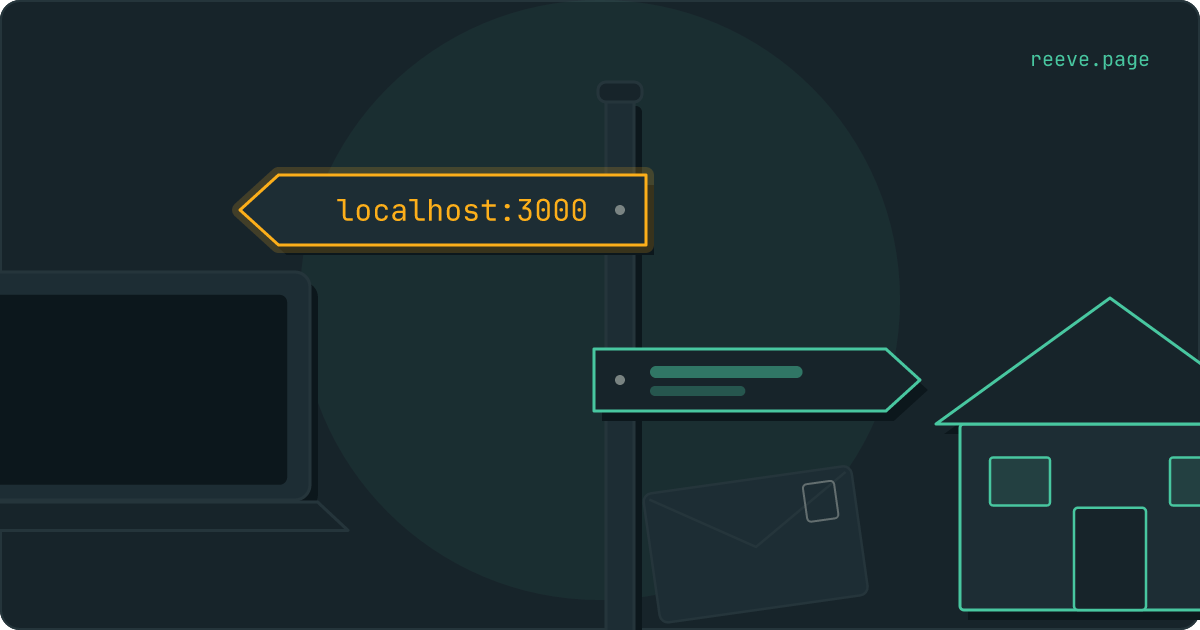
Think of it as a signpost at Supabase's door. Each person who opens a link is
signed in at the door and then sent on, key in hand, along one of the arms. You
put the arms up. The Site URL is the arm everyone takes when no other arm
fits, and on a new project it points at http://localhost:3000: the workshop
where the app was built, which on anybody else's machine is an empty room.
Supabase's
redirect guide says the
Site URL "defines the default redirect URL when no redirectTo is specified in
the code", tells you to "Change this from http://localhost:3000 to your
production URL", and calls the setting "critical for email confirmations and
password resets."
Why does Supabase ignore the address my app asked for?
Because that address is not on your Redirect URLs list, and Supabase falls back without telling you.
Your app can name where people should land. In Supabase's JavaScript library
that is emailRedirectTo on signUp and signInWithOtp, and redirectTo on
resetPasswordForEmail and signInWithOAuth. Supabase Auth then decides in
a short function,
in this order:
- The address your app asked for, if it matches an entry on your Redirect URLs list or sits on the same domain as your Site URL.
- The address of the page the request came from, as the browser reported it, under the same rule.
- Otherwise the Site URL. Supabase raises no error, and your app's console shows nothing.
It makes that decision when the email is sent, and the address it chose goes into the link. When somebody opens the link, Supabase checks that address again against your settings as they are at that moment. Supabase's own troubleshooting answer puts the rule in one line: "In order for the provided redirectTo option to work you must set the exact URL in the shown Redirect URL's setting."
The same setting decides where "Sign in with Google" sends people back to, so a Google button that lands on localhost has the same cause. A Google button that stops earlier, on a page reading "Unsupported provider: provider is not enabled", is a switch in Supabase and a list in Google instead.
Why you did not see it before launch
Because the two ways you tested never reach the Site URL.
- Password sign-in signs people in inside the page. No email link and no trip through Supabase's door, so the signpost is never read.
- If you build with Cursor or Claude Code and your development server was running on port 3000 when you tested the email, the link opened your own local copy and looked like it worked.
- On Lovable's built-in backend you may never meet it. Lovable's
authentication docs say
it sets the Site URL to your published
lovable.appaddress when you publish, and adds a custom domain to the redirect URLs when you connect one. The same page says apps that use your own Supabase project "get no automatic updates".
Is the account confirmed even though the page did not load?
Yes, for a sign-up confirmation. Supabase confirms first and sends the browser on afterwards.
In the code that handles the link, the account is confirmed before the redirect is sent. The page that fails to load comes after the work is done. So tell the person they can sign in on your live site with the password they chose. Pressing the same email again will not help: the link works once, and the second press answers "Email link is invalid or has expired".
A magic link or a password reset is different. That sign-in went to localhost and stayed there, so once you have fixed the settings, the person needs a new email.
How to fix the Supabase redirect to localhost
Change the Site URL, then list the other addresses you send people to. Both are on the URL Configuration page under Authentication in your Supabase dashboard.
Set the Site URL to your live address, with https:// in front.https://yourapp.com, written in full. Left without the https://, Supabase
reads it as a path on its own address, and the person lands on your Supabase
project with
"No API key found in request" instead.
Any address on that domain is then accepted at any path without a list entry,
so https://yourapp.com/welcome works as soon as the Site URL is right.
Add the other addresses to Redirect URLs. The www version if people use
it, the builder's published address (https://yourapp.lovable.app, for
example) if people sign up there, and nothing else. An entry is a pattern, so
https://yourapp.com/** covers every page on that one domain.
Check what your code asks for. If it passes window.location.origin, the
address is whatever the page was opened on, and every address that can produce
has to be on your Site URL's domain or on the list. Compare them letter for
letter: www or not, https or not. An entry without /** at the end matches
that exact address and nothing under it.
Check your email templates. A template that builds its own link from
{{ .SiteURL }} sends everyone to the Site URL whatever your app asked for.
Supabase's redirect guide says that "When using a redirectTo option, you may
need to replace the {{ .SiteURL }} with {{ .RedirectTo }} in your email
templates."
| What you see | What to change |
|---|---|
Every link opens localhost:3000 | The Site URL |
| Links open your Site URL instead of the address your code asked for | Add that address to Redirect URLs, letter for letter |
| The live domain works and the builder's published address does not | Add the published address to Redirect URLs |
| A link opens your Supabase address with "No API key found in request" | Add https:// to the Site URL |
| The address your app asks for is listed and the link still ignores it | The email template's {{ .SiteURL }} |
Then sign up again with an address you have not used. An email sent before the
fix with Supabase's standard link in it, opened within its hour, now lands on
your live site, because Supabase
checks the address again when the link is opened. That holds unless
http://localhost:3000 is still on your list.
Which redirect URLs are safe to allow?
The exact addresses you own. A wildcard belongs to preview deployments, and only scoped to your own team or project.
Supabase's redirect guide puts it plainly: "While the 'globstar' (**) is
useful for local development and preview URLs, we recommend setting the exact
redirect URL path for your site URL in production."
The reason is what travels with the person. In the default flow, Supabase writes
the new session into the address it sends them to:
the code that builds it
appends #access_token=…&refresh_token=… to the redirect address. Whatever
page sits at that address can read those two values, and with them it is that
user. On the signpost, the arm decides who receives the key.
So an entry that matches an address somebody else controls is a way into your users' accounts. Anybody can ask your project to email one of your users a sign-in link, using the public key that is in your app by design, and name their own page as the place to land. The email that arrives really is from your app. The PKCE flow does not change this, because the person who wrote that link started the sign-in, and PKCE hands the session to whoever started it.
The patterns that match addresses other people can create:
**on its own matches every address there is.https://*.vercel.app/**matches every Vercel deployment on the internet, and anyone can deploy one. Supabase's own example carries your team:https://*-<team-or-account-slug>.vercel.app/**.https://*.lovable.app/**,https://*.netlify.app/**and the same shape on any builder's domain do the same thing for that builder. Supabase's Netlify example is scoped too:https://**--my_org.netlify.app/**.
If you have just fixed this by pasting a wildcard, look at the list again today.
Going live is also when the other settings that only matter in production get looked at. Our free scan reads your live app from outside and reports what a stranger can reach: tables that answer anyone, secret keys in the code your app sends, missing headers, the certificate. It takes about 20 seconds and needs no account: scan your app.
Keeping an eye on the live app after launch
This setting gets fixed once. What your app sends to visitors changes with every deploy, and that part can be watched from outside.
Reeve Monitor keeps checking your live app:
- whether it is up, every 60 seconds, so "the link does not work" can be told apart from "the site is down"
- all nine checks every hour, on up to three apps, including secret keys in the code your app sends to visitors
- a message when a result changes, so a problem that ships in a later deploy reaches you without you going to look
- a monthly report, in plain language, of what it saw
Reeve Care keeps a copy of your Supabase database, accounts included:
- an encrypted copy on a schedule, on Reeve's own storage in the EU, outside your Supabase account
- the auth schema your users' accounts live in, so they come back with everything else
- each copy verified before it counts, by counting the rows in every table
- your uploaded files as well, once you connect a Storage credential
- a one-click restore, with a safety copy of the current state taken first
- everything Monitor does
What to do now
What to do
- Set the Site URL on the URL Configuration page to your live address,
https://included. - Add the other exact addresses you send people to, such as the
wwwversion and the builder's published address, to Redirect URLs. - Make sure every address your code passes as
emailRedirectToorredirectTois on the list, and use{{ .RedirectTo }}in templates that should follow it. - Tell anyone who met the localhost page after signing up that their account is confirmed. Magic links and password resets need a new email.
- Keep wildcards to previews scoped to your team, and never allow every app on a builder's domain.
If people press the new link and are told it has expired, that message has a page of its own. The 10-minute security checklist covers what else tends to be left open in a newly launched app.
FAQ
Why does my Supabase confirmation email open localhost:3000?
Because Supabase sent the person to your project's Site URL, and the Site URL still says http://localhost:3000. Supabase uses it whenever the address your app asked for is missing from the Redirect URLs list, or your app asked for none. Change it on the URL Configuration page under Authentication.
Is the account confirmed if the link opened localhost?
Yes, for a sign-up confirmation. Supabase confirms the address first and sends the browser on afterwards, so the failed page comes after the work is done. The person can sign in on your live site with the password they chose. A magic link or a password reset has to be sent again.
I added my site to Redirect URLs and it still goes to localhost. Why?
The entry has to match the address Supabase is offered, letter for letter: www or not, https or not, and the path, because an entry without /** at the end matches that one address only. If they match and the link still ignores it, your email template builds its link from {{ .SiteURL }}. And fix the Site URL itself, since it is where everything else falls back to.
Do I need to add my Site URL to the Redirect URLs list?
No. Supabase accepts any address on the Site URL's own domain without a list entry, at any path. The list is for the other addresses: a www version, the builder's published address, preview deployments.
Can I use a wildcard in Supabase Redirect URLs?
For previews, scoped to your own team or project, as in Supabase's own examples. Never one that matches addresses other people can create, such as every app on vercel.app or lovable.app. Supabase recommends the exact address for your site in production.