
 Reeve
Reeve Backups
Supabase branching is not a backup. It only goes forwards.
Supabase branching is not a backup: a branch starts with none of your data, and merging only moves schema. What it is for, and what to use instead.
In short
- Supabase branching is not a backup. A branch is a second database for testing changes, and it starts with none of your production data in it.
- Merging a branch applies your schema changes to production. It never carries rows, and there is no operation that puts an older version of your data back.
- Even a branch you clone your data into sits inside the same account, and a preview branch is deleted when its pull request closes.
You turned Supabase branching on because it looked like the careful way to work. There is a preview branch beside your project now, changes get tried there before anyone sees them, and the whole setup feels a great deal safer than it did last month.
It is safer. It is also not a backup, and the difference shows up on exactly one day.
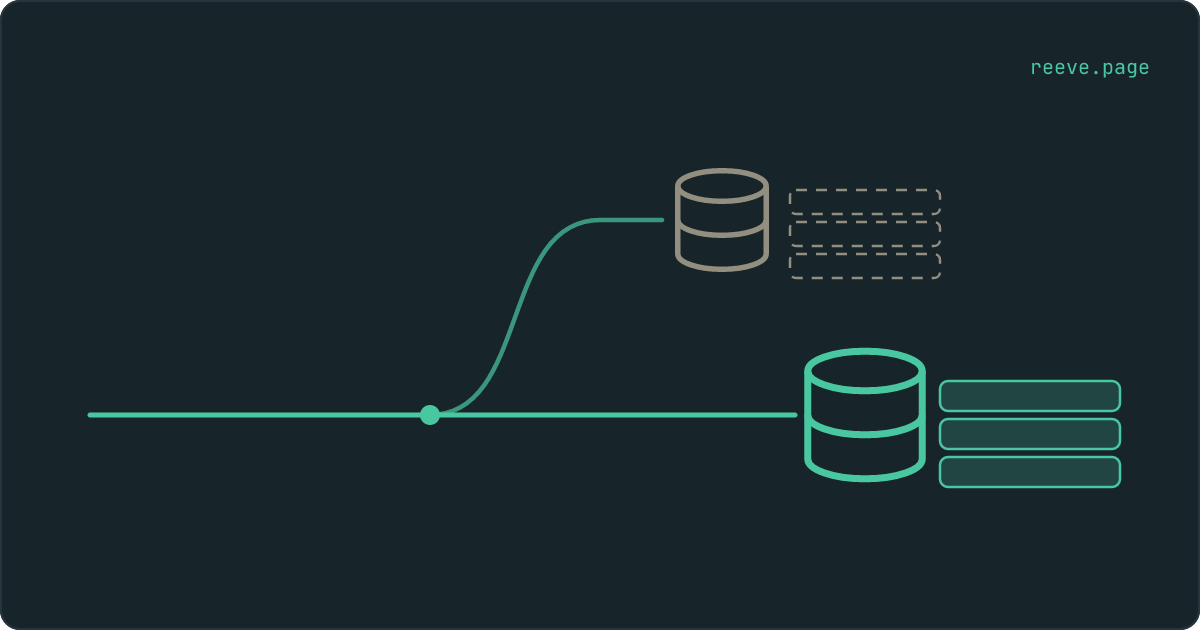
Here is the part the branching guides skip: a branch is a second database running alongside your first, rather than an earlier version of it. Branching is where you go before you make a change. A backup is where you go once one has already gone wrong. Turning branching on does not put a copy of your data anywhere.
Is Supabase branching a backup?
No. A branch starts as an empty database wearing your schema, and nothing in branching puts an older version of your data back.
Supabase's own documentation is direct about it: "New branches do not start with any data from your main project. This is meant to better protect your sensitive production data." A branch is built from your migrations, and a migration describes the shape of a database. The tables, the columns, the policies. Never the rows.
So the branch sitting next to your project is not Tuesday's copy of anything. It is a new database that has never met your users.
| A Supabase branch | A backup | |
|---|---|---|
| Holds your rows from an earlier moment | Only if you cloned them in | Yes, that is the entire job |
| Can put production back how it was | Never | Yes |
| Lives outside your Supabase account | No, it is another project inside it | Depends which of the three routes you took |
| Still there next month | Only if you made it persistent | For as long as you keep it |
| What it is for | Trying a change before it reaches anyone | Getting back to before something reached anyone |
If you have never established what is actually copying your database, that is the job this article is trying to send you off to do, and which plan you are on settles most of it in two minutes.
What a branch actually is
A whole second Supabase project, with its own everything.
"Each branch is a separate environment with its own Supabase instance and API credentials," is how the documentation puts it. Its own connection string, its own keys, its own Storage, its own login accounts, its own rows. Nothing inside it is wired to the project your users are on, which is precisely what makes it safe to break things in.
That isolation is the whole feature, and it is also why it cannot double as a backup. The copy of your data you were hoping for was never taken, and the place you would go looking for it has been empty since the day it was created.
What merging a branch does, and what it does not
It carries your schema changes into production. It never carries rows, in either direction, at any point.
When you merge, Supabase applies the migrations from your branch to your production database and deploys your Edge Function changes. That is the entire payload. A new table, a new column, a rewritten policy: those travel. The rows you made while testing stay in the branch, and the rows in production stay exactly as they were, including the ones you were hoping to replace.
People expect a version of this that does not exist: a merge that reaches into production and puts things back the way they were. What branching has instead is a deployment, applied forwards, onto whatever happens to be in production at the time.
But I cloned my production data into the branch
Then you have a copy of your rows, and three things about that copy decide what it is worth on the day you need it.
You can do this and it is not obscure. The Supabase CLI documents the flag as "Whether to clone production data to the branch database", and the Management API takes the same option when it creates a branch. If you used it, your branch genuinely holds your data.
- It was taken once. The clone happens when the branch is created and nothing tops it up afterwards. Every order, signup and comment since then lives in production and nowhere else, which is the whole difference between a copy and a schedule.
- It is inside the same account. A branch is another project under the same organisation, on the same card, behind the same login. Every way of losing your Supabase account takes the branch with it, and that is a different disaster from breaking your own data.
- Nobody has read it back. A clone that half-finished looks identical to one that completed, from the outside, right up until you open it.
The branch is the part designed to disappear
A preview branch is deleted when its pull request is merged or closed. That is the documented behaviour of the feature.
Supabase calls preview branches "ephemeral and best suited for focused testing" and says they "are automatically deleted when a PR is merged or closed". The other kind, persistent branches, are "long-lived and recommended for environments like staging, QA, or development", and those survive the pull request closing.
So on the default setup, the branch holding your only cloned copy is the thing your workflow throws away on the day the work finishes. Keeping it means making it persistent, and a persistent branch is a second Supabase project left running. Supabase lists branching on the paid plans and bills it per branch, per hour, on their pricing page.
What branching is genuinely good for
A great deal, and this article would be dishonest without saying so.
A branch is the cheapest place there is to find out that a migration drops a column, before it drops the column your customers are sitting in. It lets you rehearse a policy change against a database shaped exactly like yours, with its own keys, so a mistake reaches nobody. It gives an AI assistant somewhere to be wrong that is not your live app. A backup can do none of that.
The gap is in which kind of accident it covers. Branching protects the changes that travel through a pull request. Most of what actually costs people their data never goes near one: a delete in the Supabase table editor that matched more rows than intended, a seed script pointed at the live project, a migration an AI agent wrote and you approved at one in the morning, a tidy-up of what looked like test data. Not one of those passes through a branch on its way to production, which is the same reason rolling your code back does not bring a deleted table with it.
That second kind of accident is what a backup answers. It sits behind you in time, holding the state of your database at a moment you can name, so a mistake made outside your workflow still has somewhere to go back to.
That is also what Reeve Care is: scheduled copies of your Supabase database, held outside your Supabase account, read back and checked before any of them counts as taken. Connect your Storage buckets and the files your users uploaded ride along, so a restore puts back the rows and the images those rows point at.
Keep branching switched on either way. Nothing above is an argument for turning it off.
What to do this week
What to do
- Find out what is copying your database on a schedule, separately from anything that branches it. If that takes more than a minute to establish, the answer is that nothing is.
- If you have been treating a cloned branch as your safety net, note the date it was created and the date its pull request closes. Those are the two ends of what it covers.
- Turn on whatever backup your Supabase plan includes. It is the cheapest thing on this list and it covers the ordinary disaster, which is that you broke your own data.
- Keep one copy outside your Supabase account, because a branch and a platform backup are both behind the same login as the thing they protect.
- Restore one copy into a throwaway project, so the first time you read that file is not the day you need it.
Before you close this tab, open your Supabase project and look at whether anything is taking a copy on a schedule. That one answer is the whole of today's work, and branching does not change it either way. The 10-minute security checklist covers it alongside the rest of what is worth confirming on a newly launched app, and what a copy holds and what pressing restore actually does is drawn out on the Supabase backups page.
FAQ
Is Supabase branching a backup?
No. A branch is a separate Supabase database built from your migrations, and Supabase documents that new branches start with none of the data from your main project. Branching gives you somewhere to test a change before it reaches production. A backup gives you a copy of your data from a moment you can name, so you can get back to it. Those are two different jobs and turning on the first does nothing about the second.
Does a Supabase preview branch have my production data in it?
Not by default. Supabase says new branches do not start with any data from your main project, and gives protecting your production data as the reason. You can opt into a clone when you create the branch, and the CLI documents that flag as cloning production data to the branch database. If you did not ask for it, your branch has your tables and none of your rows.
Can I restore my production database from a branch?
There is no restore in branching. Merging a branch applies its migrations to your production database and deploys your Edge Function changes; nothing in that path moves rows, and nothing in it reverses anything. If you cloned production data into a branch you could dump that database out and replay it yourself, but at that point the thing protecting you is the dump, not the branch.
What happens to my branch when I merge the pull request?
A preview branch is deleted. Supabase describes preview branches as ephemeral and says they are automatically deleted when a pull request is merged or closed. Persistent branches are the other kind, meant for staging or QA, and they are not removed when the pull request closes. So if a branch is holding the only copy of something you care about, the default setting throws it away on the day the work finishes.
Does branching cost extra?
Yes. Supabase lists branching on the paid plans and bills it per branch, per hour, on top of your subscription. Read the current rate on their pricing page rather than here, because it is theirs to change. The practical version: a persistent branch left running is a second Supabase project you are paying for every hour it exists.