
 Reeve
Security basics
Supabase only returns 1000 rows: how to get the rest
Supabase only returns 1000 rows per request because of its Max rows setting. How to page through the rest, count them, and what the cap is there for.
In short
- Supabase only returns 1000 rows per request because every project starts with Max rows set to 1000 in its Data API settings. The rows past the cap are left out with no error, and .limit(5000) gets 1000 as well.
- To get the rest, ask in pages with .range(), sorted by a column that never repeats. To show a total, ask Supabase for the count with head: true, or add it up in a database function.
- You can raise Max rows to as much as 1,000,000. Supabase says to keep it low to limit the size of "accidental or malicious requests", and on a table anyone can read, a higher cap lets a stranger take more of it per request.
Your app's list of orders stops at exactly 1000. The admin page you built with Lovable, Bolt, v0, Cursor, Claude Code or Replit says you have 1000 users, and it said 1000 last week too. An export ends on row 1000, or a revenue total has stopped growing. Nothing shows an error.
Supabase only returns 1000 rows to one request unless you change a setting, and it leaves the rest out without saying so. The quick answer is to raise that setting. It works until the table grows past the new number, and Supabase's own description of the setting says what the cap is for: limiting the size of "accidental or malicious requests".
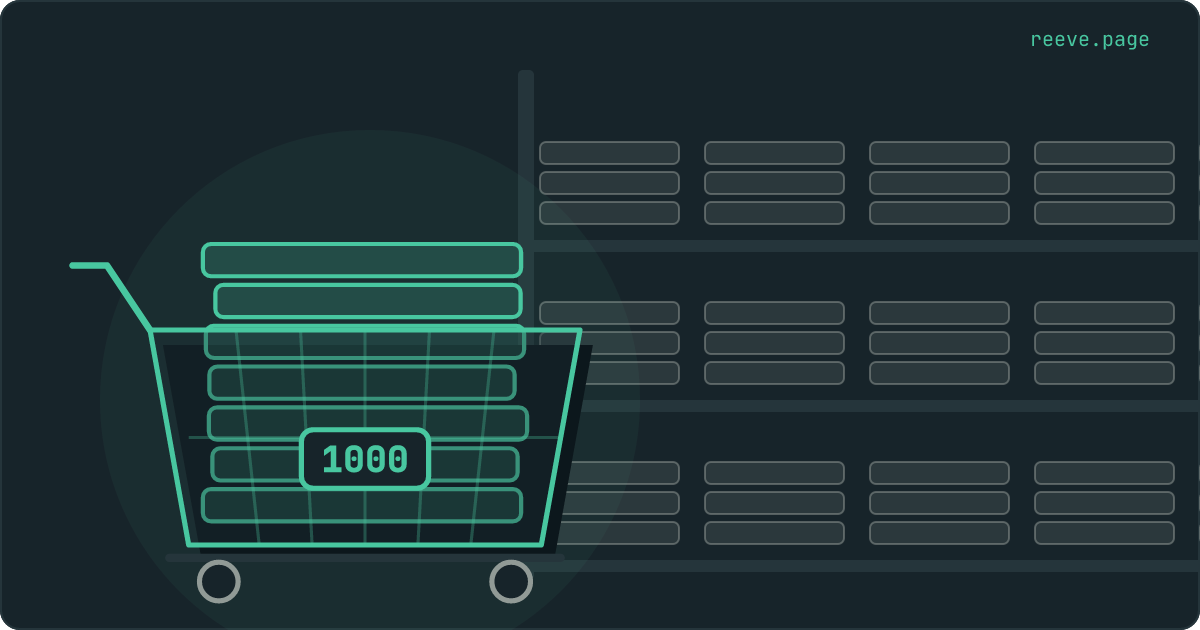
Picture every request your app makes as one trip to a stockroom with a trolley. The trolley holds 1000 rows. Ask for 5000 and you get a full trolley back, with no note about what stayed on the shelf. Getting the rest takes more trips, and knowing how much is on the shelf means asking the clerk to count it.
Why does Supabase only return 1000 rows?
Because every Supabase project starts with a setting called Max rows at 1000, and every response is cut to that many rows. It sits in your project's Data API settings, where its description reads: "The maximum number of rows returned from a view, table, or function. Limits payload size for accidental or malicious requests."
The cap is enforced by PostgREST, the server inside Supabase that turns your
app's supabase.from(...) calls into SQL. Its documentation calls the setting
"a hard limit", and three things follow from that:
.limit(5000)still returns 1000 rows. So does.range(0, 4999).- There is no error. The response is a success with fewer rows than you asked for.
- Every client meets it, because it lives on the server: supabase-js, the
Python client, a plain
fetchto/rest/v1/, and a database function called with.rpc()that returns a table.
It is also not one of the Free plan limits. It is the default on every project, and it caps one request whatever your database holds.
How to tell the cap is what you hit
Compare what came back with what is there. If you received exactly 1000 rows,
or exactly whatever your Max rows says, and the table's count is higher, the cap
cut the response. data.length counts the trolley. This counts the shelf:
const { count } = await supabase
  .from('orders')
  .select('*', { count: 'exact', head: true })
head: true asks for no rows at all, only the number, so this request is never
cut. count is the whole table, or everything your filters match. Supabase's
reference calls 'exact' the exact but slow method; on a table with millions of
rows, 'planned' gives a fast estimate from Postgres's statistics.
Two other signs point the same way. A total in your app sits at 1000 however many people sign up. Or a list is missing your newest rows: without a sort, Postgres returns rows in an order its documentation says "must not be relied on", and with an oldest-first sort the newest rows are the ones left on the shelf.
How to get the rest with range()
Ask for the rows in pages, each no bigger than the cap, sorted by a column that
never repeats. .range(from, to) counts from 0 and includes both ends, so
.range(0, 999) is the first 1000 rows and .range(1000, 1999) the next 1000.
Supabase's reference says range "respects the query order and if there is no
order clause the range could behave unexpectedly", which is why the sort is
part of the fix.
For a list on screen, load one page at a time and give the reader a next button, with the count from above for "page 3 of 12". For a job that needs every row, such as an export, loop:
const pageSize = 1000
let from = 0
let rows = []

while (true) {
  const { data, error } = await supabase
    .from('orders')
    .select('*')
    .order('id')
    .range(from, from + pageSize - 1)
  if (error) throw error
  if (data.length === 0) break
  rows = rows.concat(data)
  from += data.length
}
The loop moves on by however many rows came back and stops on the first empty
page, so a Max rows setting lower than pageSize skips nothing.
Work out totals in the database
A total your app adds up from the rows it received is a total of 1000 rows at most. For how many there are, use the count above. For a sum or an average, let Postgres do the arithmetic and send back one number:
create function public.order_total()
returns numeric
language sql
stable
as $$
  select coalesce(sum(amount), 0) from public.orders;
$$;
const { data: total } = await supabase.rpc('order_total')
Leave the function as Postgres creates it. It runs as whoever calls it, so Row
Level Security still decides which rows it adds up. Postgres grants every role
the right to execute a new function, and Supabase's Row Level Security page
warns that "a security definer function in an exposed schema is callable over
the Data API with the creator's privileges". Add that keyword to this function
and any visitor holding your app's key can read your revenue.
Should you raise Max rows?
You can, and for a table that will stay small it is a reasonable change. The
field goes up to 1,000,000; the dashboard turns anything higher away with
"Can't be more than 1,000,000". On a local project it is max_rows under
[api] in supabase/config.toml.
Read Supabase's own advice first. Its JavaScript reference says: "It's recommended that you keep it low to limit the payload size of accidental or malicious requests." The accidental kind is usually your own code: a page that asks for every row gets every row on every visit, and the response grows with the table. The original symptom also returns: once the table passes the new number, the list stops there.
What the cap means for a table anyone can read
It is the most one request can take from that table, and a stranger's request counts. Who can read the table at all is decided by Row Level Security, which is a different setting.
Your app's requests carry a key that
ships in your page by design,
and anyone can copy it out. If a table answers that key with rows, because Row
Level Security is off or a policy says using (true), a stranger's request is
cut at 1000 rows exactly like yours, and the next 1000 are one .range() away.
PostgREST's own documentation describes using the count with a range to
"traverse all the rows". At the default cap that takes a stranger many trips.
With the cap at 1,000,000, a table of up to a million rows leaves in one.
When we checked 3,680 Supabase apps in August 2026, 2,096 had at least one table that returned rows to a request with no login. Whether yours does can be seen from outside: our free scan asks each table your app names how many rows a visitor with no login can count, reads only the number, and takes about 20 seconds with no account. Scan your app.
Fix the rules before you touch the cap. Enable Row Level Security on every table and prove it, then check that no policy lets everyone in.
Keeping your tables the way you left them
The rules on a table and the settings on a project can both change after today,
whenever you or your builder edit the project. And a table with Row Level
Security off answers more than reads: Supabase's documentation says such a table
"is readable and writable by any role with a grant on it", and some projects
still grant anon by default.
Reeve Monitor keeps checking from outside:
- the full security check every hour, including how many rows a visitor with no login can count in the tables your app names
- an alert the day a re-scan grades your app lower than the one before
- whether the app is up, every 60 seconds
Reeve Care keeps a copy of your Supabase database:
- an encrypted copy on a schedule, on Reeve's own storage in the EU, outside your Supabase account
- each copy verified before it counts, by counting the rows in every table
- your uploaded files as well, once you connect a Storage credential
- a one-click restore, with a safety copy of the current state taken first
- everything Monitor does
The free scan shows what a visitor with no login can count in your tables today. About 20 seconds, and no account.
Scan your app free in 20 seconds
What to do now
What to do
- Check whether the cap is what you hit: compare
data.lengthwith the count fromhead: true. - Load a list one page at a time with
.range(), sorted by a column that never repeats. - To fetch every row, loop until a page comes back empty, moving on by the number of rows you received.
- Work out totals in the database: the count for how many, a function for sums.
- Leave Max rows at 1000 unless the table is small and will stay small, and check its rules before you raise it.
- Make sure no table answers a visitor with no login unless it is meant to.
If you are not sure which of your tables a stranger can count today, scan your app before you change Max rows.
FAQ
Is the 1000 row limit a Supabase Free plan limit?
No. It is the default on every Supabase project, and it lives in the Data API settings as Max rows. It caps how many rows one request gets back and has nothing to do with how much your database may hold.
Why does .limit(5000) still return 1000 rows?
Max rows is a hard limit on the server. PostgREST, the part of Supabase that answers your app's queries, fetches at most that many rows whatever the request asks for, and returns them with no error. Ask for the next 1000 with .range(), or raise the setting.
How do I get all rows from a Supabase table?
Ask in pages. Sort by a column that never repeats, such as id, request .range(from, from + 999), add the number of rows that came back to from, and stop when a page comes back empty. If you only need a number, ask for the count or add it up in a database function.
Is it safe to raise Max rows in Supabase?
It changes how many rows one request can take, for your app and for anyone using the key that ships in your page. Who can read a table at all is decided by Row Level Security. Supabase recommends keeping the cap low to limit the size of accidental or malicious requests, so check your rules before you raise it.
How do I count rows in Supabase without downloading them?
Call select('*', { count: 'exact', head: true }). With head: true the response carries the count and no rows, so the 1000 cap does not cut it. On a very large table, count: 'planned' returns a fast estimate from Postgres's own statistics.