
 Reeve
Reeve Security basics
Is a CORS wildcard a security risk? Usually not.
Is a CORS wildcard a security risk? Usually it is your builder default, and it gives away nothing your server was not already handing to anyone who asked.
In short
- A CORS wildcard is a security risk only when something private answers behind it. By itself it permits reading things anyone could already download.
- The header is an instruction to your visitor's browser and it arrives after the answer has been sent. Nothing outside a browser reads it, so restricting it leaves an open endpoint exactly as open.
- The shape worth an evening is a server that echoes back whichever website is asking and allows credentials. That one lets another site read data as your signed-in user.
Your scan came back with a line that reads like an alarm: your API is open to
any website. Or somebody technical looked at what your server sends back and
told you your app has a CORS wildcard, which is the character *, which
apparently means everybody.
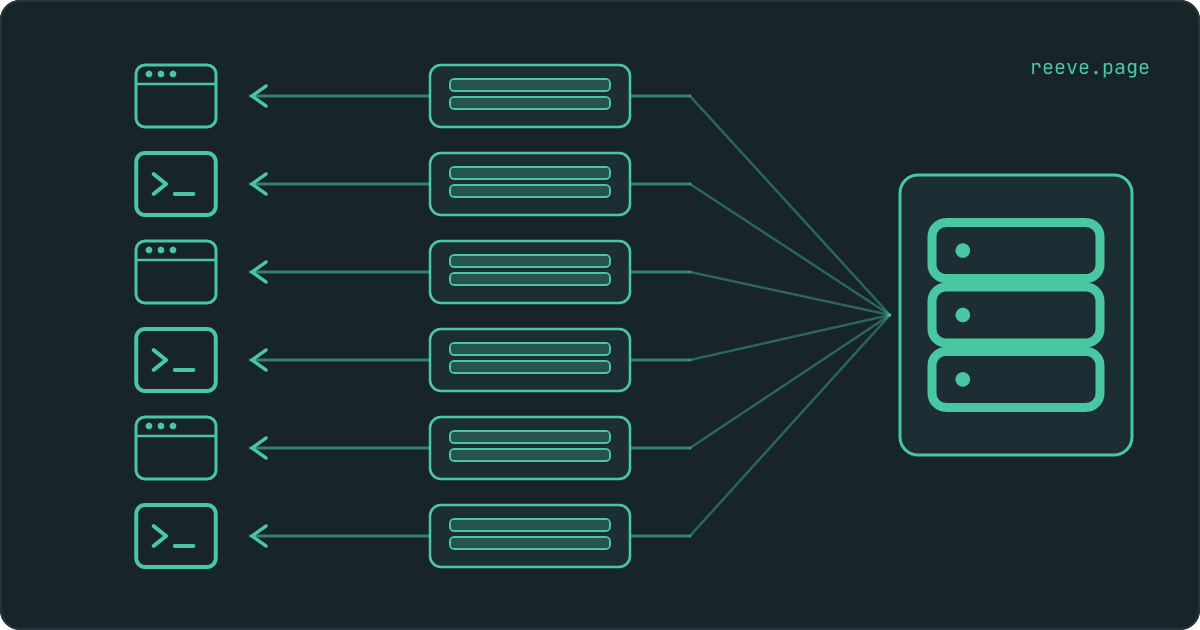
Here is the part that guide after guide gets wrong: the wildcard is almost never what opened your API. It is an instruction your server attaches to its answers, addressed to the browsers of people sitting on other websites, and it arrives after the answer has already gone out. Restricting it stops another website's page from reading your data. It does nothing about anyone reading it without a browser at all.
Is a CORS wildcard a security risk?
On its own, hardly ever. It turns into one the moment something private is answering behind it.
The wildcard is the value * in a response header called
Access-Control-Allow-Origin, and it means that any website's code may read
this particular answer. That sounds like a statement about who can reach your
data. It is a statement about who may read what your server has already sent.
The address a scan checks is the one your app is served from. On most builders that address hands out your pages, your images and your compiled code, all of which go to every visitor by design. A wildcard on those grants permission to read files anybody could already download by opening your site.
So the finding is a question rather than a verdict, and the question is what sits behind the header. If the answer is your homepage, nothing happened. If the answer is a list of your customers, that list was already reachable by anyone holding the address.
What Access-Control-Allow-Origin actually does
It tells your visitor's browser whether the page on screen is allowed to look at an answer your server has already sent.
The order is the whole thing, and it runs backwards from how nearly everyone
pictures it. A page on some other website runs a piece of code that asks your
app for data. The request goes out. Your server receives it, runs whatever it
runs, and sends the response back in full. Only then does the browser read the
header on that response and decide whether to hand the contents to the page
that asked for them. MDN's own CORS guide puts it in one line: the server has
to opt in with Access-Control-Allow-Origin to share the response with the
script.
Your data left the building either way. What the header decides is whether one particular piece of code, running inside one person's browser, gets to see it.
The browser is the only thing in that story that reads the header. A script on a server, a command line tool, a scraper, a mobile app: none of them consult it, because it was written for a browser and no browser is involved. They send the same request, get the same response, and read every byte of it.
Restricting CORS does not make an open endpoint private
Because CORS lives inside browsers, and somebody helping themselves to your data has no reason to use one.
This is the part that costs people an afternoon. They see the wildcard finding, narrow the header to their own domain, redeploy, re-scan, and the address that was handing out customer rows is still handing out customer rows. It always was. The only caller who ever stopped was somebody else's web page.
| What someone tries | Wildcard * | Your domain only | Any origin echoed back, credentials allowed |
|---|---|---|---|
| Opening the address in a browser tab | Works | Works | Works |
| Reading it from a script or a terminal | Works | Works | Works |
| Another website's page reading it | Works | Blocked | Works |
| Another website reading it as your signed-in user | Blocked | Blocked | Works |
Read the bottom row twice, because it is where the generic advice falls over. A
plain wildcard cannot be used to read data belonging to your signed-in visitor.
Browsers refuse that combination outright, and MDN's CORS guide says so
directly: if a request carries a cookie and the response comes back with
Access-Control-Allow-Origin: *, the browser blocks access to the response and
reports a CORS error in the console. So the wildcard, of all things, is what
makes that particular attack impossible.
The column that does hand over a signed-in user's data is the third one, and it needs the server to write the caller's own address into its answer.
The CORS setting that is genuinely dangerous
A server that reads the Origin header off the request, writes that same value
into its own answer, and sends Access-Control-Allow-Credentials: true
alongside it.
Nobody sets out to do this. It arrives at the end of an afternoon spent trying to make a wildcard work with logged-in requests and discovering that it never will. Echoing back whichever origin asked looks like the way through: every site that should be allowed is allowed, the console errors stop, the feature ships. What the server is actually saying is that the caller decides, and that includes a page nobody has written yet.
Here is what it permits. Your customer is signed into your app, with a session
cookie sitting in their browser. In another tab they open a site with nothing
to do with you. That site's code asks your API for their account. Their browser
attaches the cookie, because attaching cookies is what browsers do. Your server
reads an Origin it has never heard of, stamps it into the response as
permission, and adds that credentials are fine. The browser checks, finds a
match, and hands your customer's data to a page your customer never knew was
reading it.
In our August 2026 sweep this turned up on 61 of the 30,926 apps where the check could get an answer. Of the three CORS findings, it is the only one that reaches data sitting behind a login.
How often a wildcard turns up, and who decides it
Mostly your builder decides. In that same sweep, 5,727 of those 30,926 apps sent a wildcard, and the best single predictor of whether yours does is which platform published it.
The CORS check reported at least one finding on 5,418 of the 5,419 Base44 apps where it got an answer, and on 8 of the 18,518 Lovable ones. Replit sat between them at 1,129 of 3,037. A spread that wide is what a hosting default looks like from outside: near-total on one platform, close to absent on another, across thousands of apps whose owners never coordinated anything.
Three separate findings make up the CORS check across all 30,926 apps: a wildcard on 5,727 of them, an address answering with data and no login on 3,852, and the echoed-origin shape on 61. Those add up to more than the check does, because plenty of apps have two of the three. Every figure here comes from our scan of 30,998 live vibe-coded apps, which publishes each one with the base it was measured over.
Which of those you can do anything about splits the same way. The wildcard is sent by whoever serves your app, and for a vibe-coded app that is usually the builder. What comes back when a stranger asks one of your addresses for data was decided inside your app, by you or by the builder writing code on your behalf.
How to check your own app
Two things to look at, and the second is the one that decides whether any of this matters.
Does your app send a wildcard? Open your live app, press F12 to bring up
the browser's developer tools, click Network, and reload the page. Click
the first request in the list and read the Response Headers panel. A line
reading access-control-allow-origin: * is the finding. No such line at all
means your server shares nothing across origins with anybody.
What answers behind it? Stay in the Network tab and reload your app while signed in, watching for requests that come back as JSON. Those are the addresses your app fetches data from. Copy each URL, open a private browsing window so that you are signed out, and paste them in one at a time. Anything that comes back carrying real rows, instead of an error or an empty list, is readable by anyone on the internet who has that URL. That is true today, whatever your CORS header says, and it stays true after you narrow it.
Our free scan runs the second check for you: it reads your app's code for the addresses it calls, requests each one with no login, and reports the ones that answered with data. It takes about 20 seconds and needs no account: scan your app.
If your app talks to Supabase straight from the browser, there is a third place to look, because the rules on each table decide who may read which rows and switching them on is not the same as being protected.
What to do right now
What to do
- Treat a wildcard finding as a question about what is behind the header. On the address your app is served from, it usually permits reading files every visitor downloads anyway.
- Sign out and open every data address your app calls. Anything that returns real rows to a signed-out browser is public to everybody, whatever the header says.
- Fix an open address at the address: require a login and answer a stranger with a 401. Narrowing the CORS header leaves it reachable by everything except other people's web pages.
- If your server echoes back whichever origin asked and sends
Access-Control-Allow-Credentials: true, replace that with a list of your own domains today. It is the one shape here that lets another site read data as your signed-in user. - If the header comes from your builder's hosting and you cannot change it, spend the time on the endpoints instead. That is where your data is.
The habit worth keeping is the signed-out pass over your own data addresses, because a new feature adds a new one every time and nothing on screen looks different when one of them starts answering. Reeve Care re-runs this scan against your live app on a schedule and emails you when a result gets worse: what it watches and what it costs.
If you would rather work through everything in one sitting, the 10-minute security checklist covers this next to the rest of what a newly launched app tends to leave open, and which keys are safe in your frontend is the other half of the question people usually arrive with.
FAQ
My scan says my API is open to any website. Do I have to fix it?
Look at what answers behind it first. A wildcard on the address your app is served from usually permits reading your pages, images and compiled code, all of which every visitor downloads anyway. Fix it when an address behind that header returns real data to somebody who is not signed in, and fix it at that address by requiring a login.
Does restricting CORS to my own domain make my API private?
No. CORS is a rule browsers apply to themselves, so it only ever governs code running on somebody else's web page. A script, a terminal command or a scraper sends the same request and reads the same answer, because none of them consult the header. If an address returns your data without a login, it does that for everyone, whatever the header says.
Can another website read my logged-in users data because of a wildcard?
Not with a plain wildcard. Browsers refuse that combination: MDN's CORS guide states that when a request carries a cookie and the response comes back with Access-Control-Allow-Origin set to the wildcard, the browser blocks access to the response and logs a CORS error. The version that does work is a server echoing back whichever origin asked, together with Access-Control-Allow-Credentials set to true.
How do I change the CORS header on a Lovable or Base44 app?
Often you cannot, because the header is sent by the hosting the builder publishes to and it applies to every app on that platform. That is worth knowing before you spend a week on it. What you can always change is what your own endpoints hand back to a request with no login, and that is where the fix belongs anyway.
My scan flagged open API endpoints as well. Is that the same finding?
It is a different one, and the more serious of the two. A wildcard describes who may read an answer. An open endpoint means the answer contained your data and arrived without anybody signing in. The second is true for a browser, a script and a stranger with the URL alike, and narrowing your CORS header changes none of it.