
 Reeve
Backups
Lovable Cloud backup: does Lovable back up your database?
A Lovable Cloud backup is taken daily and kept about 14 days, in the same backend as your data. What it holds, who can restore it, how to keep a copy.
In short
- Yes. A Lovable Cloud backup of your database is taken once a day, and Lovable keeps up to roughly 14 days of them under More → Database → Manage → Backups.
- The copies sit in the same backend as the database. Removing the database deletes them in the same step, and none of them holds the files your users uploaded.
- A restore rolls the whole database back to one of those days and cannot be undone, and anyone with edit access to the project can run one.
- The copy that outlives the project is the export: a PostgreSQL archive you download and keep yourself, with your storage files downloaded beside it.
You built your app in Lovable, people sign up and use it, and somebody has just asked you a question you could not answer: if the data went, could you get it back? You remember Lovable saying something about backups. You have never looked at one.
The short answer is yes. If your app runs on Lovable Cloud, Lovable's built-in backend, a Lovable Cloud backup of your database is taken every day, and Lovable keeps up to roughly 14 days of them. You can see the list and restore from it yourself.
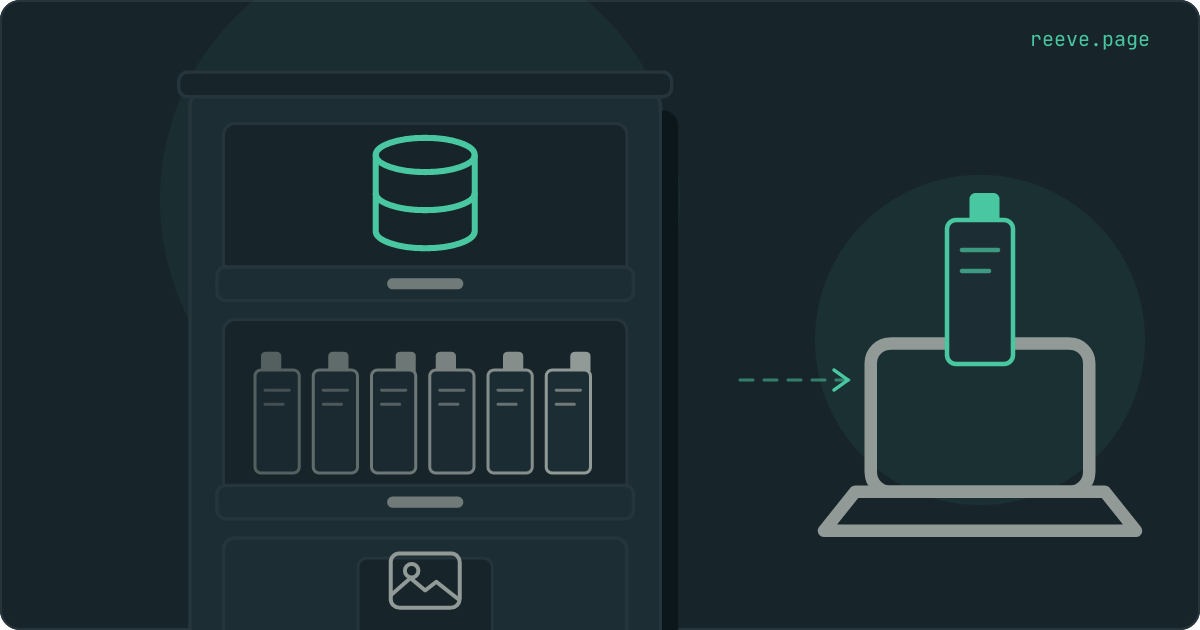
What changes what you should do is where those copies are kept. They live inside the same backend as the database they protect. Picture Lovable Cloud as one filing cabinet. Your database is the top drawer. Once a day Lovable photocopies that drawer and files the copy further down the same cabinet. That covers a bad edit. It does nothing on the day the cabinet itself goes, and the photocopier never opens the drawer where your users' uploaded files are kept.
Does Lovable back up your database?
Yes, if your project uses Lovable Cloud. Lovable's documentation says it "backs up your project's database every day", takes one backup a day and "keeps up to roughly 14 days of them".
Lovable projects come in two kinds, and that answer belongs to one of them. The built-in backend is on by default, Lovable calls it Cloud in parts of the product, and in Lovable's words it "utilizes Supabase's open-source foundation". The other kind is connected to a Supabase project the owner holds on their own Supabase account.
You can tell which you have from the editor. On Lovable Cloud, your data is in the Database, Users and Storage views inside Lovable. On your own Supabase project, More → Supabase shows that project's name, with links into the Supabase dashboard.
For the second kind, Lovable's own comparison table lists backups under "Managed by you in Supabase". What you have then depends on your Supabase plan, and the Supabase backups page sets the plans side by side. Your uploaded files need a backup of their own there as well. The rest of this article is about Lovable Cloud.
Where to find your Lovable Cloud backups
In the editor, go to More → Database, select Manage, then Backups. Each row is one daily copy, with the time it was taken shown in UTC.
That list is all there is. You can restore to any row on it and to nothing in between, so the nearest you can get to a mistake is the last copy taken before it happened. Lovable's FAQ answers "Can I restore my database to any point in time?" with a plain no. If you deleted something at four in the afternoon and the last copy is from the early morning, the hours between are not in any of them.
What a Lovable Cloud backup holds
Your database, its structure and its data. Lovable states it in one line: "Backups and exports cover the database only, both structure and data." Files in storage are a separate thing.
| Part of your app | Daily backup | Export | Where it is otherwise |
|---|---|---|---|
| Your tables, structure and data | Yes | Yes | |
| Your users' accounts and password hashes | Lovable does not say | Yes | |
| Files your users uploaded | No | No | Download them from More → Storage |
| Edge function code | No | No | Your version history, which redeploys it on revert |
| Secrets, API keys, sign-in provider settings | No | No | Set up again by hand if you move |
The files row matters most. A restore "does not change the files in storage", in Lovable's words, so it cannot bring back a photo that was deleted. If a customer's profile row and their photo were both removed after the copy was taken, the restore puts the row back and the photo stays gone.
Where Lovable keeps the copies
In the same backend as the database, which makes them the bottom drawer of the same cabinet. Lovable's warning on removing a database says so directly: "Removing the database deletes the database, its backups, your app's user accounts, and the files in storage, and cannot be undone." Exports saved in your project's storage are deleted too.
Anyone with permission to manage the project's settings can remove the database, after ticking two warnings and typing the project's exact name.
Two other events sound similar and are gentler:
- A pause keeps the data. Lovable pauses the backend of a project after about 7 days without activity. While it is paused, your published app cannot read or write data, sign anyone in or serve files, and you cannot export until you wake it up. Opening the project in the editor wakes one paused for inactivity, and that takes a few minutes.
- Deleting the project is reversible for 60 days. Lovable pauses the backend and the data in it stays. After 60 days Lovable deletes the project permanently, and nobody can bring it back, including Lovable support.
What restoring a Lovable Cloud backup does
The whole database goes back to the day you pick, structure and data together, in one step that cannot be undone. Lovable says it plainly: "Any data created or changed after the chosen backup is lost." The database is unavailable for a few minutes while the restore runs.
In the cabinet, a restore swaps the entire top drawer for one of the photocopies. You cannot pull out the one page you lost and keep today's drawer around it. Three details follow from that:
- Everything since that copy goes. A customer who signed up yesterday and an order placed this morning are both missing from a copy taken two days ago.
- The code may no longer match. The structure goes back too, so a column Lovable added since then disappears while the code that reads it stays. Lovable's advice is to ask it in the project chat to test the app and fix any mismatch afterwards.
- It always replaces the same project's database. There is no restoring a copy to the side to fetch a single table out of it.
So export first. Lovable gives the same advice: "To keep the current state, export your database first." Then whatever the restore removes still exists in a file you hold.
Anyone with edit access to the project can restore a backup. On Enterprise plans every restore is recorded in the workspace audit log.
Version history does not touch your data
Lovable's version history rolls back code and nothing else. Its documentation says reverting "restores your project's code only" and "does not restore or roll back your database data". The FAQ entry "What happens to my database when I revert?" is answered with one word, "Nothing." The longer account of why the two are separate is in version history is not a backup.
That matters because Lovable edits your data as well as your code. In its backend permissions, the setting called Change data, which lets Lovable "add, update, or delete data in your database tables", is set to Always allow out of the box. So is Modify database, which covers "schema and policy changes via SQL migrations". Ask Lovable to clear out some test bookings and it can delete rows without asking first, and a revert will not bring a single one back.
You can change that under Account settings → Preferences → Agent permissions. Set Change data to Ask each time and Lovable asks for your approval whenever it is about to touch rows. If an agent has already deleted something, what you can still recover depends on how long ago it happened.
A policy change is easy to miss in a long chat, and a loosened one can leave a table readable by anybody who opens your site. If you want to know how your live app looks from outside, the free scan reads it the way a stranger's browser would and tells you what it found open.
How to keep a copy of your own
Export the database, then keep the file outside Lovable. The export is the one copy that does not live in the cabinet, and Lovable describes what it holds in full: "your full database, both structure and data", plus "your users' accounts and their password hashes, the scrambled form in which passwords are stored".
- In your project, go to More → Database, select Manage, then Settings.
- In Export project data, click Export data.
- In the Database card, click Export, then Start export.
- Lovable emails you when it is ready and saves it to your project's storage. Download it from More → Storage.
Then move it off Lovable, to your own computer or a drive you control. Left in storage it sits inside the cabinet with everything else, and removing the database deletes it.
The limits, all from Lovable's page:
- Databases using up to 15 GB of storage, and an export file of at most 5 GB. Larger ones go through Lovable's support.
- One export every 24 hours.
- Only while the database is running. A paused project, including one paused because your workspace ran out of credits, has to be woken first.
- Anyone who can manage the project's settings can export.
The file is a compressed PostgreSQL archive, which a developer, or the import
tool of whatever backend you move to, loads with pg_restore. For a copy you
can open yourself, Lovable points you to CSV instead: download a single table
from the Database view.
Download your files from More → Storage at the same time, because the export leaves them out. And take a fresh export before any restore, so the rows written since the last copy stay in a file you hold.
If you ever move the app to your own Supabase project, this export is how the data travels. Lovable says your users keep their passwords when the export is restored into Supabase, and people signed in at the time of the switch have to sign in again.
Keeping an eye on the app between exports
Reeve watches the live app from outside on the days between your exports. When the app runs on your own Supabase project, it keeps the copies for you too.
The free scan reads your Lovable app as a stranger would.
- It looks at your live site from outside, with nothing to install.
- It reports the keys in your code, the tables a visitor can read and the files anyone can list.
- No account needed. Scan your app free in 20 seconds.
Monitor keeps looking after you stop.
- It checks your site every 60 seconds and tells you by email, Telegram or Slack when it stops answering.
- It reads the pages you name for the words that must be there and for error messages that must not.
- It runs the security checks again every hour, so a rule an edit loosened shows up the same day. See how Monitor works.
Care keeps the copies, for a Lovable app on your own Supabase project.
- It copies your Supabase database on a schedule, encrypted, on Reeve's own storage in the EU, outside your Supabase account.
- Each copy is verified before it counts.
- Connect a Storage credential and your uploaded files come too. See what a Care backup holds.
What to do this week
What to do
- Find out which backend your project uses. Database, Users and Storage views inside Lovable mean Lovable Cloud; More → Supabase showing a project name means your own Supabase.
- On Lovable Cloud, open More → Database → Manage → Backups once, so you know where the list is before you need it.
- Export the database and download your storage files, then keep both on a computer or drive outside Lovable.
- Take a fresh export before any restore, so the restore cannot cost you the rows written since the last copy.
- Set Change data to Ask each time if you want Lovable to ask before it edits rows.
The first export is today's job, and it starts under More → Database → Manage → Settings. While it runs, the 10-minute security checklist covers the other things worth confirming on a Lovable app that real people use.
FAQ
Does Lovable back up my database automatically?
If your project uses Lovable Cloud, the built-in backend, yes. Lovable takes one backup a day, keeps up to roughly 14 days of them, and lists them under More → Database → Manage → Backups. If your project is connected to a Supabase project of your own, Lovable lists backups under "Managed by you in Supabase", so what you have depends on your Supabase plan.
Does reverting in Lovable bring my data back?
No. Lovable says reverting restores your project's code only and does not roll back your database data. Rows that were added, changed or deleted after that version stay exactly as they are. A database backup is the copy that can put data back.
Are uploaded files included in a Lovable Cloud backup?
No. Lovable's backups and exports cover the database only, and files in storage are separate. You download them from More → Storage. A restore leaves them alone too, so a file deleted after the backup was taken stays deleted.
What happens to my backups if I remove the database or delete the project?
Removing the database deletes it together with its backups, your users' accounts, the files in storage and any export saved there, and it cannot be undone. Deleting the whole project pauses the backend and keeps the data for the time being: Lovable holds the project for 60 days and then deletes it permanently.
Can I download a Lovable Cloud backup?
The copy Lovable hands you is the export: a compressed PostgreSQL archive of the whole database, including user accounts and password hashes. You can request one every 24 hours, only while the database is running. Lovable saves it to your project's storage, so download it from More → Storage and keep it on a computer or drive outside Lovable.