
 Reeve
Reeve Security basics
Is an open API endpoint a security problem? Look at the JSON
Your scan flagged an open API endpoint. Whether it matters depends on what came back, and most of the ones we found were the platform's own.
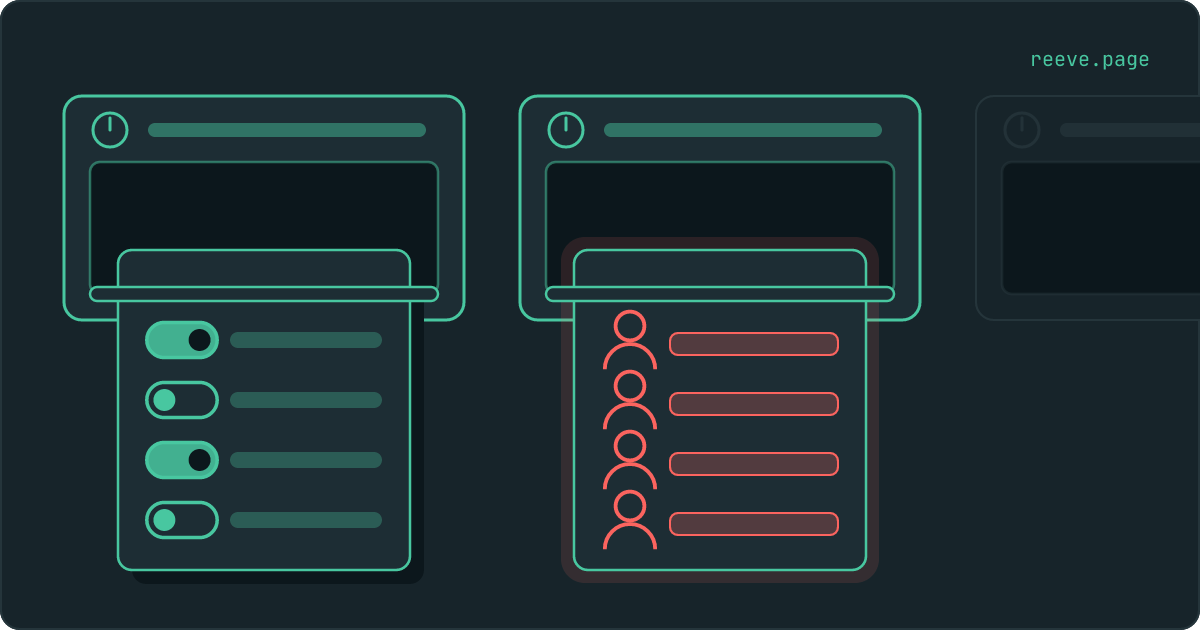
In short
- An open API endpoint means a path written into your app's code answered a request with no login, and what came back was JSON.
- Of the ones we found across 30,926 apps, seven in ten were put there by the platform the app was published on, and they return settings.
- The question that decides it is whether anything in the answer describes a person. A price list is public by design. A list of your customers never was.
Your scan came back with a line that does not read like a verdict: some API endpoints answer without a login. Somebody may have put it to you more bluntly and told you that you have an open API endpoint. Under it is an address, and there is a fair chance you do not recognise it.
Here is the part that guide after guide gets wrong: the standard advice for this finding is to put a login on your endpoint, and on most of the apps we have scanned there is no endpoint of yours to put one on. Seven in ten of the ones we found belong to the platform the app was published on. So reading this finding starts with working out whose address it is, and the answer is usually visible in the first line of what comes back.
What an open API endpoint means on your report
It means a path written into your app's code answered a request that carried no login, and what came back was JSON.
Three steps, and none of them is clever. We load your app in a browser the way a visitor does, and read the code that browser downloaded. Inside it are the addresses your app calls when it needs data. Then we ask each one for data with no account, no cookie and no key. If an address answers with JSON that is not an error message, it goes on the report.
That is a fact about what happened. It is not a judgement about the data, because nothing standing outside your app can tell whether a list of things is a list of public things. This is why the finding is worded the way it is: these endpoints returned data without any authentication, that may be intentional for public data, check that none expose private information.
So the report hands you a list of addresses to open. Every one of them needs opening in a signed-out browser, and the first few lines of the answer are what settles it.
Is every open API endpoint a security problem?
No. There are three kinds, and only the third one is a problem.
Think about a block of flats. Some things in it are meant for anybody who walks in: the opening hours by the door, the fire exits, the notice about the lift being serviced on Tuesday. Somewhere else in the same building there is a filing cabinet with the tenants' details in it. From the corridor a noticeboard and an unlocked filing cabinet are both furniture you can open, and the only way to tell them apart is to read what is on the paper.
| What answered | Whose address is it | Where you stand |
|---|---|---|
| Platform settings: cookie notices, feature switches | Your builder's, in every app it publishes | Nothing to do |
| Your own public data: a price list, an article | Yours, and meant to be readable | Nothing to do |
| Rows about people: names, emails, orders, messages | Yours, and reachable by anyone holding the address | Close it today |
The first row is a noticeboard somebody else screwed to the wall. The second is a noticeboard you put up on purpose. The third is the filing cabinet, and it has been standing open for as long as the address has existed.
How to check what your endpoints return
Open each one signed out and read what arrives. The reading takes longer than the finding suggests, and it is the only step that answers the question.
Find the addresses. Open your live app, press F12 to bring up the browser's developer tools, click Network, and reload the page. Click through the requests that come back as JSON. Those are the addresses your app fetches data from, and the report's list is a subset of them.
Ask each one as a stranger. Copy a URL, open a private browsing window so that you are signed out, and paste it in. What you see is exactly what anyone on the internet sees at that address.
Read the first few lines. Three things you might get back:
- An error, a refusal, or
[]. The address wants a login, or there is nothing in it for a signed-out caller. Move on. - Settings. Flags, switches, a colour, a list of enabled features, a version number. Nobody is named and nothing is described. Move on.
- Rows. An email address, a person's name, an order total, the text of a message, a phone number. Stop here; this is the one.
If you find rows, try changing a number in the URL before you close the tab. An
address that hands out one person's record on id=1 and a different person's on
id=2 is handing out all of them, and that is worth knowing before you decide
how urgent this is.
Our free scan does the first two steps for you: it reads your app's code for the addresses it calls, requests each one with no login, and lists the ones that answered with data. It takes about 20 seconds and needs no account: scan your app. The third step is yours, because you are the only person who knows whether a name in that list is a real customer.
Most of the ones we found belong to the platform
In our August 2026 sweep, 3,852 of the 30,926 apps where this check could get an answer had at least one address answering without a login. Of those, 2,705 were Base44 apps, and on Base44 the address is nearly always the same one.
It is /api/consent/config, the platform's cookie-consent settings. We re-opened
a sample of flagged Base44 apps in September and the only address that answered
was that one. It returns settings, it is identical across apps, and nobody's data
is in it. The scanner is reporting it correctly and the owner has nothing to fix.
| Platform | Apps with the finding | Apps the check answered on |
|---|---|---|
| Base44 | 2,705 | 5,419 |
| Custom domains | 82 | 955 |
| Bolt | 4 | 1,120 |
| Lovable | 8 | 18,518 |
| v0 | 0 | 1,786 |
One platform is missing from that table on purpose. Replit accounts for a large block of the remaining findings, and nobody has re-opened a sample of those the way we re-opened Base44's, so we do not know yet whose addresses they are. Publishing a figure as the owner's problem before somebody has looked at it is how a Base44 platform setting becomes a statistic about negligent owners. Every number above comes from our scan of 30,998 live vibe-coded apps, which publishes each one with the base it was measured over.
Read the two ends of that table together, because the spread is the useful part.
On Lovable it is 8 apps in 18,518, and on v0 it is none at all. Those apps have
no little server of their own: the page talks to Supabase straight from the
browser, so there is no /api/… of yours anywhere for this check to find. What
protects the data on an app like that is the rules on each table, which is a
different finding with a
different way of going wrong.
When the JSON is settings, and when it is people
One question decides it: does anything in the answer describe a person?
Settings describe your app. A flag saying whether dark mode is on, the list of currencies you accept, the version of something, the copy for a cookie banner. Publishing that gives away how your app is configured, and your app is running in front of everybody anyway.
Rows describe your users. A name, an email address, what somebody bought, what they wrote, where they live. That is not a sentence about configuration; it is the contents of the filing cabinet, and the reason it matters is how ordinary it is to take. There is no break-in. The address is a line of text that works in any browser, so it gets pasted into a group chat, saved in somebody's notes, and fetched on a timer by a script nobody is watching.
Closing one, and why renaming the path does not close it
Require a login at the address, and answer a caller who does not have one with a 401.
That is the whole fix, and it belongs at the address rather than anywhere else. Three things that look like the fix and are not:
- Renaming the path, or taking it out of your code. This is the one to be careful about, because the finding goes away. Anyone who already had the URL still has it, it is in browser histories and server logs, and the cabinet is still unlocked with the label taken off the front.
- Narrowing your CORS header. That governs which other websites may read an answer inside somebody's browser, and nothing else consults it. A script or a terminal reads the same address either way, which is why the wildcard finding is a different question.
- Filtering in the app. If the page hides the rows it should not show, the address is still sending them. The filtering has to happen before the answer leaves.
There is a fourth option, and on a public page it is often the best one: stop having the endpoint. If the data is only ever for your own page, the page can be handed it while it is being built, and the address comes out of your code along with it.
What the fix looks like in code
Two things, in the handler that answers the address: work out who is asking, and stop if the answer is nobody.
You may never type these yourself, and that is fine. Read them anyway, because they are what you are checking your builder actually did after you ask it to close the endpoint. Here is the shape before, which is what the scan found:
app.get('/api/orders', async (req, res) => {
  const orders = await db.orders.findMany()
  res.json(orders)
})
And after:
app.get('/api/orders', async (req, res) => {
  const user = await getUserFromRequest(req)
  if (!user) {
    return res.status(401).json({ error: 'Not signed in' })
  }

  const orders = await db.orders.findMany({ where: { userId: user.id } })
  res.json(orders)
})
Two things changed and both of them matter. The 401 is the door. The where
is the reason the door is worth having: without it a signed-in visitor can read
every other customer's orders, which is a smaller audience for the same data and
still the wrong one.
On Supabase Edge Functions, read the configuration before you write anything.
Edge Functions check the caller's token on their own: Supabase's configuration
reference puts verify_jwt at true by default, so a function that answers
strangers is one where somebody turned that off, either with a line in
supabase/config.toml or by deploying with --no-verify-jwt:
[functions.orders]
verify_jwt = false
If your function is meant to be private, delete those two lines and redeploy. Leave them only where the endpoint genuinely has to answer anybody, which is the case Supabase's own documentation uses as its example: a payment webhook. Inside the function, the current SDK hands you a client already scoped to the person who called:
import { withSupabase } from 'npm:@supabase/server'

export default {
  fetch: withSupabase({ auth: 'user' }, async (_req, ctx) => {
    const { data } = await ctx.supabase.from('orders').select()
    return Response.json(data)
  }),
}
ctx.supabase runs as the caller, so your row level security rules decide what
comes back, which is the same protection the rest of your app relies on and
the thing worth checking separately.
The prompt to paste into your builder
If you build in Lovable, Bolt, Cursor, Replit or v0, hand it this. Keep it in English whatever language you are reading this in, because that is what these tools reason in, and replace the two bracketed parts with what your own report says:
A security scan of [my-app.com] found these API endpoints answer
without any authentication: [/api/orders, /api/users].

Please look at each one and decide whether it is meant to be public.
For the ones that are not, require a valid session or API token and
return 401 otherwise. Make sure each one returns only the rows that
belong to the person asking, not the whole table filtered in the UI.
For any that must stay open, make sure they return only non-sensitive
data and add rate limiting so they cannot be abused.

Tell me what you changed for each endpoint, and do not rename or
remove the paths.
That last sentence is there on purpose. Asked to make a finding go away, a model will sometimes take the shortest route and move the address, which is the one outcome that looks like success on a re-scan and changes nothing.
What to do right now
What to do
- Open every flagged address in a private browsing window and read what comes back. That is the step the report cannot do for you.
- If the answer is settings and the address is one you never wrote, it is your builder's and there is nothing to fix. Check the path against your platform's docs before you spend anything on it.
- If the answer contains a name, an email or an order, require a login at that address today and return a 401 to anyone without one.
- Do not rename the path or delete the reference to it. The finding disappears and the address goes on answering.
- Try changing an id in the URL on your own app. An address that serves one record to a stranger usually serves all of them.
The addresses on this list were all written by somebody who knew what was behind them at the time, and the thing that changes is what is behind them. Reeve Care re-runs this scan against your live app on a schedule and emails you when a result gets worse, which is the case the signed-out pass above cannot catch: what it watches and what it costs.
If you would rather work through everything in one sitting, the 10-minute security checklist covers this beside the rest of what a newly launched app tends to leave open, and which keys are safe in your frontend is the other finding people usually arrive with.
FAQ
What does "open API endpoint" mean on my report?
It means we read the code your app sends to a browser, found an address in it that your app calls for data, and asked that address for data with no account and no login. It answered, and the answer was JSON. That is the whole finding. It is a fact about what happened, not a judgement about whether the data was private, because nothing outside your app can know that.
Is every open API endpoint a security problem?
No. Plenty of addresses are meant to answer anybody: a published price list, an article, a list of which features are switched on. The problem is the address that hands back rows belonging to people, because it does that for everyone who has the URL. Read what came back and ask whether any of it describes a person.
My report flags an endpoint I did not write. What is it?
Usually your builder's. Platforms that give your app a little server of its own also give it a few addresses of their own, and those are in the code of every app on the platform. The clearest example we have measured is Base44's cookie-consent settings at /api/consent/config, which accounts for 2,705 of the 3,852 findings in our August 2026 sweep. It returns settings, it is the same on every Base44 app, and there is nothing in it that belongs to you.
How do I check what my app's endpoints return?
Open your live app, press F12, click Network and reload. The requests that come back as JSON are the addresses your app fetches data from. Copy each URL, open a private browsing window so that you are signed out, and paste them in one at a time. Read what arrives. An error or an empty list is fine. Rows with names, emails or order totals in them are readable by anyone holding that address.
Does hiding the path fix it?
No. Renaming the address, or taking the reference to it out of your code, stops a scanner finding it and leaves it answering exactly as it did before. Anyone who already had the URL still has it, and it stays in browser histories, server logs and anything that crawled your site. The fix is at the address: require a login and answer a stranger with a 401.