
 Reeve
Security basics
Supabase "Bucket not found": the three things it means
Supabase "Bucket not found" is one of three things: a public link to a private bucket, a name that is not an exact match, or the wrong project.
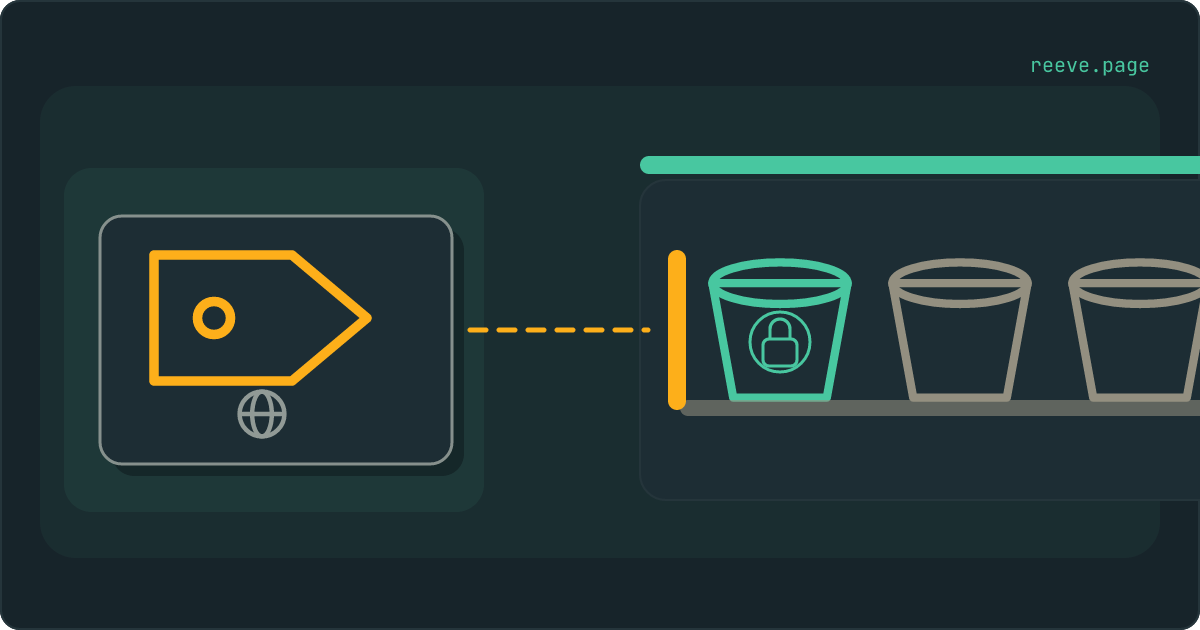
In short
- Supabase "Bucket not found" means Storage looked for a bucket with that exact name, in the project your request reached, and found none it would serve to that request. The bucket can still be sitting in your dashboard.
- A link made by getPublicUrl for a private bucket gives this error when it is opened, because Storage serves those links from public buckets only.
- On an upload it means the name is missing from that project. Check the spelling and the capitals, then which project your app points at.
- Making the bucket public ends the message and lets anyone holding a file address open that file. For files that belong to one person, use a signed link.
Your app shows a broken picture where a photo should be. Or an upload fails, and the message that comes back is three words long: "Bucket not found". Then you open Supabase, go to Storage, and the bucket is right there in the list.
Open the picture's address in a tab of its own and Storage answers with this:
{
  "statusCode": "404",
  "code": "NoSuchBucket",
  "error": "Bucket not found",
  "message": "Bucket not found"
}
That is the body Supabase Storage's own source builds today, read on 17 October 2026. Supabase "Bucket not found" covers three different situations with that one body, and in the first of them the bucket is exactly where you left it.
Here is the part that guide after guide gets wrong: the first fix you will find is to make the bucket public, and when it works, it works by making every file in that bucket public too. For two of the three causes it changes nothing at all. For the remaining one it trades a broken picture for a bucket that anyone holding a file address can read from.
What does Supabase "Bucket not found" mean?
Storage looked for a bucket with exactly the name in your request, inside the project your request reached, and found none that it would serve to that request.
That last clause is there because a bucket has more than one door, and each door asks the question in its own way. Storage's source code shows three of them:
- A public file address, the kind
getPublicUrlmakes. This door only counts buckets marked public, so a private bucket is "not found" here even though it exists. - An upload. This door counts every bucket in the project, private ones included. "Not found" here means that name really is absent from that project.
- A request for the list of a bucket's files. This door never says "Bucket not found". A bucket that does not exist answers with an empty list, the same answer an empty bucket gives, which we see from outside every time our scanner asks.
So the first job is to work out which door the failing request used.
The two numbers in that message disagree, and that trips up error handling.
The body says "statusCode": "404", while the request itself fails with HTTP
status 400. Storage sends this error with a 400 and keeps its own 404 inside the
body. The supabase-js library passes both through to your code: error.status
is 400 and error.statusCode is "404". Code your builder wrote to catch a 404
will let this one straight past.
Cause 1: a public link to a private bucket
This is the one behind broken pictures. The address was built for a public bucket, and the bucket is private.
getPublicUrl asks Supabase nothing. It joins your project's address, the
bucket name and the file name into a link, inside your app, and hands it back.
The note above that function in Supabase's own client library says so in two
sentences:
This function does not verify if the bucket is public. If a public URL is created for a bucket which is not public, you will not be able to download the asset.
Later a visitor's browser asks for that link, and Storage looks for the bucket among public buckets only. A private bucket fails that lookup exactly as a missing one would, and the answer is "Bucket not found".
You can recognise this cause from the link itself. A public file address
contains /storage/v1/object/public/ followed by the bucket name. If that
bucket carries no public label in Storage → Buckets, the link was never
going to open, however the name is spelled.
New buckets start private, so the setting is behaving as designed. What happened is that you or your builder wrote code for a public bucket and pointed it at a private one.
Cause 2: a name that is not quite the bucket's name
Storage compares the bucket name character for character, so Avatars and
avatars are two different buckets, and so are avatar and avatars.
In Storage's source the lookup is a plain equality on the bucket's id. Capitals count, a missing letter counts, and a hyphen where the bucket has an underscore counts. Each of those comes back as the same three words.
An app built with an AI tool can get here without anybody mistyping anything. The code that uploads or shows a file is written in one step, and the bucket it names is supposed to be created in another. If that second step never ran, or ran with a slightly different name, the code is asking for a bucket nobody made.
Checking it takes two lists. Open Storage → Buckets and note each bucket's name exactly as it appears. Then tell your builder, in plain words: list every Storage bucket name this app uses, and show me where each one is used. Any name on its list that is missing from yours is the one failing.
Cause 3: the bucket is in another project
Your app talks to exactly one Supabase project, the one in its Supabase address, and a bucket made in any other project does not exist as far as your app is concerned.
An upload is where this cause shows most clearly. On an upload Storage looks the bucket up across the whole project without applying your access rules, so "Bucket not found" on an upload is never a permissions problem. When the bucket exists and your rules refuse the file, Storage answers with a different message about row-level security. So "Bucket not found" on an upload means that name is absent from the project your app is writing to.
There are ordinary ways to end up with two projects: a test project beside the live one, a copy of the app connected to a fresh project, a project made by hand to try something out. The bucket gets created in whichever one happened to be open in the dashboard at the time.
The check is a comparison of two short strings. Your app's Supabase address
looks like https://<ref>.supabase.co, and the part before .supabase.co is
the project's reference. Your dashboard's own address carries the same
reference after /project/. If the two differ, you are looking at one project
while your app talks to another.
Should you make the bucket public to fix it?
Only when every file in the bucket is meant for anyone who has its address, and only for the first cause. For a wrong name or a wrong project, the toggle changes nothing.
A public bucket does one thing, and Supabase's documentation describes it in one line: anyone who possesses a file's address can open it. No sign-in is involved. Supabase's own examples of where that fits are profile pictures, public media and blog post content, and logos or product photos belong in the same group.
It is the wrong setting for invoices, ID scans, exports, or anything that belongs to one person. The toggle covers the whole bucket and every file that lands in it later, including files from a feature you have yet to build.
The same shortcut has a twin on the rules side, and it is the one we measure.
A rule on storage.objects that names only the bucket makes downloads work for
everybody, and it also hands out the list of names in the bucket. We have
scanned 8,435 live apps that name a Supabase project. The bucket check got an
answer from 4,703 of them, and 792 answered a list request from us with the
names of what was inside, with nobody signed in. That is about one in six of
the apps we could ask. When a bucket is public and its list is open as well,
every name on that list is a working link.
How to show a private file without making it public
Give the page a signed link: an address that works for a number of seconds you choose and then stops working.
Supabase's documentation names two ways to get a file out of a private bucket.
One is a download that carries the signed-in person's session. The other is
createSignedUrl, which makes a link "that can be accessed for a limited time".
That second one takes the place of getPublicUrl wherever a page shows a
picture.
A signed link still answers to your rules. Before Storage signs anything, its
source checks that the person asking is allowed to read that file, so a private
bucket needs a select rule on storage.objects saying who may read what.
The upload error explains how those rules are written,
including why a read rule that names only the bucket opens its list as well.
To hand this to your builder, in plain words: for the bucket behind the "Bucket not found" error, replace getPublicUrl with createSignedUrl, keep the bucket private, and add a storage policy that lets each person read only the files they are meant to see. Then reload the page that had the broken picture.
What your buckets are showing strangers right now
Two screens in the dashboard tell you what you set, and one check from outside tells you what a stranger gets.
Storage → Buckets shows which buckets are public. For each public one, ask
whether every file in it is something you would show a stranger. Storage →
Policies shows the rules. A select rule whose only condition is the bucket
name lets anyone read that bucket, its list of files included.
Our free scan asks your live project for each bucket's list of files using only the key already in your app's code, the way a stranger would, and tells you which buckets answered with names. It reads names and never downloads a file. It takes about 20 seconds and needs no account: scan your app.
Keeping your files where you put them
Two things can still move after today's fix: a setting gets flipped while somebody chases a different bug, and a file somebody needed gets deleted.
Reeve Monitor keeps checking from outside:
- the full security check, run again on a schedule, the bucket listing check included
- whether your app is up
- a message when a result changes, so a bucket that opened overnight does not wait for you to look
- a monthly report, in plain language, of what it saw
Reeve Care keeps a copy of what is in there:
- an encrypted copy of your Supabase database on a schedule, on Reeve's own storage in the EU, outside your Supabase account
- each copy verified before it counts, by counting the rows in every table
- your uploaded files as well, once you connect a Storage credential
- a one-click restore, with a safety copy of the current state taken first
- everything Monitor does
What to do today
What to do
- Open the failing link in a tab of its own. If the address contains
/storage/v1/object/public/and the bucket is private, it is the first cause. - Copy the bucket's name from Storage → Buckets and compare it, capitals included, with the name your app uses.
- Compare the project reference in your app's Supabase address with the one in your dashboard's address.
- Keep a bucket private unless every file in it is meant for anyone with its address, and serve private files through signed links.
- Read every
selectrule onstorage.objects. One that names only the bucket hands out the list of files as well.
Start with the request that failed, because the door it used tells you which of the three causes to check. The 10-minute security checklist covers what else a newly launched app tends to leave open, and what a public bucket exposes is the next read if any of yours turned out to be public.
FAQ
Why does Supabase say my bucket is not found when I can see it?
Because Storage looks for a bucket differently depending on the request. A public file address, the kind getPublicUrl makes, is only looked up among public buckets, so a private bucket you can see in the dashboard is reported as not found there. If the error came from an upload instead, the name in your code is not an exact match for any bucket in the project your app is connected to.
Is a Supabase bucket name case-sensitive?
Yes. Storage compares the name character for character, so Avatars and avatars are two different buckets, and so are avatar and avatars. Copy the name from Storage → Buckets in your dashboard and compare it with the name your app uses.
Should I make my bucket public to fix "Bucket not found"?
Only if every file in it is meant for anyone who has its address, such as profile pictures or product photos. Public means anyone holding a file address can open that file without signing in. It clears the error only when a public link was made for a private bucket; a wrong name or a wrong project stays broken either way. For files that belong to one person, keep the bucket private and use a signed link.
How do I show a file from a private bucket?
With a signed link. createSignedUrl makes an address that works for a number of seconds you choose and then stops, and it takes the place of getPublicUrl wherever a page shows the file. The person asking for the link must be allowed to read the file, so the bucket needs a select rule on storage.objects that says who may read what.
Why does the error say 404 when the request failed with 400?
Supabase Storage sends this error with HTTP status 400 and puts its own status, 404, inside the body as statusCode. In supabase-js that arrives as error.status 400 and error.statusCode "404", which is why code written to catch a 404 lets this error straight through.