
 Reeve
Reeve Security basics
Supabase's new API keys: which one is safe in your app?
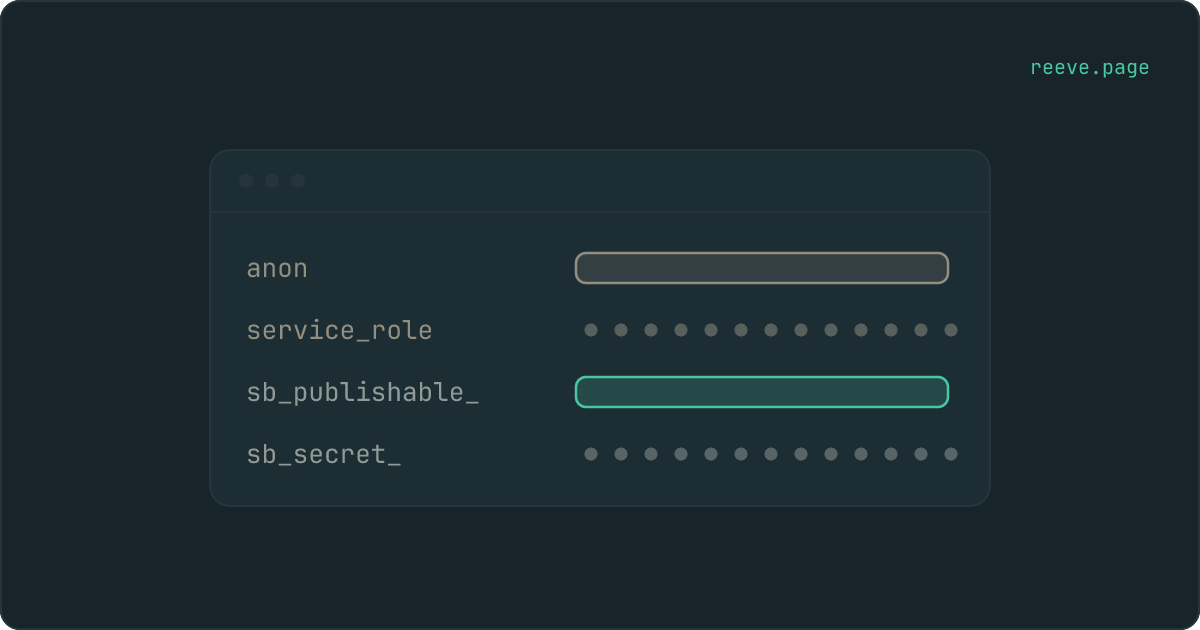
Supabase replaced anon and service_role with publishable and secret keys. Which one belongs in your app, and which never does?
In short
- Supabase now issues sb_publishable_ and sb_secret_ keys. They replace anon and service_role, and do the same two jobs.
- The publishable key belongs in your app. The secret key never does, and now you can tell them apart by reading the first few characters.
- Your old keys still work today. Supabase has said all projects will have to move off them in late 2026.
If you opened your Supabase dashboard recently and found keys that start with
sb_publishable_ and sb_secret_ sitting where anon and service_role used
to be, nothing has gone wrong. Supabase renamed its API keys, and the pair you
knew is on its way out.
The change is small in what it does and large in what it prevents. The two keys still do exactly the two jobs they always did. What is new is that you can now tell which is which without opening anything.
What Supabase actually changed
Supabase announced the new keys in July 2025, alongside a change to how it signs authentication tokens. Two things replaced two things:
- The publishable key,
sb_publishable_…, replaces theanonkey. - Secret keys,
sb_secret_…, replace theservice_rolekey.
The privileges are unchanged. A publishable key still identifies your project and carries no permissions of its own; a secret key still bypasses every rule you have written. If you already know which keys are safe in a frontend, none of that intuition is now wrong.
Two practical differences are worth knowing. You can hold several secret keys at once and revoke them one at a time, which means rotating a key no longer means a moment where everything that used it is broken. And the old keys had a property most people never noticed: they were JWTs that expire ten years after you create the project. The new ones do not carry an expiry inside them.
Is the anon key the same as the publishable key?
Yes in what it does, no in what it is.
sb_publishable_… does the anon key's job exactly: it names your project so a
request knows where to go, it carries no permissions of its own, and it is meant
to sit in your app where anyone can read it. Everything you already understood
about the anon key is still true of it. If you swap one for the other, no table
becomes more or less readable, because neither key was ever what protected your
rows. Row Level Security is.
What differs is the value itself. They are different strings in different formats, issued separately, and a project can hold both pairs at once during the migration. So "the same key with a new name" is the wrong picture. It is a new key doing an old job, and your app has to be told about it.
One consequence catches people out: enabling the new keys does not switch your app over. Supabase issues them and leaves your app running on whatever you gave it. The swap is a one-line change you make yourself, in the place where your app creates its Supabase client.
Which of the two belongs in your app
The publishable key, and only the publishable key.
Your app runs in your visitor's browser, and the request to your database goes
out from there. It has to say which project it belongs to, and that identifier
travels to every visitor by design. sb_publishable_… is the key built for
that: finding it in your app is not a finding, and it never was.
sb_secret_… is the opposite. It reads and writes every row in every table from
anywhere, ignoring your policies entirely, which is the whole point of it. It
belongs on a server, in an edge function, in a worker. Nowhere a browser can
reach. If one has ever been pasted into frontend code, rotate it in the
dashboard before you edit anything, because deleting the line does not close the
door.
What does an sb_publishable_ key look like?
One unbroken string that starts with the literal sb_publishable_, followed by
a random middle. No dots anywhere in it, and nothing inside it you can decode.
Its secret counterpart reads the same way with sb_secret_ on the front.
The legacy pair looks nothing like that. anon and service_role are JWTs:
three chunks separated by dots, a few hundred characters long, beginning eyJ.
The middle chunk is not encrypted, only encoded, so anyone can paste it into a
decoder and read the role field inside. That is how you told the two apart
before, and it is why so many people never did.
Reading the first fifteen characters is the whole check now. The dangerous key announces itself in the part of the string your eye lands on first, rather than in the middle of something you have to open.
How to tell which kind you have
Read the first few characters. That is the entire check now.
| What you see | What it is | Safe in the browser? |
|---|---|---|
sb_publishable_… | current publishable key | Belongs here |
sb_secret_… | current secret key | Never |
eyJ… with anon | legacy publishable key | Belongs here |
eyJ… with service_role | legacy secret key | Never |
A current key is one long string in two halves: a random middle and a short
checksum on the end. A legacy key is three chunks separated by dots, and the
middle chunk is readable text rather than encryption, which is why telling the
old pair apart meant decoding it and reading the role field.
If you find a key in your app and cannot tell which it is, our free scan reads your live site from outside and names what it can see. It takes about 20 seconds and needs no account: scan your app.
Do my old anon and service_role keys still work?
Today, yes. Supabase has published a timeline rather than a switch-off:
| When | What happens |
|---|---|
| 1 November 2025 | Projects restored after this date no longer get anon and service_role at all. |
| Late 2026, exact date not set | All projects will be required to use the new keys. |
So there is no emergency this week, and there is a deadline this year. If your app was built before the rename and has never been touched since, it is running on legacy keys right now and will keep running on them for a while yet.
The case for moving early is not the deadline. It is that the day someone pastes
the wrong key into a prompt, sb_secret_ announces itself and eyJ… does not.
What are the Supabase legacy API keys?
Legacy is what Supabase now calls the original pair, anon and service_role,
together with the JWT secret that signs them. Every project created before
mid-2025 started with them, which is most vibe-coded apps.
They differ from the new pair in ways worth knowing. Being JWTs, they carry an expiry ten years after the project was created, sitting inside the key where nobody looks. They cannot be rotated at all: Supabase has said that rotating the legacy anon, service_role and JWT secrets is no longer possible, so invalidating a leaked one means moving to the new keys and disabling the old pair. And a project restored after 1 November 2025 never receives them in the first place.
If one of yours has already leaked, that migration is the only way to invalidate it, and the order to do it in depends on whether the key is already in a bundle your visitors download.
How to switch without breaking your app
Supabase's own migration guide is the reference. The short version, for an app you did not write by hand, and assuming you can already find the page your keys live on:
- In the dashboard, open Settings → API Keys and create the new keys. This adds them; it does not remove the old ones, and both pairs work at once.
- Find where your app creates its Supabase client and replace the publishable key. In a builder like Lovable or Bolt this is usually one value in your project's settings rather than a line of code.
- Replace the secret key anywhere it is used on a server: edge functions, webhooks, scheduled jobs, anything that is not the browser.
- Load your app and click through the parts that read and write data. A wrong publishable key fails loudly and immediately, which is the good case.
- Only once everything works, disable the legacy keys.
Step 5 is the one to leave for last, and it is worth doing deliberately rather
than never: half-migrated projects, where the app still carries a stale anon
key beside a live sb_publishable_ one, are common and confusing to debug.
What to do this week
What to do
- Open Settings → API Keys and see which pairs your project has. That takes a minute and tells you where you stand.
- If you find
sb_secret_…orservice_roleanywhere in frontend code, rotate it today. That is the only item here that is urgent. - Create the new keys and switch your app over when you have half an hour, not because of the deadline but because the prefix makes the next mistake obvious.
- Check Row Level Security while you are in there. The new key changes nothing about what your policies allow, and switching RLS on is not the same as being protected.
If you want the platform-specific version of what to check, we have a plain language walkthrough for Supabase apps, and the 10-minute security checklist covers this alongside the other things worth switching off in a newly launched app.
FAQ
Is sb_publishable_ the same as the anon key?
It does the same job. It names your project so a request knows where to go, it carries no permissions of its own, and it is meant to sit in your app where anyone can read it. What protects your data in both cases is Row Level Security, not the key.
Do my anon and service_role keys still work?
Yes, today. Supabase has kept them working through the migration and you can hold both pairs at once. It has said that in late 2026 all projects will be required to move to the new keys, without naming the exact day yet.
I have both pairs in my dashboard. Which one should my app use?
Use the publishable key, sb_publishable_. Switching is a one-line change: swap the key your app passes when it creates the Supabase client. Nothing about your tables or your policies changes, because the new key has exactly the privileges the anon key had.
Does the new key format make my app more secure on its own?
No. It makes the dangerous key easier to spot, which is worth real money in mistakes not made, but a publishable key still reads whatever your policies let it read. If Row Level Security is off, the new key opens your database exactly as wide as the old one did.
What is a Supabase publishable key?
It is the key your app is meant to ship: sb_publishable_ followed by a random string, issued by Supabase to identify your project on every request it makes. It carries no privileges of its own, so what it can read is exactly what your Row Level Security policies allow and nothing more. It replaced the anon key, does the same job, and is safe to leave in code anyone can read.
What are the Supabase legacy API keys?
Legacy is what Supabase now calls the original pair, anon and service_role, together with the JWT secret that signs them. They are JWTs rather than opaque strings, they carry an expiry ten years after the project was created, and projects restored after 1 November 2025 no longer receive them at all. Existing projects keep them working until the late-2026 cutover.