
 Reeve
Reeve Security basics
Where to find your Supabase API keys: anon, service_role and the URL
Your Supabase project URL, anon key and service_role key are on one dashboard page. Here is where that page is, and which of the four belongs in your app.
In short
- Every Supabase key, including service_role, is on one page: open your project in the dashboard, then Settings → API Keys.
- Four values sit there. The project URL and the publishable key belong in your app; the secret key and the JWT value never do.
- That page tells you which keys exist. It does not tell you which one your app shipped, and only the second question can hurt you.
Something has asked you for your Supabase key. A setup guide, a support thread,
or an AI you told to go and fix your app. You open the dashboard, find a page
holding an address and two or three keys with names like anon and
service_role, and every one of them looks like it could be the answer.
Or it is the other version of this. Somebody opened your site, pressed F12, and told you that a key is exposed. Now you want to look at the key they found, and you do not know where it lives.
Most guides start at the API keys page. That assumes you already know which Supabase project is yours, which is exactly the step a builder did on your behalf and never explained.
Where are the Supabase API keys?
In the dashboard, inside your project, under Settings → API Keys.
The full route: sign in at supabase.com, pick your project from the list, open Settings in the left sidebar, then API Keys. Almost every guide and screenshot you will find calls that page Settings → API, because that is what it was called until recently. It is the same page and the same values.
Everything on it is one of two things. An address, which says where your project lives. Or a key, which decides what a request is allowed to do once it arrives. The page lists them together, in one column, in the same typeface.
I did not set up Supabase. Which project is mine?
Read the address your app is already using. The answer is inside it.
Every Supabase project has a reference: a short random string that is also
the first part of the project's address, https://yourreference.supabase.co.
Your app sends a request to that address on every page load, so the string is
already in your app, and it is the same string the dashboard uses to identify
your project.
Three places to find it without asking anyone:
- In your builder. Lovable, Bolt, v0 and the rest show the connected Supabase project somewhere in your project's settings or integrations panel.
- In your browser. Open your live app, press F12, switch to the Network tab
and reload the page. The requests going to something
.supabase.cocarry the reference in their address. - In the page source, if your app puts the address in the HTML rather than in a script file.
Then sign in at supabase.com and match that reference against your project list. Builders connect Supabase through your own account, so the project is usually sitting in a dashboard you signed up for once and never used. Once you are inside a project the reference appears in the browser's address bar, which is how you confirm you are in the right one before copying anything out of it.
The four things on that page
An address and three keys. Two of them belong in your app and two never leave the dashboard.
| What you see | What it is | Where it goes | If it leaks |
|---|---|---|---|
| Project URL | The address of your project, https://yourreference.supabase.co. Says where, never who. | In your app | Nothing. It already travels to every visitor on every page load. |
Publishable key sb_publishable_… | Names the project and carries no permissions of its own. Called anon on an older project. | In your app | Nothing on its own. It reads exactly what your Row Level Security rules allow. |
Secret key sb_secret_… | Reads and writes every row in every table, whatever your rules say. Called service_role on an older project. | Server only | Every row in every table, to whoever found it. |
| JWT secret | Signs the tokens that say who is signed in. Called JWT signing keys on a newer project. | Stays in Supabase | Someone can mint a token claiming to be any of your users, including an admin. |
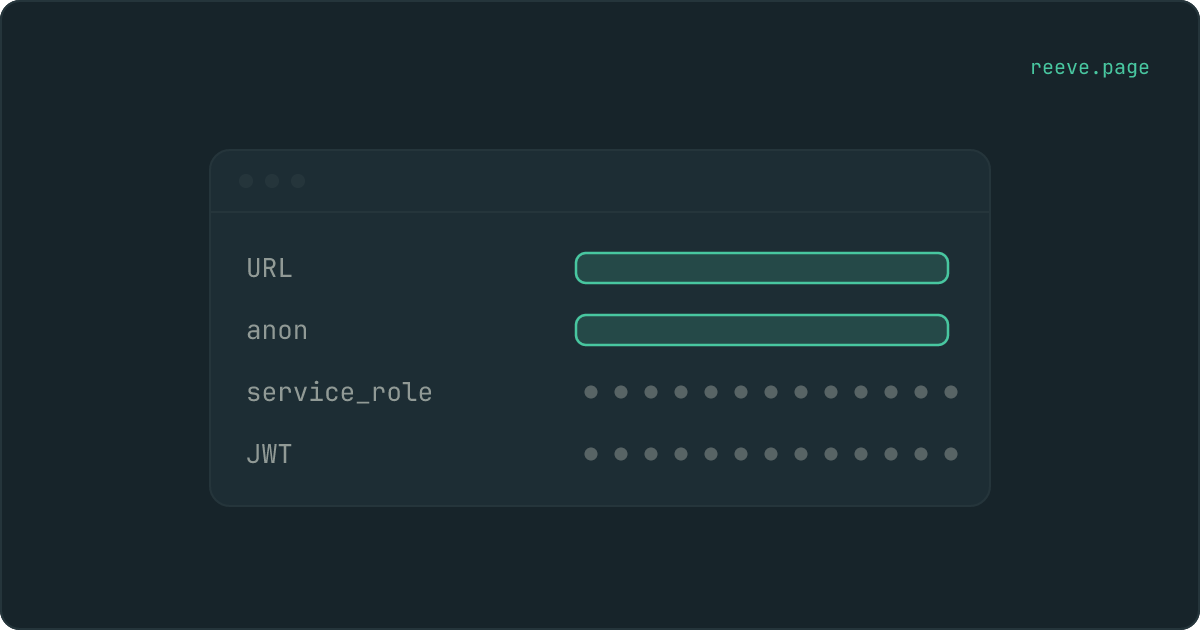
There is a shortcut sitting on the page itself. Supabase prints the project URL and the publishable key where you can read them, and covers the secret key and the JWT value with dots until you ask to see them. The two it covers up are the two that never belong in your app.
Where is my Supabase project URL?
Two places, and you are probably looking at one of them already. The dashboard
prints it at the top of Settings → API Keys, labelled Project URL. Your
browser's address bar shows the same string whenever your app talks to Supabase,
in the shape https://yourreference.supabase.co.
In code it wears one of three names, and all three hold that same string:
VITE_SUPABASE_URLin an app built with Vite, which covers most of what Lovable and Bolt produceNEXT_PUBLIC_SUPABASE_URLin a Next.js appSUPABASE_URLon a server, in an edge function, or in a script
The middle of it, yourreference, is your project reference. That is the string
the dashboard identifies your project by, and the one to match against when you
have several projects and no idea which one belongs to this app.
It is an address rather than a credential, which is why it sits in the open beside the publishable key.
Where is the anon key, and what is VITE_SUPABASE_ANON_KEY?
One row below the project URL, on the same page. Open Settings → API Keys
and find the row labelled anon public, or publishable on a project created
recently. Its value is printed in full rather than covered by dots, and that is
the dashboard telling you this is the one meant to travel.
VITE_SUPABASE_ANON_KEY and NEXT_PUBLIC_SUPABASE_ANON_KEY are variable names
holding that value, not separate keys. Here the VITE_ and NEXT_PUBLIC_
prefixes are doing the right thing: they compile the value into the JavaScript
your visitors download, and this is the one Supabase key that belongs there.
Whoever wrote your .env template used one of those two names, which is why so
many people end up searching for the name rather than the key.
If that row is missing from your dashboard, you are looking at a newer project.
There the same row is called publishable and the value starts sb_publishable_
instead of eyJ. Same job, clearer name.
Where is the service_role key, and what is SUPABASE_SERVICE_ROLE_KEY?
On the same page as everything else. Open Settings → API Keys and find the
row labelled service_role, or secret on a project created recently. Unlike
the URL and the publishable key, its value sits behind a reveal control until
you ask for it.
That control is the only hint the dashboard gives you that this one is different, and it is worth taking seriously: Supabase covers up exactly the values that must never reach a browser.
SUPABASE_SERVICE_ROLE_KEY is a variable name rather than a second key: it
holds the value you just revealed. You will meet it in an .env file, in your
host's environment settings, or in an edge function's secrets. What matters is
the prefix in front of it. A variable called VITE_SUPABASE_SERVICE_ROLE_KEY or
NEXT_PUBLIC_SUPABASE_SERVICE_ROLE_KEY is compiled into the JavaScript your
visitors download, so the key is public the moment you deploy. Those prefixes
are instructions to publish, not oversights.
Where it does belong is an edge function, a webhook handler, a scheduled job or a migration script: anywhere the code runs on a machine you control and no visitor can open the file. This is the key that ignores Row Level Security altogether, so it reads every row in every table whatever your rules say.
If you are not certain yours stayed on the server, our free website security scanner reads your live site from the outside and names the keys it can find, in about 20 seconds.
Which key does my app need?
The project URL and the publishable key. Nothing else, ever.
Your app runs in your visitor's browser and talks to Supabase from there, so both of those values travel to every visitor by design. That is not a leak and it never was. What stops a stranger reading your whole database with a publishable key is Row Level Security: the rules that decide, row by row, who is allowed to see what.
So the rules are what to check when you are worried, and switching them on is not the same as being protected. The longer account of why one key is safe in public sits in which API keys are safe in your frontend.
If your app is sending neither of them, Supabase turns the request away before your rules are ever consulted, and the message you get back is No API key found in request.
How do I know which key my app actually shipped?
You cannot tell from the dashboard. It lists the keys your project has, not the one that went into your app.
Those are two different questions, and only the second one can hurt you. A project can have a completely ordinary settings page and still have its secret key pasted into a file anybody can open. To answer it you have to read the key that is actually in the app.
On a newer project, read the first few characters. sb_publishable_ is the
one that belongs there. sb_secret_ is the one to deal with today.
On an older project, you have to look inside the key. anon and
service_role are JWTs: three chunks separated by dots, where the middle chunk
decodes to plain readable text. It carries a role field, and that single word
is the entire difference between the two.
How to read it.
If you would rather not go through your app by hand, our free scan reads your live site from outside and names the keys it can see, along with whether your tables answer a stranger who asks. It takes about 20 seconds and needs no account: scan your app.
What if the secret key is already in my app?
Deal with the key itself before you touch any code, and on Supabase that may not mean what you expect.
The usual advice is to rotate: generate a new key, revoke the old one, and the
value that leaked stops working. That still holds for the newer keys. A project
can hold several sb_secret_ keys at once and revoke them one at a time, so
replacing one no longer means a minute where everything using it is broken.
For the original pair it does not hold at all. Supabase's own troubleshooting
notes say that
rotating the legacy anon, service_role and JWT secrets is no longer possible.
Invalidating a leaked legacy service_role key means creating the new keys,
moving your app and your server code onto them, and then disabling the old pair.
What that migration involves is a handful of
steps in the dashboard and one value swapped in your app, which is a good deal
easier on a quiet afternoon than on the day you need it.
Which of those two you do first is its own decision, and it turns on one thing: whether the key is already in a bundle your visitors have downloaded.
What to do now
What to do
- Open Settings → API Keys inside your project. If you cannot find the project, take the reference out of
https://yourreference.supabase.coand match it against your dashboard list. - Put the project URL and the publishable key in your app. Those two, and nothing else.
- Read the key your app actually shipped.
sb_secret_at the front, or"role": "service_role"inside an older one, is the finding to act on today. - If a secret key is in your frontend, invalidate it before you edit anything. On a legacy project that means creating the new keys and disabling the old pair, and there is no single button for it.
- Check Row Level Security while you are already in the dashboard. A publishable key is only safe because of those rules, and it reads your whole database without them.
If you would rather work through this as a list, the 10-minute security checklist covers this and the other things worth switching off in a newly launched app, and we have a plain language walkthrough for Supabase apps.
FAQ
Where is the service_role key in Supabase?
In the dashboard, inside your project, under Settings → API Keys. On an older project it is listed as service_role and hidden behind a reveal control; on a newer one it is a secret key beginning sb_secret_. Older guides call the same page Settings → API.
What does a Supabase anon key look like?
On a newer project it is one long string beginning sb_publishable_. On an older project it is a JWT: three chunks of characters separated by dots, starting eyJ, and usually a few hundred characters long. The service_role key looks exactly the same, which is why the two get mixed up.
Is my Supabase project URL a secret?
No. It is the address your app sends every request to, so it travels to every visitor by design and there is no version of your app where it is hidden. Finding it is not a finding. What decides whether a stranger can read your data is Row Level Security, not whether they know your address.
My app was built for me and I have never opened Supabase. How do I get in?
Find your project reference first: it is the short random string in the address your app already calls, https://yourreference.supabase.co. Builders connect Supabase through your own account, so the project is usually sitting in a dashboard you signed up for once and never used. Sign in at supabase.com with that account and match the reference against the project list.
Can I rotate a leaked service_role key?
Only if it is one of the newer sb_secret_ keys, which you can hold several of and revoke one at a time. Supabase has said rotating the legacy anon, service_role and JWT secrets is no longer possible, so invalidating a leaked legacy key means creating the new keys, moving your app and your server code onto them, and then disabling the old pair.
What is SUPABASE_SERVICE_ROLE_KEY?
It is the environment-variable name your code uses for the secret key, the one listed as service_role on an older project and sb_secret_ on a newer one. It belongs in server-side configuration only: an edge function, a webhook handler, a scheduled job. Anything named with a VITE_ or NEXT_PUBLIC_ prefix is compiled into the browser bundle, so a service_role key behind one of those names is public the moment you deploy.