
 Reeve
Reeve Security basics
Supabase "permission denied for table": the missing grant
From October 30, a new Supabase table answers "permission denied for table" until you grant access. The grant the email shows is half the fix.
In short
- From October 30, 2026, a new table in your Supabase project answers "permission denied for table" until somebody grants access to it. The tables you already have keep working exactly as they do today.
- A grant decides whether a request reaches a table at all. Row Level Security still decides which rows it gets back. Granting anon access to a table with no rules makes every row readable by anyone.
- The change closes nothing that is already open. Check what a stranger can read today, and again after every table you add.
If your app runs on Supabase, you have probably had an email about October 30.
It says nothing changes for the tables you already have, and then it hands you
three statements of SQL. Or it is already November: you asked Lovable, Bolt or
Cursor for a new feature, the new screen came up empty, and somewhere in the
console is a message that says permission denied for table. Both are the same
Supabase change, seen from either side of the date.
Here is the part the email leaves out: the SQL it shows you is half of the fix. Run that half on its own, on the wrong table, and your app works again while the new table hands its rows to anyone who asks.
What does "permission denied for table" mean in Supabase?
It means the kind of visitor making the request has not been given access to that table at all, so the database refused before it looked at a single row.
Supabase sorts every request into a role, which is the kind of visitor it
comes from. anon is somebody who is not signed in. authenticated is somebody
who is. service_role is your own server code using the secret key. A
grant is the statement that gives one of those roles access to one
table in Postgres, the database Supabase runs on. No grant, no access, whatever
else you have written.
When the grant is missing, Supabase answers like this, usually as a 401 or a 403:
{
  "code": "42501",
  "message": "permission denied for table comments",
  "hint": "Grant the required privileges to the current role with: GRANT SELECT ON public.comments TO anon;"
}
The hint is the useful part. It names the role that was refused and the exact statement that would let it in.
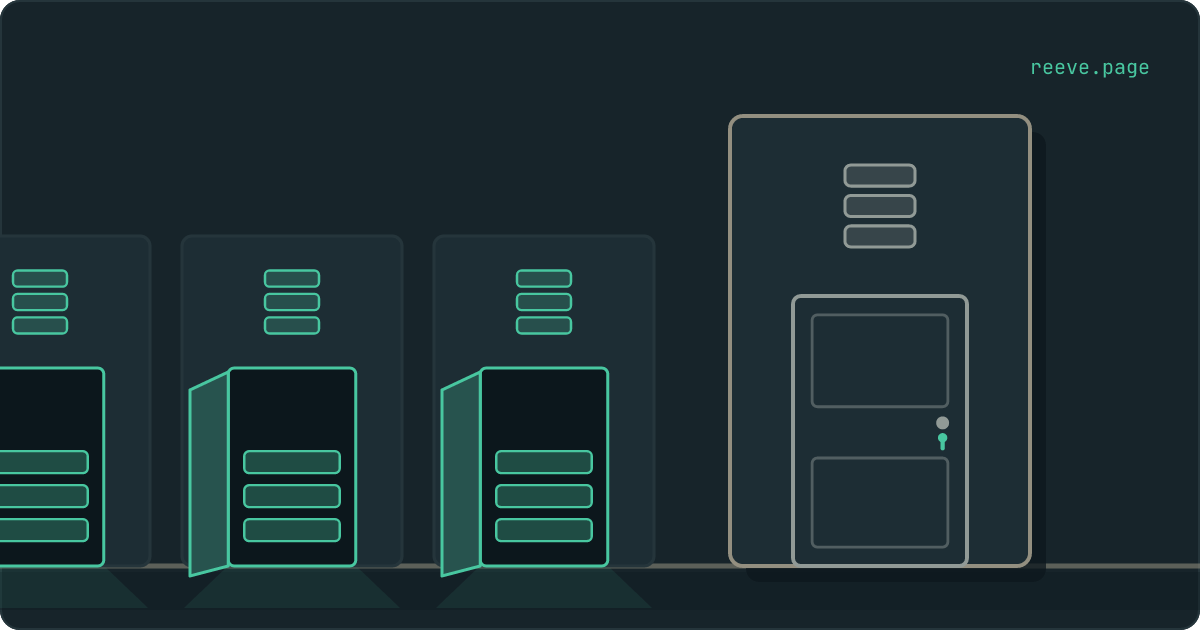
Think of every table as a room. The grant is the door, and there is a separate door for each role. Row Level Security, the per-row rules you may already have met, decides which drawers a visitor can open once they are inside. "Permission denied for table" means somebody is standing at a shut door. They never got as far as your rules.
What changes on October 30?
New tables in the public schema, the folder of tables your builder uses unless
told otherwise, start arriving with their doors shut.
Until now, Supabase opened all three doors on every new table automatically:
read, add, change and delete, for anon, authenticated and service_role
alike. A table was reachable from your app the moment it existed, and your
Row Level Security rules were the only thing between a stranger and its rows.
Supabase's changelog
gives the reason plainly: agents and AI platforms now create tables with nobody
reviewing the change, and the automatic grants exposed tables "a developer
forgot to protect".
| Date | What happened or happens |
|---|---|
| 28 April 2026 | New projects could opt out of the automatic grants when they were created. |
| 30 May 2026 | No automatic grants began rolling out as the default for new projects. |
| 30 October 2026 | Existing projects stop receiving them too. |
If your project was created after the end of May, it may already work this way, because Supabase rolled the new default out to new projects over the weeks after that date.
Three details are worth knowing before the date:
- Only the
publicschema. Storage and sign-in keep their tables in schemas of their own,storageandauth, and Supabase says their grants and defaults stay as they are. - The secret key is refused too. The automatic grants covered
service_roleas well, so an edge function (server code Supabase runs for you) using your secret key gets the same error on a new table untilservice_rolehas a grant of its own. - A table dropped and created again is a new table. Grants belong to the table itself, and they go with it when it is dropped. If your builder rebuilds a table to change it, the rebuilt one starts with the door shut.
Will my app break on October 30?
Not on the day. It breaks the first time something creates a new table without also creating the grant.
For most people reading this, that something is their builder. You ask for a
comments section. The builder writes a migration, which is the file of database
changes it runs for you, and the migration creates a comments table. If it
also writes the grants, you will never see this error. If it does not, the
comments screen shows nothing, or saving a comment fails, or a red message
appears, depending on how your app handles an error. Every screen you already
had carries on working.
Supabase publishes an agent skill for AI coding tools that includes the grant step. Whether your builder uses it is up to your builder, so the safe assumption is that the next table it makes may arrive with its door shut.
Is the GRANT from the error safe to run?
Only once the table has Row Level Security switched on and a rule written for it. The grant decides who gets through the door. Nothing about it decides which drawers they open.
The key that makes your app's requests to Supabase ships inside your app, so a
grant to anon means any visitor, signed in or not, may now ask that table for
rows. With a rule in place, they get the rows the rule allows. With Row Level
Security switched off, they get every row in the table, and nothing about your
app will look different.
The email shows three grants and stops. Supabase's own changelog shows three steps, and says to "treat these three steps as a unit":
-- 1. who may reach the table
grant select on public.orders to authenticated;
grant select, insert, update, delete on public.orders to service_role;

-- 2. switch the per-row rules on
alter table public.orders enable row level security;

-- 3. the rule itself
create policy "Customers read their own orders"
  on public.orders
  for select
  to authenticated
  using (auth.uid() = user_id);
There is no anon line in that example, and that is deliberate. Nobody signed
out should reach a table of orders, so the door for strangers stays shut, and
signed-in customers get only the read their screen needs. The rule then narrows
it to their own rows. Supabase's own advice is to
grant the minimum each role needs.
A grant to anon belongs on a table whose rows are meant for everyone, like the
comments under a public post.
If you want to see which side of that picture your tables are on, our free scan asks your live app the question a stranger would, counts the rows it would be given without fetching any of them, and takes about 20 seconds with no account: scan your app.
Why the Row Level Security fixes do not touch this error
Because the grant is checked first. A request that is refused at the door never reaches your rules, so changing the rules changes nothing about the error.
This matters because the code is shared. 42501 is also what Postgres returns
when Row Level Security refuses a save, as in
new row violates row-level security policy.
An assistant going by the code alone can reach for the fixes that belong to
that error: switch Row Level Security off, or add a rule of using (true),
which lets everyone through. Neither one makes this error go away. Both stay
behind after the grant finally goes in, and then the door is open onto drawers
with no locks.
The words in the message tell the two apart, even though the number does not:
| The message says | Which lock refused | What fixes it |
|---|---|---|
permission denied for table | the door (the grant) | a grant for the role the hint names |
new row violates row-level security policy | the rules | a policy that allows that row |
| no error, and the list is empty | the rules | a read policy for that role |
What October 30 does not fix
Any table you already have. It keeps exactly the access it has today, including a table a stranger can read right now.
The change is about tables that do not exist yet. Until now every new table arrived with its doors open, so an app built before October 30 may have one where nobody ever fitted the locks: Row Level Security never switched on, or switched on under a rule that lets everyone in. October 30 leaves those rooms exactly as they are.
Three places show you where you stand:
- The Data API settings page, which the email links. In the dashboard it sits under Integrations, then Data API, and it lists which of your tables are reachable at all.
- The Security Advisor, which Supabase says lists the tables worth reviewing before the change.
- The view from outside. Neither of the first two tells you what a stranger gets back. For that you ask your live app the way a stranger would, which is what our scan does.
How Reeve watches the tables you add
After October 30, every table your builder adds is a new decision about who gets through the door. Reeve checks the answer from outside, and Monitor keeps checking it.
- The free scan asks each table your app names how many rows a visitor with no login would get, reads the count, and stops there without fetching a row. About 20 seconds, no account: scan your app.
- Reeve Monitor runs all nine checks every hour on up to three apps and emails you on the day your grade gets worse, so a deploy that opened something up does not wait for you to come and look.
- Care runs the same checks and keeps an encrypted copy of your Supabase database outside your Supabase account, so an assistant's fix that rebuilds a table has a copy to come back from. How the copy is taken and put back.
What each plan covers is on the pricing page.
What to do before October 30
What to do
- Leave the tables you already have alone if all you want is for your app to keep working. They keep their grants.
- Ask your builder to write the grant,
enable row level securityand a policy in the same migration as every new table, as one change. - When the error appears, read which role the hint names.
anonmeans every visitor to your app. - Grant
anonnothing on a table until Row Level Security is on and a rule is written. Tables that hold people or orders usually need noanongrant at all. - Refuse any fix that switches Row Level Security off or adds
using (true)to clear a permission error. Neither touches it. - Check what a stranger can read from the tables you already have. October 30 leaves them as they are.
Start with the table a stranger would most like to read, usually the one with people in it, and scan your app to see what it hands over today.
FAQ
Will my Supabase app stop working on October 30?
No. Every table that exists on October 30 keeps the access it has, and Supabase has confirmed those grants will not be revoked. What changes is the next table created after that date. It starts out unreachable from your app until somebody grants access to it, so the first thing to break is the first new feature that needs a new table.
What does "permission denied for table" mean in Supabase?
It means the kind of visitor making the request has not been given access to that table at all, so your database refused before it looked at a single row. It comes from Postgres, the database Supabase runs on, with the code 42501, and usually reaches your app as a 401 or a 403. Supabase adds a hint naming the exact GRANT statement that would let that visitor in.
Is it safe to run the GRANT statement the error suggests?
Only once the table has Row Level Security switched on and a rule written for it. A grant to anon lets every visitor to your app ask the table for rows, because the key that makes those requests ships inside your app. With a rule in place they get the rows the rule allows. With no rule and Row Level Security off, they get all of them.
Does this change affect Storage, sign-in or my edge functions?
Storage and sign-in live in their own schemas, storage and auth, and Supabase says their grants and defaults stay as they are. Edge functions are different. One that uses your secret key still needs a grant on any new table, because the default grants being removed covered service_role as well as the two roles your visitors use.
Can I switch the old behaviour back on?
Supabase documents a way to do it, as a setting in the Data API page of the dashboard or as SQL, and recommends against it. With it on, every new table is reachable by every visitor the moment it exists, and Row Level Security is the only thing standing between a stranger and its rows. That is how every project worked before the change.