
 Reeve
Security basics
"violates foreign key constraint" on insert in Supabase
Supabase "insert or update on table violates foreign key constraint": your row points at a row that is not there. Which one, why, and the fix.
In short
- Supabase "violates foreign key constraint" on an insert (Postgres code 23503, HTTP 409 in your app) means the row you saved names a row in another table that does not exist. Nothing was saved. The message names your table and the rule, and the detail line names the table Postgres looked in.
- The missing row was never saved, was saved second, was deleted in the meantime, or lives in another project. When the detail line says "users", it nearly always means auth.users, where Supabase Auth keeps everyone who has signed up.
- The check reads every row of the other table, whatever your Row Level Security rules say. So it also accepts a row that points at somebody else's record, and your insert rule has to check who owns that record.
You press Save on a new profile in your app and nothing changes. The page shows no message. The browser console has one:
{
  "code": "23503",
  "details": "Key is not present in table \"users\".",
  "hint": null,
  "message": "insert or update on table \"profiles\" violates foreign key constraint \"profiles_id_fkey\""
}
Supabase "violates foreign key constraint" means the row you tried to save names
a row in another table, and that row does not exist. Here the profile carried an
id that should belong to somebody who signed up, and Postgres found nobody with
that id. Nothing was saved.
The quickest way to make the message stop is to delete the rule. The saves go through after that, and the rows they make point at nothing: an order line with no order, a profile with no person behind it. Find out which row is missing and why first. It has gone missing in one of a few ways.
What does "violates foreign key constraint" mean in Supabase?
It means one column of your row has to match a row in another table, the value you sent matches none of them, and Postgres refused the whole row. Postgres's documentation on constraints defines the rule in one sentence: a foreign key "specifies that the values in a column (or a group of columns) must match the values appearing in some row of another table."
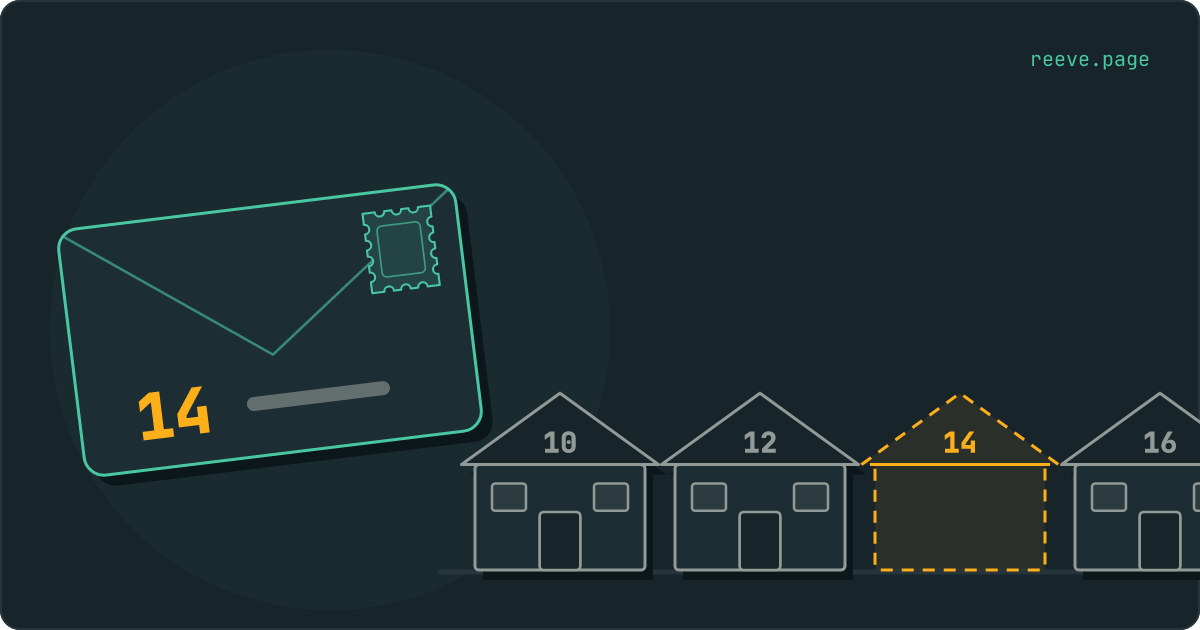
Think of the other table as a street, and each of its rows as a house with a number. Your new row is a letter, and the column with the foreign key is the house number written on it. Postgres is the sorting office. Before it accepts the letter it looks the number up on the street, and a letter for a house that is not there comes straight back. The message says which letter came back. The detail line says which street was searched.
| Field | Example | What it tells you |
|---|---|---|
code | 23503 | Postgres's code for this error, named foreign_key_violation in its list of codes |
message | insert or update on table "profiles" violates foreign key constraint "profiles_id_fkey" | The table you wrote to, then the name of the rule |
details | Key (id)=(…) is not present in table "users"., or the same without the value | The column, the value you sent, and the table Postgres looked in. The next section covers when the value is left out |
hint | null | Nothing to add for this error |
| HTTP status | 409 Conflict | PostgREST, the part of Supabase that turns supabase.from(...) calls into SQL, maps 23503 to 409 in its code |
The wording comes from the file in Postgres that runs these checks. An update raises it too, when it changes the column to a number with no house, which is why the message starts "insert or update".
A message that starts update or delete on table is the same rule seen from the
street's side: you tried to knock down a house that letters still point at. That
one comes from deleting, and
the post on deleting users covers it.
Which row is it looking for?
The one in the detail line, in the table that line names. Two things make the line harder to read than it looks.
The value is sometimes left out. Postgres prints Key (id)=(…) only when the
caller is allowed to read that column of your table. When Row Level Security is
on for the table you wrote to,
its code
skips the value, with the comment "we don't return any specifics to avoid
leaking data", and you get Key is not present in table "users". That is what
a browser request to a protected table sees. The value is the one your app sent,
so open your browser's developer tools, find the request to /rest/v1/profiles
in the Network tab, and read it from the payload.
If your console shows the value for a request your app made with the public key, Row Level Security is off on the table you wrote to. A table with its rules off hands its rows to a stranger as readily as to you, and turning them on for every table covers the switch and the first rule. Our free scan reads your live app with the public key any visitor gets and lists the tables that answer it. It needs no account.
The table name has no schema. Postgres prints users, and in a Supabase
project a column pointing at people nearly always points at auth.users, the
table where Supabase Auth keeps everybody who has signed up. It is not among
your public tables in the Table Editor, which is why the message reads as if it
names a table you never made.
To see exactly where the rule points, run this in the SQL Editor with the rule's name from the message:
select conrelid::regclass as on_table,
       pg_get_constraintdef(oid) as rule
from pg_constraint
where conname = 'profiles_id_fkey';
It answers with the table the rule sits on and what the rule says, for example
FOREIGN KEY (id) REFERENCES auth.users(id) ON DELETE CASCADE: your column, then
the table and column it has to match. Then look the value up:
select id, email, created_at from auth.users where id = '…';
No row back means the person your profile names does not exist in this project.
Where does a row that points at nothing come from?
From one of a few places, and the table in the detail line tells you where to look first.
The row it points at was never saved, or was saved second. An order and its lines are two saves. If your app saves the lines first, or saves the order, gets an error it never reads and carries on with the lines, every line names an order that is not there. Save the row being pointed at first, take its id from the answer, and read the error of each step before the next:
const { data: order, error } = await supabase
  .from('orders')
  .insert({ user_id: user.id })
  .select('id')
  .single()

if (error) throw error

const { error: linesError } = await supabase
  .from('order_items')
  .insert(cart.map((item) => ({ ...item, order_id: order.id })))
.select() after an insert reads the new row back, so the person needs a rule
that lets them read their own orders. Postgres's
documentation on policies
says a new row that fails the read rules makes the save throw an error, and in
Supabase that error is
new row violates row-level security policy.
The two saves are separate requests, so if the lines fail, the order is already
saved: try the lines again, or delete the order.
The id came from somewhere else. Every Supabase project keeps its own
auth.users. An id copied from your test project, one an AI builder left in the
code from a preview, or rows copied from one project into another all name people
the live project has never seen. When you copy data between projects, copy the
rows being pointed at before the rows that point at them. The people behind a
column that points at auth.users cannot be copied that way: they sign up in the
new project and get new ids when they do. A profile whose id must be the
person's id also breaks when the app fills it with a fresh random one, such as
crypto.randomUUID(). That number belongs to no house. Use user.id from the
signed-in session.
The row was deleted in between. A product removed from your shop while it
sat in somebody's basket, or an account deleted in another tab. The save that
follows points at a house that stood when the page loaded. The repair is in your
app: check for error.code === '23503' and tell the person what changed, such as
"That product is no longer available."
A trigger that runs too early. A trigger on auth.users that copies each new
person into profiles has to run after the person is saved. Postgres's
documentation on triggers
says the change that fires a row-level BEFORE trigger "is naturally not visible
to SQL commands executed in a row-level BEFORE trigger, because it hasn't
happened yet". A profile written from a before insert trigger therefore points
at a person who does not exist yet. Every sign-up fails, and Supabase reports it
as "Database error saving new user".
Supabase's own pattern, which that post prints in full, uses after insert.
Why does an empty value get through?
Because a foreign key only checks values that are there. Postgres's documentation on constraints puts it this way: "Normally, a referencing row need not satisfy the foreign key constraint if any of its referencing columns are null." Null is Postgres's word for no value at all. A letter with no house number on it is never looked up. It goes into the sack and belongs to no house.
So an order line saved with an empty order_id is accepted, and it belongs to
no order. Your app meets it later as a line that turns up in nobody's basket. The
same page names the repair: "declare the referencing column(s) as NOT NULL".
alter table public.order_items alter column order_id set not null;
After that an empty value is refused too, with a message that names the column
outright, null value in column violates not-null constraint.
The statement fails while rows with an empty order_id already exist, so list
them first with select * from public.order_items where order_id is null.
Could a policy be hiding the row it wants?
No. Postgres checks a foreign key against every row of the other table, whatever your Row Level Security rules say. Its documentation on row security is direct about it: "Referential integrity checks, such as unique or primary key constraints and foreign key references, always bypass row security to ensure that data integrity is maintained." In the code that runs the check, the lookup switches to the owner of the other table, with a flag that stops even a forced rule from applying.
So the sorting office works from the full street plan. Your app sees the street
through its rules, which may show it only the houses it is allowed to visit, and
the check never uses that view. A 23503 means the house is not there for
anybody. If the row exists and your app cannot see it, the save goes through.
Can someone attach a row to a record that is not theirs?
Yes, unless your insert rule checks who owns that record. The check that the house exists ignores your rules, so it says yes to a house that belongs to somebody else.
Take order_items with this insert rule, which looks safe:
create policy "Add your own order lines"
on public.order_items for insert
to authenticated
with check (auth.uid() = user_id);
It checks that the line is yours, and never looks at whose order it joins. A
signed-in person who sends their own user_id with somebody else's order_id
passes the rule and passes the foreign key, and a line they wrote now sits on a
stranger's order. The same shape puts a comment under another person's private
post, or a member into a team nobody invited them to.
Replace it with a rule that looks at the order:
create policy "Add lines to your own orders"
on public.order_items for insert
to authenticated
with check (
  exists (
    select 1 from public.orders
    where orders.id = order_items.order_id
      and orders.user_id = auth.uid()
  )
);
Drop the first rule when you add this one. Postgres combines rules of the same kind with "OR", in the words of its policy documentation, so the old one would still let the line through on its own.
The check also answers a question for anyone allowed to insert. The sentence
after the one quoted above, in the row security documentation, warns about it:
"Care must be taken when developing schemas and row level policies to avoid
'covert channel' leaks of information through such referential integrity
checks." A save that fails with 23503 says a house is not there. One that
succeeds says it is, on a street the person cannot read. Supabase's user ids are
long random values that nobody guesses. When a column points at something
guessable, such as an email address or an id that counts up from 1, a person can
try values one at a time and learn which exist.
Should you remove the foreign key?
No. Without it the save goes through, the row points at nothing, and from then
on nothing tells you when that happens. A basket shows a line for a product you
removed last month, and a profile stays behind for a person who is no longer in
auth.users.
The rule also decides what happens to those rows when the one they point at is
deleted. With on delete cascade on the rule from profiles to auth.users,
deleting a person deletes their profile. Without the rule, the profile stays,
with whatever personal details it holds.
The post on deleting users covers choosing
what each table keeps.
If old rows already point at nothing, list them before you add a rule back or tighten one, because Postgres refuses to add a foreign key while any row breaks it:
select i.*
from public.order_items i
left join public.orders o on o.id = i.order_id
where i.order_id is not null
  and o.id is null;
Decide for each one whether it gets its order back or goes. Deleting them cannot be taken back without a copy of the database from before.
Before you repair the rows
Keep a copy of the database from before you delete rows that point at nothing, copy data between projects or change a rule, and hear about it when a table starts answering strangers.
Reeve Care keeps a copy of your Supabase database:
- an encrypted copy on a schedule, on Reeve's own storage in the EU, outside your Supabase account
- every row as it was before a cleanup deleted the wrong ones
- each copy verified before it counts, by counting the rows in every table
- your uploaded files as well, once you connect a Storage credential
- a one-click restore, with a safety copy of the current state taken first
- everything Monitor does
Reeve Monitor keeps checking from outside:
- whether your app is up, checked every minute
- the full security check every hour, on up to three apps
- an email the day a re-scan grades your app lower than the one before, so a table whose rules were switched off reaches you without you going to look
- a monthly report, in plain language, of what it saw
What to do now
What to do
- Read the table in the detail line. In Supabase,
usersthere nearly always meansauth.users. - Find the value: in the detail line, or in the request your app sent.
- Save the row being pointed at first, take its id from the answer, and read each error before the next save.
- Give a column that must point somewhere
not null, so an empty value is refused too. - Make every insert rule check who owns the row the new one points at.
- Keep the foreign key, and list the rows that point at nothing before you delete any.
Start with the table in the detail line and the id your app sent. If the repair deletes rows or copies them between projects, keep a copy of the database from before you run it.
FAQ
What does insert or update on table violates foreign key constraint mean?
The row you tried to save points at a row in another table that does not exist, and Postgres refused it. Nothing was written. The message names the table you wrote to and the rule, and the detail line names the table Postgres looked in. The code is 23503, and from a Supabase app it arrives as HTTP 409.
Why does the error say table "users" when I have no users table?
Because the table it means is almost certainly auth.users, where Supabase Auth keeps everyone who has signed up. Postgres prints a table's name without its schema. Your column points at a person, and the id it holds belongs to nobody in this project.
Can Row Level Security cause a foreign key error?
No. Postgres checks a foreign key against every row of the other table, including rows your rules hide, so the error means the row really is not there. The same fact works the other way: a row pointing at a record the person cannot see is accepted, unless your insert rule checks who owns that record.
Why does the detail line say "Key is not present" without the value?
Postgres leaves the value out when Row Level Security is on for the table you wrote to, or when the caller may not read that column. The value is the one your app sent, so read it from the request in the Network tab of your browser's developer tools.
Should I drop the foreign key to make the error stop?
No. The saves go through and the rows point at nothing: an order line with no order, a profile with nobody behind it. The rule also decides what happens to those rows when a user is deleted. Find which row is missing and save it first, or correct the id.