
 Reeve
Security basics
Is Lovable down, or is it your app? How to tell
Is Lovable down, or is it your app? Its editor, hosting and backend fail separately, and a paused backend looks like an outage. Here is how to tell.
In short
- Is Lovable down? Check status.lovable.dev first, and read which row is in trouble. Hosting and Cloud reach your visitors. An editor incident leaves your published app serving the version you last published.
- When the status page is clear, look at your own project: it may have been unpublished or deleted, its custom domain may not be Active, or its backend may be paused.
- A paused backend keeps your pages loading with no data in them, and neither visitors nor waiting will wake it. Open the project, go to More, then Database, and follow the paused card.
Your Lovable app worked this morning. Now a customer says it will not open, or that it opens and the sign-in button spins and never finishes. You search "is Lovable down", because Lovable is the one name you know in all of this.
The usual answer is to check Lovable's status page, and Lovable's own help page for a site that is down says the same thing first. It is the right first move. Where people get stuck is what comes after it. The status page reports problems with Lovable as a whole, and your app can stop working while every row on it says operational: it can be unpublished, deleted, cut off from its own domain, or left running with its backend paused. A paused backend does not come back on its own, however long you wait.
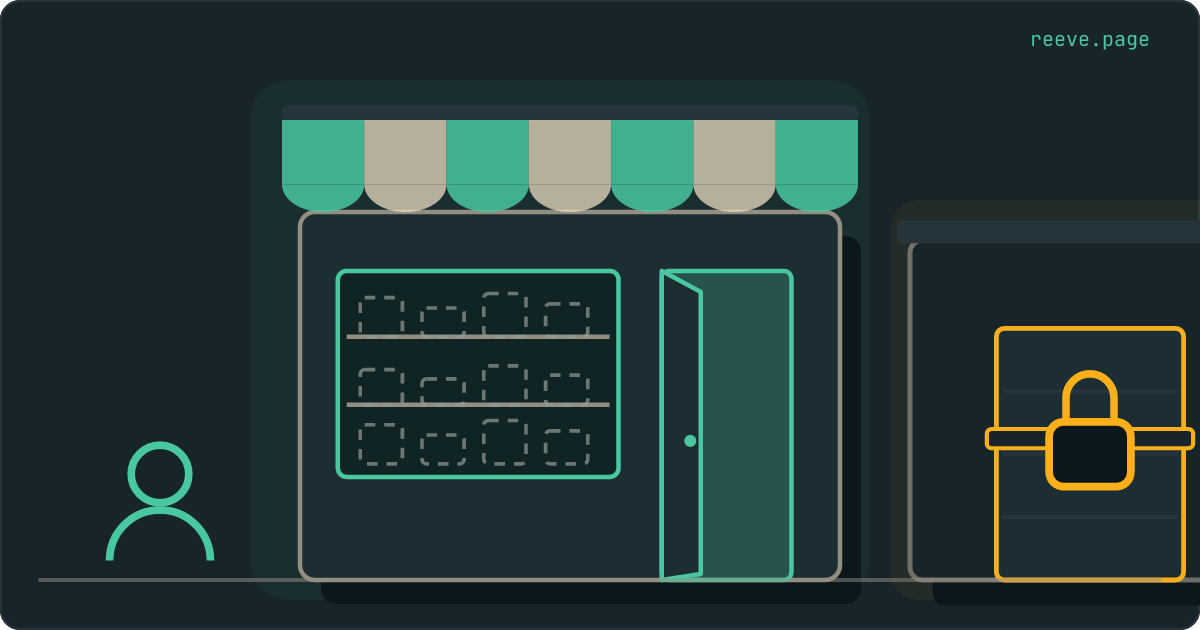
It helps to think of Lovable as a shop. The editor, where you chat and build, is the workshop. Hosting is the shop front on the street, where your visitors walk in. Lovable Cloud, the built-in backend that holds your database, your users' sign-ins and their uploaded files, is the stockroom behind the counter. A fire in the workshop leaves the shop open. A locked stockroom leaves it open too, lights on and door wide, with nothing on the shelves.
Every Lovable page and incident below was read on 14 November 2026.
Is Lovable down, or is it your app?
Look at what still works before you open anything, because each part of the shop fails in its own way.
| What you or your visitors see | The part that failed | Where to look |
|---|---|---|
| Nothing loads: a browser error page, or a page saying "Project not found" | The shop front: hosting, your app's publishing, or your domain | The status page, then steps 1 and 2 |
| The page loads, but nothing saves, nobody can sign in, or pictures are missing | The stockroom: your app's backend | The status page, then steps 3 and 4 |
| Your visitors are fine, and you cannot chat, build or open a preview | The workshop: the editor | The status page. Your published app keeps serving |
| A page saying "App temporarily unavailable" | A request limit on workspaces without a paid plan | The section on some visitors, further down |
Publishing is the dashed line in that picture. Lovable calls the published site "a snapshot", and changes you make after publishing stay off it until you publish again. That is why an outage in the editor stops your own work and leaves your visitors with the version they already had.
What does status.lovable.dev tell you?
It tells you whether Lovable has announced a problem with one of its parts, and which part. Open status.lovable.dev and read the rows as well as the banner at the top.
The rows are Website, Login, Editor, a Hosting group, Cloud, API, MCP, Desktop
and Mobile. The Hosting group holds two: Published customer sites, which the page
describes as sites hosted on lovable.app subdomains, and Preview links. Hosting
and Cloud are the two on your visitors' path. Website is lovable.dev itself, and
Login and Editor are your own way into Lovable.
An editor incident is a fire in the workshop. Lovable's hosting documentation is plain about it: "You can close the editor, and your site keeps serving visitors." While it lasts you cannot build or publish changes, and your visitors keep the version you last published.
Editor incidents are also the most frequent kind on the page. Its feed held 35
entries on 14 November, running back to 18 August 2026. Seventeen named the
editor, 13 named Cloud, and two named Published customer sites: one about some
.shop domains bought through Lovable, and one about maps and location search in
some published projects. The Cloud entries are the ones your visitors can feel.
On 2 November the page carried "Some Lovable Cloud apps unable to reach backend",
which is the stockroom locked from Lovable's side.
What the page does not have is a row for your project. A clear page tells you Lovable has not announced a problem, and your app can still be down underneath it. Use Subscribe to updates while you are there, so you hear about the next incident from Lovable.
Four checks inside your project
Lovable's own checklist for a published site that is down runs: status page, Publish dialog, custom domain. The first two steps below follow it, and the last two cover the backend.
Step 1: is your app still published?
Open the project and click Publish. The dialog shows whether the project is still published, and a published app stops being published in one of three ways.
- Someone unpublished it. By default anyone with editor access can, and Lovable's documentation adds: "You do not have to be the person who published it." Publishing again brings the site back.
- Lovable unpublished it for inactivity. This happens only in a Free workspace, and only when four things are all true: the app has had no visits for 12 months or more, the workspace owner has not logged in for 12 months or more, nobody has edited or published the project in that time, and no custom domain is connected. Lovable emails the workspace owners and admins, and it pauses the backend at the same time. Getting back online is three steps: open the project, click Wake up on the paused card under More → Database, and publish again.
- The project was deleted. Lovable says the published app and preview links "stop working within about a minute." It keeps the project for 60 days under Recently deleted projects in Workspace settings, where Restore brings the app back within about a minute. After 60 days the deletion is permanent: "Nobody can bring it back after that, including Lovable support."
What your visitors see depends on the case. When we opened a lovable.app
address with no project behind it on 14 November 2026, it answered with a page
titled "Project not found", the line "No Lovable project found at this
address.", and a 404 status, the web's code for "nothing here". For an
unpublished project, Lovable's documentation says only that "The live URL
becomes inaccessible."
A "not found" on your home page is one of the failures Reeve Monitor checks your address for every 60 seconds, so an app that stopped being published reaches you as an alert within minutes.
Step 2: is your custom domain Active?
If your app lives on your own domain, go to Project → Settings → Domains and check that its status is Active. Setting up domain means Lovable is still checking the records or issuing the certificate. A warning under the domain means Lovable found a connection problem, and the warning says whether the DNS records need correcting.
The quickest test is your app's lovable.app address. If that loads and your
domain does not, the shop is open and the sign over the street points somewhere
else, so the fault is in the domain. The error page your visitors get carries a
code at the bottom, and what each of those codes means
tells you whether the records, the nameservers or the registration failed.
Lovable's checklist also suggests asking in the project chat, which reports the domain's current state and whether the project is published.
Step 3: is your Lovable backend paused?
If the pages load and the data in them does not, look here. Lovable's documentation says that while the backend is paused, "your published app can't read or write data, sign users in, or serve files from storage until you resume it." In older apps built with React and Vite, the features that run as edge functions, such as AI, payments and sending emails, stop as well.
Open the project and go to More → Database. A paused backend shows a card there in place of your data, and the card says why it paused and which button clears it.
| Why it paused | What to do |
|---|---|
| About 7 days without activity | Open the project in the editor, which wakes it |
| You or a teammate paused it | Click Wake up |
| The workspace ran out of credits | Click Top up and add credits, then open the project again and click Wake up |
| A credit limit was reached | Click Manage limits, raise or remove the limit, then click Wake up |
| Lovable unpublished the project for inactivity | Click Wake up, then publish again |
| Lovable paused it for excessive usage | There is no button: contact Lovable support with the project URL |
Waking up takes a few minutes.
"Traffic to your published app does not resume a paused project," Lovable writes, and its FAQ adds, "and neither does waiting." An outage on Lovable's side ends without you. A pause stays in place until somebody opens the project and clears the cause, however many customers try the app in the meantime.
Running out of credits is a pause too. Lovable says the published pages keep serving when a workspace runs out, and "Only the parts that need the backend or AI stop responding." A top-up alone does not restart the backend. You still click Wake up.
A pause is also how your app can look healthy to anything that only checks its address. The shop front is open, the door answers, and the address returns 200, the code for a normal page. To see a pause from outside, something has to walk in: open a page that shows your data, or sign in.
Your data stays where it was while the backend is paused. Removing the database is the step that deletes it, and what Lovable Cloud keeps, and for how long covers the difference.
Step 4: is your backend your own Supabase project?
Some Lovable apps do not use Lovable Cloud at all. Lovable's Supabase integration "connects a Supabase project you own to your Lovable project and uses it as your app's backend". In a project like that, More → Supabase shows the Supabase project's name and status, and you manage it in Supabase's own dashboard.
If that is your app, the stockroom belongs to Supabase, and so do its outages, pauses and limits. Telling a Supabase outage from a fault in your app takes the same question through Supabase's side.
Why does my Lovable app work for some visitors and not others?
Because some of them are being turned away on the way in. Lovable documents two cases.
"App temporarily unavailable". In a workspace without a paid plan, apps created from 13 May 2026 have a limit of 1,000 server requests per project per 10 seconds. A server request is a page load or a call to the app's server code. Images and scripts do not count. A visitor who arrives over the limit sees App temporarily unavailable and can try again after a minute, and a call your app makes in the background gets an error with the same wait. On a paid plan, Lovable says, visitors and bandwidth are not capped.
One country, or one network. For a site that does not load from some networks in one country, Lovable's answer is: "The visitor's internet provider is blocking the site. Your site itself is working." Many Lovable sites share one address, so a block aimed at another site can stop yours too. The test is the same site over a different network, such as mobile data from another carrier. Lovable says it "can't lift a block that an internet provider applies."
Hearing about it before a customer does
Something outside your own browser has to keep asking for your app, or a customer will be the one who tells you.
Reeve Monitor asks for your app's address every 60 seconds, from outside, and tells you when the shop front stops answering.
- A "not found" on your home page counts as down, and so do no answer at all, a server error, and a host's "this app is gone" page.
- Three failed checks in a row confirm it, and a two-minute grace period lets a blip clear by itself. You hear about it about three minutes after the first failure, by email, Telegram, Slack or webhook.
- You hear again when it is back, with how long it was down.
- Every hour it also runs our full security check against the live app.
Our free scan reads your published Lovable app from outside, the way a stranger could, and reports what it finds, such as a secret key in the code your visitors download or a table anyone can read.
- It takes about 20 seconds and needs no account.
Scan your app free in 20 seconds
What to do now
What to do
- Check status.lovable.dev first, and read which row is in trouble: Hosting and Cloud reach your visitors, the editor does not.
- Open the Publish dialog to confirm the app is still published, and Project → Settings → Domains to confirm a custom domain is Active.
- If the pages load and nothing saves, open More → Database and follow the paused card. Visitors and waiting will not wake it.
- A deleted project can be restored from Workspace settings for 60 days, and not after.
- On a workspace without a paid plan, "App temporarily unavailable" is a request limit that clears after a minute.
- Subscribe to status.lovable.dev while nothing is wrong.
Before you close this tab, subscribe to the status page and open your project's More → Database view once, so you know where the paused card would appear. If your app runs on your own Supabase project instead, the Supabase side of these checks starts where this one stops.
FAQ
Is Lovable down right now?
Check status.lovable.dev, where Lovable posts incidents that affect the platform. Read which row is in trouble. Hosting, with its Published customer sites row, and Cloud are the two your visitors depend on. An Editor incident stops you building and leaves your published app serving. If every row is clear and your app still fails, the cause is in your own project.
My Lovable app loads but nothing saves and nobody can sign in. Is Lovable down?
Look for a paused backend first. Lovable says that while the backend is paused, your published app cannot read or write data, sign users in, or serve files from storage. Open the project, go to More, then Database, and read the paused card: it says why the backend stopped and shows the button that starts it again. Visits to your app do not wake it.
Why did my Lovable app stop being published?
Someone with editor access may have unpublished it, the project may have been deleted, or Lovable unpublished it for inactivity. Lovable does that only in a Free workspace, when the app has had no visits, the owner has not logged in and nobody has edited or published it for 12 months or more, and no custom domain is connected. It emails the workspace owners and admins when it does.
Does my Lovable site go down if I run out of credits?
The pages stay up. Lovable says the published site stays live and only the parts that need the backend or AI stop responding. The backend pauses, and adding credits does not restart it by itself: open the project again and click Wake up on the paused card.
Is my published app affected when the Lovable editor is down?
Not by that alone. Lovable says you can close the editor and your site keeps serving visitors. An editor incident stops you building and publishing changes until it is fixed, and your visitors keep the version you last published.
Can I get my app back after deleting the Lovable project?
For 60 days, yes. Open Workspace settings, find Recently deleted projects and click Restore, and the published app works again within about a minute. After 60 days Lovable deletes the project permanently, and its documentation says nobody can bring it back after that, Lovable support included.