
 Reeve
Security basics
Supabase "max client connections reached", explained
Supabase "max client connections reached" means the pooler has no room for one more client. The port in your connection string decides the limit.
In short
- "max client connections reached" on Supabase comes from Supavisor, the pooler between your app and its database. It already holds as many clients as it allows: 200 on the Free plan in transaction mode, port 6543.
- In session mode, port 5432 on the pooler address, the limit is the pool size, 15 by default, and each client keeps its database connection until it disconnects. A serverless app on that string is refused at its sixteenth client.
- Move serverless code to port 6543, create its database client once with a pool of 1, and close the tools you left connected. A bigger pool size does not lift the client limit, and it takes connections that Auth needs.
Your app has been fine for weeks. Then something brings a crowd, a launch or a post that got shared, and the pages that read from your database start showing an error while the home page still loads. In your host's function logs there is one line:
(EMAXCONN) max client connections reached, limit: 200
Or, on an app that connects in session mode, this one:
(EMAXCONNSESSION) max clients reached in session mode - max clients are limited to pool_size: 15
You meet this on an app with a server of its own: a Next.js app from v0, Cursor
or Claude Code that reads the database through Prisma or Drizzle, a Replit app
with an Express server, an Edge Function that opens its own Postgres
connection. A page that only calls supabase.from(…) goes through the Data API
instead, which keeps connections of its own.
The advice you will find first for "max client connections reached" on Supabase, including at the end of Supabase's own help article for the Postgres version of this error, is to move to a bigger compute size. For a busy app that is sometimes right. On the Free plan the fix can be a port number. Before you pay for anything, read which of the two messages you got and which port your connection string uses. The two limits are set by different things, and only one of them moves with the price.
What does "max client connections reached" mean on Supabase?
Supavisor, the connection pooler that sits between your app and your Supabase database, already has as many clients connected as it allows, and it turned the next one away.
A client here is one open connection from your code: one database client in one
running copy of your server. The message is Supavisor's own, from the file
max_connections_error.ex in its source, and it reaches your app as a Postgres
error with the severity FATAL and the code XX000. Libraries print that
wrapping in different ways, but the words are the ones above.
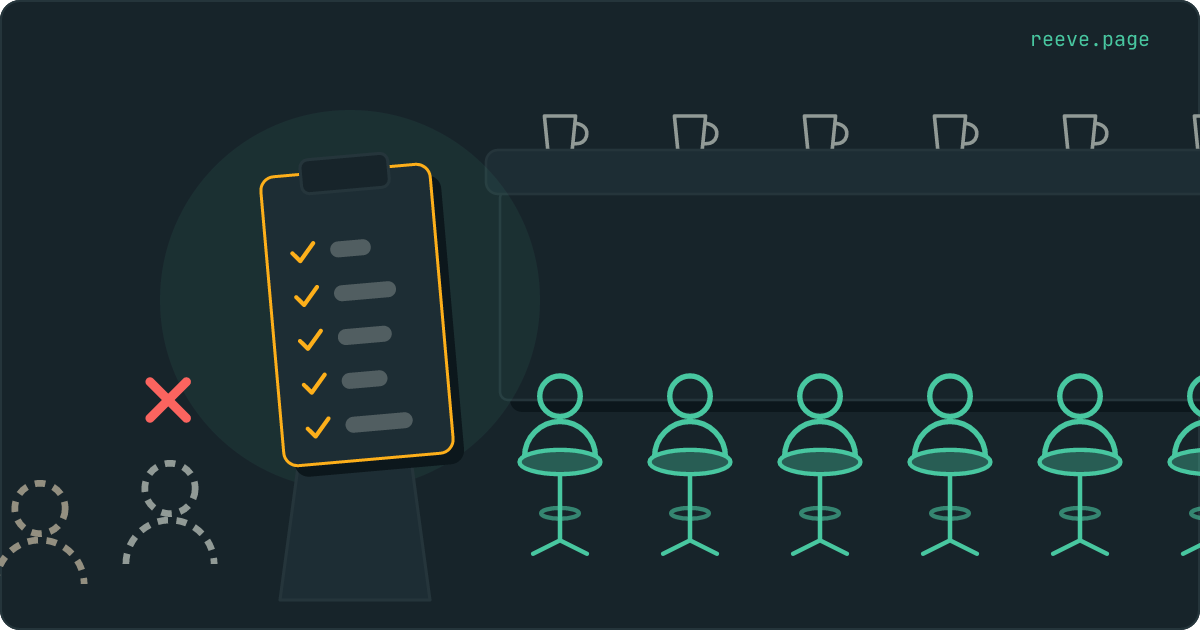
Picture your database as a kitchen with a counter and a fixed number of stools. Each stool is a connection to Postgres, the database inside your Supabase project, and a request for data needs a stool for as long as its order takes. Supavisor is the host at the door. It decides who sits where, and it keeps a waiting area for people who have come in and are not eating yet. The message means the host's list is full.
Which limit did you hit?
The words of the error tell you, and so does the port at the end of your connection string.
| What you see | Who sent it | What it counts | On the Free plan |
|---|---|---|---|
(EMAXCONN) max client connections reached, limit: … | Supavisor in transaction mode, port 6543 | clients connected to the pooler at once | 200 |
(EMAXCONNSESSION) max clients reached in session mode … | Supavisor in session mode, port 5432 on the pooler host | clients, capped at the pool size | 15 |
remaining connection slots are reserved for roles with the SUPERUSER attribute | Postgres itself | connections to the database | 60 |
sorry, too many clients already | Postgres itself | every connection, the reserved ones included | 60 |
The figures are from the table in Supabase's compute guide, for Nano, the size
the Free plan runs on. Micro, the smallest paid size, has the same three. The
two Postgres messages come from Postgres's own source and carry the code
53300; Postgres 15 words the first of them remaining connection slots are reserved for non-replication superuser connections.
In the kitchen, those last two rows are the stools themselves running out. The first two are the host refusing to let one more person through the door.
Your connection string says which door you came in by. It sits in your server's
environment variables, often as DATABASE_URL, and Supabase's guide to
connecting shows each kind:
…@db.[PROJECT-REF].supabase.co:5432/postgresis a direct connection, past the host and straight to a stool.…@aws-[INDEX]-[REGION].pooler.supabase.com:5432/postgresis the pooler in session mode.…@aws-[INDEX]-[REGION].pooler.supabase.com:6543/postgresis the pooler in transaction mode.
Why does a Supabase app run out of connections?
Because something opens connections faster than it gives them back, and serverless functions, in Supabase's own words, open many short-lived connections.
A function on Vercel, Netlify or Supabase's own Edge Functions runs as many copies of itself as traffic asks for, and each warm copy keeps its own database client. Supabase's guide to connecting gives the arithmetic for Postgres.js, one of the common Postgres libraries: it opens up to 10 connections per copy by default, and "A few dozen instances is enough to exhaust the pool."
Session mode runs out first. The host gives you a stool and you keep it until you leave, eating or not. Supabase's FAQ on Supavisor says so directly: "once the pooler assigns a direct connection, it stays with that client until voluntarily surrendered." So the host can let in only as many people as it has stools for that connection string, which is why the session-mode message names the pool size. Supavisor's source checks exactly that: in session mode a new client is refused once the clients already connected reach the pool size. Fifteen stools, and the sixteenth client is turned away at the door however quiet the first fifteen are.
Transaction mode lets far more people in. The host seats you for one order, a single transaction, and hands the stool to the next person as soon as it is done, so 200 clients can share a handful of connections. It still has a waiting area of a fixed size, and a burst of function copies that each open several clients fills it.
Things outside your app hold stools too: a database tool such as TablePlus or DBeaver left open, an automation in n8n or Make with a Postgres step, your own laptop running the app in development against the production string, a backup job. Each one is a client of whatever string it was given.
A slow query keeps its stool longer. If your logs also show
canceling statement due to statement timeout, fix that query first, because
every second it runs is a second its stool is taken.
That error has its own walk-through.
See who is holding the connections
Ask Postgres, then ask the dashboard. Postgres lists every connection it has open, and Supabase's dashboard counts the pooler's clients.
In the SQL Editor, this counts the connections by the role and the app that opened them, and by what they are doing:
select usename, application_name, state, count(*)
from pg_stat_activity
where backend_type = 'client backend'
group by usename, application_name, state
order by count(*) desc;
The role tells you who it is. Supabase's guide to managing connections lists them:
| Role | Who it is |
|---|---|
authenticator | the Data API, which every supabase.from(…) call goes through |
supabase_auth_admin | Auth, the service that signs your users in |
supabase_storage_admin | Storage |
postgres | the dashboard and external tools, Prisma and psql included |
| a role you created | whatever you gave that role's password to |
A pile of postgres connections in the idle state, with an
application_name you recognise, is a client sitting on a stool with nothing
in front of it. idle in transaction is the state to look at first: the guide
says it "almost always means the application forgot to commit or roll back",
and the session holds its locks for as long as it stays open.
For the pooler itself, open Observability in the dashboard. The report
Shared Pooler (Supavisor) Client Connections counts its clients over time.
The guide notes that these reports show the count as of their last refresh,
and pg_stat_activity is the live view.
How to fix "max client connections reached" on Supabase
Move serverless code to transaction mode, give each copy of it one connection, and keep session mode for the jobs that need a whole session. Do them in that order.
1. Use the Transaction pooler for serverless functions. In your Supabase
project, press Connect at the top of the page, choose Transaction
pooler, and copy the string. It ends in :6543/postgres. Put it in your
server's environment in place of the old one, with your database password where
the string says [YOUR-PASSWORD].
Transaction mode keeps nothing between transactions, so prepared statements have to be turned off. Supabase's guide gives the setting per library:
| Library | Setting |
|---|---|
| Postgres.js, Drizzle | prepare: false |
| Prisma | pgbouncer=true on the connection string |
| asyncpg | statement_cache_size=0 |
2. Create the client once, with a pool of one. A client created inside the request handler is a new connection for every request. Supabase's guide says to create it once at the top of the file, outside any handler, and to cap its pool at 1, because "The client is shared by every invocation on that warm instance":
import postgres from 'postgres'

export const sql = postgres(process.env.DATABASE_URL, {
  max: 1,
  prepare: false,
  ssl: 'require',
})
For Prisma the same advice is connection_limit=1 on the connection string,
from Supabase's Prisma troubleshooting guide. If you built the app with Cursor,
Claude Code or v0, this is a short change to describe to it: the file that
creates the database client, the new string, and these two settings.
3. Keep session mode for one long job. A migration, a pg_dump, a tool
you open by hand: each is a single session that wants to keep its stool.
Supabase's guide sends those to a direct connection, or to session mode on a
network without IPv6, which is how
a backup running on GitHub's runners
connects.
4. Close what you left open. Quit the database tool, stop the automation's test runs, and take the production string out of your laptop. A connection you cannot close from its own end can be ended from the SQL Editor. This lists the ones holding a transaction open:
select pid, usename, application_name, query_start, query
from pg_stat_activity
where state = 'idle in transaction';
Then select pg_terminate_backend(pid); with the pid from that list ends the
session. Postgres rolls back whatever its open transaction had written and not
committed, so read its query column before you end it.
5. Then look at the compute size. If the clients are all real traffic, sharing connections as they should and still more than 200, the limit moves with the size: Small allows 400 pooler clients and Medium 600, per Supabase's compute table. Its knowledge base says the shared pooler's client limits "are hard-coded and cannot be changed without upgrading the compute size", and its compute guide says a change usually comes with "less than 2 minutes of downtime".
Should I raise the pool size?
Not to fix this. In transaction mode the pool size does not change the client limit at all, and in either mode it decides how many of your database's own connections the pooler may take.
The pool size is the number of stools the host may hand out, and the kitchen has 60 on the Free plan. Supabase's FAQ defines it as "the maximum number of direct connections the pooler can maintain per unique user, database, and mode combination", so two connection strings with a different user or mode each get a pool of that size. The same 60 serve the Data API, Auth and Storage, and Storage connects through Supavisor with a pool of its own. The FAQ's warning: "If Supavisor uses most of the available connections, you risk depriving other servers, such as Auth, from accessing your database." Auth is the service that signs your users in.
Its rule of thumb is to keep the pooler under 40% of the connections if your app also uses the Data API, and to go toward 80% only if it does not.
In session mode a bigger pool does let more clients in, one stool each. That
moves the queue from the host's door into the kitchen. When the stools run out
there, Postgres answers remaining connection slots are reserved… to whichever
service asks next, and that can be Auth.
The connection string skips your policies
A connection string is a password, and the user in it is usually postgres,
which Supabase's own Row Level Security guide says has bypassrls. Every policy
you wrote is skipped for every query that string sends.
That changes what your server code has to do. A page that reads through
supabase.from(…) with your publishable key is filtered row by row by your
policies. The same page moved to a server route with Prisma or Drizzle reads
every row of the table, and the only thing standing between one user and
another user's rows is the where your route adds. If you move pages to a
server route to get past this error, check that each one filters by the
signed-in user before it ships.
The string also never goes in a variable whose name starts with VITE_ or
NEXT_PUBLIC_. Those prefixes put the value into the code every visitor
downloads, and
what those two prefixes do has a
post of its own. A browser cannot open a Postgres connection, so a connection
string in the frontend makes nothing work and hands the database password to
anyone who opens your site.
Whether any of your tables answers a request that carries no login, and whether a secret key it recognises is in the code your site sends, are two of the nine checks in Reeve's free scan. It reads your live app the way a visitor's browser does, takes about 20 seconds and needs no account.
Knowing when it happens again
This error comes back when the traffic does, and the busy hour is rarely one you spend reading function logs.
Reeve Monitor checks your live app from outside:
- whether it is up, every 60 seconds, and every 15 while it is down
- up to 10 more pages, read for words that must be there and words that must not, such as "Something went wrong"
- a message by email, Telegram, Slack or webhook, with a screenshot and a log kept for 30 days, so you know which page failed and when
- all nine security checks every hour
- a monthly report, in plain language, of what it saw
Reeve Care keeps a copy of your Supabase database from before the next change you make to it:
- an encrypted copy on a schedule, on Reeve's own storage in the EU, outside your Supabase account
- each copy verified before it counts, by counting the rows in every table
- your uploaded files as well, once you connect a Storage credential
- a one-click restore, with a safety copy of the current state taken first
- everything Monitor does
What to do today
What to do
- Read the error and the port:
(EMAXCONN)on6543is the transaction pooler's client limit, and(EMAXCONNSESSION)on5432at the pooler address is the pool size. - Count who holds the connections with
pg_stat_activity, and close the tools and test runs you left connected. - Point serverless code at the Transaction pooler string, turn prepared statements off, and create the client once with a pool of 1.
- Leave the pool size inside Supabase's 40% and 80% guidance, because Auth and the Data API draw on the same connections.
- Check that every server route using the connection string filters by the signed-in user, since no policy does it for that string.
Start with the connection string in your server's environment: its port tells you which half of this post is yours. If you are moving pages to a server route as part of the fix, the 10-minute security checklist covers what to look at before it goes live.
FAQ
What does "max client connections reached" mean in Supabase?
Supavisor, the pooler between your app and your Supabase database, already has as many clients connected as it allows and refused one more. In transaction mode, port 6543, your compute size sets the limit: 200 on the Free plan. The message reaches your app as a FATAL error with the code XX000 and the prefix (EMAXCONN).
Why do I get "max clients reached in session mode" with only a few users?
In session mode each client keeps its database connection until it disconnects, so Supavisor admits only as many clients as the pool size, 15 by default. A serverless function opens a client in every running copy of itself, and a handful of copies fills that. Use the Transaction pooler string, port 6543, for serverless code.
Does raising the pool size fix "max client connections reached"?
Not in transaction mode, where the client limit comes from the compute size. The pool size is how many of the database's own connections the pooler may open, out of the same 60 on the Free plan that Auth, Storage and the Data API use. Supabase suggests keeping the pooler under 40% of them if your app also uses the Data API.
What is the difference between port 5432 and 6543 on Supabase?
On the pooler address, 5432 is session mode, where a client keeps its database connection for as long as it stays connected, and 6543 is transaction mode, where clients take turns on shared connections one transaction at a time. Supabase recommends 6543 for serverless and edge functions, and session mode or a direct connection for long jobs such as migrations and pg_dump.
What does "remaining connection slots are reserved" mean on Supabase?
Postgres itself has run out of ordinary connections and is keeping the last few for superusers. It counts every connection: your direct ones, the pooler's, and those of the Data API, Auth and Storage. On the Free plan the total is 60. Find who holds them with pg_stat_activity before you change any setting.