
 Reeve
Security basics
Supabase "permission denied for schema public": three causes
Supabase "permission denied for schema public" means a missing schema grant. What removed it, and the line that puts it back.
In short
- Supabase "permission denied for schema public" means the role making the request has no right to enter the public schema at all, so Postgres refused before it looked at a single table.
- Every Supabase project starts with that right granted to anon, authenticated and service_role. If your app gets this error, something removed it: the schema was dropped and built again, or a script revoked the grant.
- Putting it back is one line of SQL. The grant only lets a role reach your tables, and Row Level Security still decides which rows each visitor gets, so check those rules before you call it fixed.
Your app worked yesterday. Today every screen that reads from Supabase comes up
empty or shows an error, and the browser console has the same line for each of
them: permission denied for schema public. You open the Supabase dashboard and
every table is still there. The SQL Editor reads them without a complaint.
The response behind that line usually arrives as a 401 or a 403. Trimmed to the two fields that matter, it says:
{
  "code": "42501",
  "message": "permission denied for schema public"
}
Supabase "permission denied for schema public" comes from Postgres, the database
Supabase runs on, and its list of causes is short. Every Supabase project is
created with a grant that lets your app into the public schema. Somebody, or
something, has taken it away, and putting it back is one line of SQL.
Here is the part that is easy to get backwards: that grant is the front door of the building, and the locks on your data are further in. If somebody removed it to keep strangers out, it kept your app out with them. And whether reopening it is safe depends on those inner locks, so they are what to check before you call this fixed.
What does "permission denied for schema public" mean?
It means the role making the request has no right to enter the public schema,
so Postgres refused before it looked at a single table.
A schema is a named folder of tables inside your database. public is the
one Lovable, Bolt, v0, Cursor, Claude Code and Replit put your tables in unless
told otherwise. A role is the kind of visitor a request comes from: anon
is somebody who is not signed in, authenticated is somebody who is, and
service_role is your own server code using the secret key. A grant gives
one role one permission on one thing.
The permission this error is about is called USAGE, and
Postgres's documentation
describes it as the right to "look up" objects within the schema. A role without
it cannot reach any table in that schema, whatever the table's own settings say.
If the table version of this error
taught you to think of each table as a room with a door for each role, the
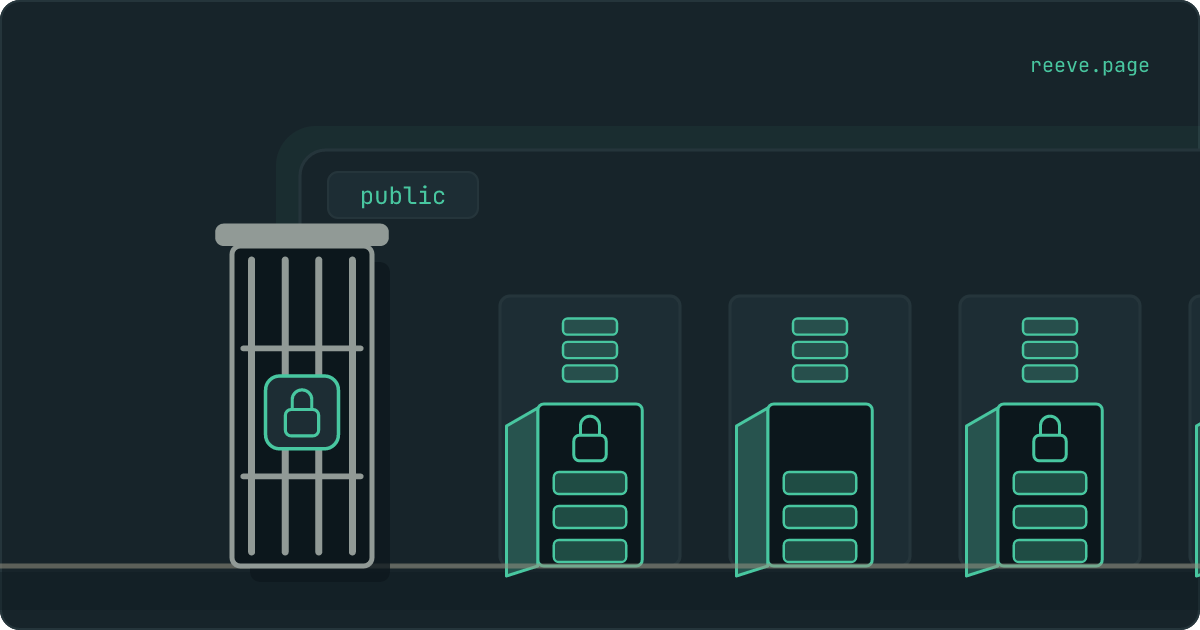
schema is the building those rooms stand in, and USAGE is its front door.
permission denied for schema public means your request is standing outside it.
Which rooms have their doors open makes no difference, because the request never
gets as far as a room.
Supabase hands that front door to all three roles when a project is created. Supabase's own database image runs this line in its first setup script:
grant usage on schema public to postgres, anon, authenticated, service_role;
So if your app gets this error, the grant was there once and is gone now.
Why does the SQL Editor still work?
Because the SQL Editor does not use any of your app's roles. Supabase's own
troubleshooting guide
says a query run from it is "routed through the postgres role at the database
level".
postgres is the role that owns your tables, and if the schema itself was
rebuilt from the dashboard or by your builder, it owns that as well. An owner
needs no grant to walk into its own building. So the dashboard lists every
table, a select in the SQL Editor returns every row, and the same request from
your app is turned away at the front door. Nothing on those screens tells you
that your app's roles have lost their way in.
To see what your app sees, ask Postgres about its roles directly. Paste this into the SQL Editor:
select rolname,
       has_schema_privilege(rolname, 'public', 'USAGE') as can_enter
from pg_roles
where rolname in ('anon', 'authenticated', 'service_role');
Each row should say true. A row that says false is a role your app uses that
can no longer get in.
The grant opens the building, and the locks are inside
USAGE lets a role reach the tables in a schema. It says nothing about which of
those tables the role may use, or which rows it gets back.
Two more checks stand behind the front door, and both belong to each table. The
table's own grant decides whether a role may use that table at all, and a
missing one is what permission denied for table reports. Then Row Level
Security, the per-row rules you may already have met, decides which rows that
role gets back. Postgres asks all three in that order and stops at the first
refusal.
That order is what makes the schema grant a poor lock. It is all or nothing for
a role: take it from anon and every screen a signed-out visitor sees stops
working at once, including a sign-in page that reads anything from your tables.
Take it from authenticated and the same happens to everybody signed in.
Postgres's documentation adds that revoking it "is not a completely secure way
to prevent object access", and that a role without it can still read your
tables' names out of the system catalogs.
If you are seeing this error at all, your app needs the role that was refused.
Cause 1: the schema was dropped and built again
This cause takes the most with it. Somebody ran these two lines, or something that does the same thing:
drop schema public cascade;
create schema public;
The first line removes the schema and, because of cascade, every table, view
and function inside it. The second makes a new, empty public. A new schema
belongs to the role that made it, and Postgres's documentation is plain that
nobody else gets any privilege on a schema by default. The grant Supabase ran
when your project was created belonged to the old schema and went with it, and
Supabase does not run its setup script a second time.
Those two lines are the shortest way to empty a Postgres database, which makes them a step an AI assistant may take when you ask it to start the database over or to make a failing migration run cleanly.
Afterwards your tables come back if the app's migrations run again. A migration is one of the files of database changes your builder writes, and running them all rebuilds the tables they describe. What does not come back is anything they never mention, and the front-door grant was made by Supabase before your first migration existed. A set of migrations your builder wrote may not contain it at all.
Two more things leave with the old schema:
- The automatic grants for new tables. Postgres keeps these as a schema's default privileges, and they are deleted along with the schema. Tables made afterwards start with no grant for any of your app's roles.
- The rows. Migrations rebuild empty tables. Whatever the old ones held is back only if somebody restored a copy that was taken before the reset.
If your tables are back and empty, finding that copy comes before anything else on this page.
Cause 2: a revoke meant to lock things down
The second way is deliberate. Somebody read that every table in public can be
reached through Supabase's Data API, the web address your app reads and writes
your data through, and revoked the schema grant to close it.
The worry behind that is reasonable, and the tool chosen for it is the wrong
one. Supabase's own guide to
securing the Data API
never touches the schema grant. What it revokes is the automatic access that new
tables in public are given, so each new table stays shut until somebody grants
access to it on purpose. Supabase is turning that on for every existing project
on 30 October 2026.
If a script you ran, or an assistant you asked to harden your database, removed the schema grant, the check query above shows which roles lost it. Put back the ones your app uses, then do the hardening the way the sections below describe.
Cause 3: the error comes from a migration
When the message appears while something is creating tables, such as a
migration, a deploy, or Prisma or Drizzle setting up your database, the missing
permission is a different one. Creating anything in a schema needs CREATE on
it, and the error text for a missing CREATE is the same line.
Since Postgres 15, ordinary roles no longer get CREATE on public by default.
Postgres's documentation
says that only databases upgraded from version 14 or earlier still give it to
everyone. So a separate database user made for a migration tool is refused on
its very first table. Supabase's own
Prisma guide creates a
prisma user, and its setup includes grant create on schema public to prisma.
The fix is a create grant to that one migration user. Nobody visiting your app
needs to make tables, so anon and authenticated never get one.
How to put the grant back safely
Run one line, confirm all three roles can get in, then reload your app and read what it says next.
The line, in the SQL Editor:
grant usage on schema public to anon, authenticated, service_role;
Keep it to usage. grant all on schema public clears the error too, and on a
schema all means usage plus create, the right to add tables of your own.
Supabase's advice is to grant each role
the minimum it needs,
and your visitors' roles only need to get in.
The check query from earlier should now say true for all three roles. Reload
your app, and one of two things happens:
- It works. The front door was the only thing missing.
- A new message names a table.
permission denied for tablemeans that table's own grant is missing as well, which is what to expect after the first cause, because rebuilt tables never got the automatic grants. Give each table its grant, Row Level Security and a rule as one change.
Resist granting every role everything on every table to make the second message
go away. A table with a grant to anon and Row Level Security switched off
hands every row to anyone who asks, and nothing in your app will look any
different.
If the message names another schema, such as permission denied for schema api, that schema is one somebody made, and it never got the grants public
starts with. Supabase's guide to
using custom schemas
lists the lines it needs.
What to lock down instead
The controls that keep strangers away from your data belong to each table, and Supabase's securing guide names them:
- A grant per table, for the roles that need it. A table of orders needs no
grant for
anonat all. - Row Level Security on every table, with a rule.How to switch it on, and check it holds.
- New tables shut by default. Revoking the automatic grants does this today, and 30 October does it for you.
- Internal tables kept out of the Data API. Supabase's guide describes putting what your app reads in a dedicated schema, so everything else sits in schemas the Data API does not serve.
Then look at the result from outside, because none of those screens shows what a stranger gets back. Our free scan asks each table your app names how many rows a visitor with no login would get, reads the count without fetching a single row, and takes about 20 seconds with no account: scan your app.
Keeping your tables, and what is in them
Two things can still go wrong after today: a later change opens a table to strangers, and a reset like the first cause takes your rows with it.
Reeve Monitor keeps checking from outside:
- the full security check every hour, on up to three apps
- a message when a result changes, so a table that opened after a migration does not wait for you to look
- whether your app is up
- a monthly report, in plain language, of what it saw
Reeve Care keeps a copy of what is in your tables:
- an encrypted copy of your Supabase database on a schedule, on Reeve's own storage in the EU, outside your Supabase account
- each copy verified before it counts, by counting the rows in every table
- your uploaded files as well, once you connect a Storage credential
- a one-click restore, with a safety copy of the current state taken first
- everything Monitor does
What to do now
What to do
- Run the check query in the SQL Editor. Every role that says
falseis one your app has lost. - Put the grant back with
grant usage on schema public to anon, authenticated, service_role;and keep it tousage. - If the schema was dropped, look at whether your tables are empty, and find a copy taken before the reset.
- If a table error follows, give that table its grant, Row Level Security and a rule together.
- Do your locking down per table, where it can be tuned, and leave the schema grant alone.
- If the error came from a migration, grant
createto the migration user and to nobody else.
Start with the check query, because one result tells you which of your app's roles lost the way in. Then, with the door open again, scan your app to see what it hands a stranger.
FAQ
What does "permission denied for schema public" mean in Supabase?
It means the role making the request, usually anon or authenticated, has no right to enter the public schema, so Postgres refused before it looked at any table. It carries the code 42501 and usually reaches your app as a 401 or a 403. Every Supabase project starts with that right granted, so the error means somebody or something removed it.
Is it safe to grant usage on schema public?
Yes. Every Supabase project starts with exactly that grant. It only lets a role reach the tables in the schema: each table still needs its own grant, and Row Level Security still decides which rows each visitor gets. What deserves a look is the tables behind it, because one with a grant to anon and Row Level Security switched off hands every row to anyone who asks.
How is this different from "permission denied for table"?
The schema error stops a request before it reaches any table, so every table in the schema fails at once. The table error is about one table that has no grant for that role, and the rest of your app keeps working. Both carry the code 42501, so read the words in the message to tell them apart.
Why do my tables work in the Supabase SQL Editor but not in my app?
Because the SQL Editor runs your queries as the postgres role, which owns your tables and does not need the grant your app has lost. Your app uses anon for signed-out visitors and authenticated for signed-in ones. Ask Postgres about those two roles directly, with has_schema_privilege, to see what your app sees.
What should I lock down instead of the schema grant?
The tables. Give each table a grant only for the roles that need it, switch on Row Level Security with a rule on every table, and let new tables start with no access at all. Supabase makes that last part the default for existing projects on 30 October 2026.