
 Reeve
Security basics
Supabase "relation does not exist" when the table is right there
Supabase "relation does not exist" or PGRST205 means no table matches the name and schema your query used. Four checks, and what exposing a schema opens.
In short
- Supabase "relation does not exist" (Postgres code 42P01) means no table or view with that exact name sits in the schemas the query searched. From your app on a current project, the same problem reads "Could not find the table in the schema cache" (PGRST205).
- Check the name letter for letter first, capitals included, then the schema, then the project. Inside a function set to an empty search_path, every table needs its schema written in front: public.invoices.
- Exposing a schema makes the error go away and lets the API reach every table in it, so check Row Level Security on each of those tables before you do.
Your builder added an invoices table. You can see it in the Table Editor, rows
and all, and the page that should list them stays empty. The browser console
shows this:
{
  "code": "PGRST205",
  "details": null,
  "hint": "Perhaps you meant the table 'public.Invoices'",
  "message": "Could not find the table 'public.invoices' in the schema cache"
}
Supabase "relation does not exist" means Postgres found no table or view with
that exact name in the schemas the query searched. PGRST205 is the same answer
from PostgREST, the part of Supabase that turns your app's supabase.from(...)
calls into database queries, given before the query reaches Postgres at all.
The fix passed around for this error is to add the schema to Exposed schemas in the project settings. That fixes one of the four causes below. It also lets anyone holding your app's public key reach every table in that schema, so read what it opens before you switch it on.
What does "relation does not exist" mean in Supabase?
It means the database looked for a table by that exact name, on the schemas it
was told to search, and found none. "Relation" is Postgres's word for anything
rows come out of, a table or a view. The error's code is 42P01, which
Postgres namesundefined_table.
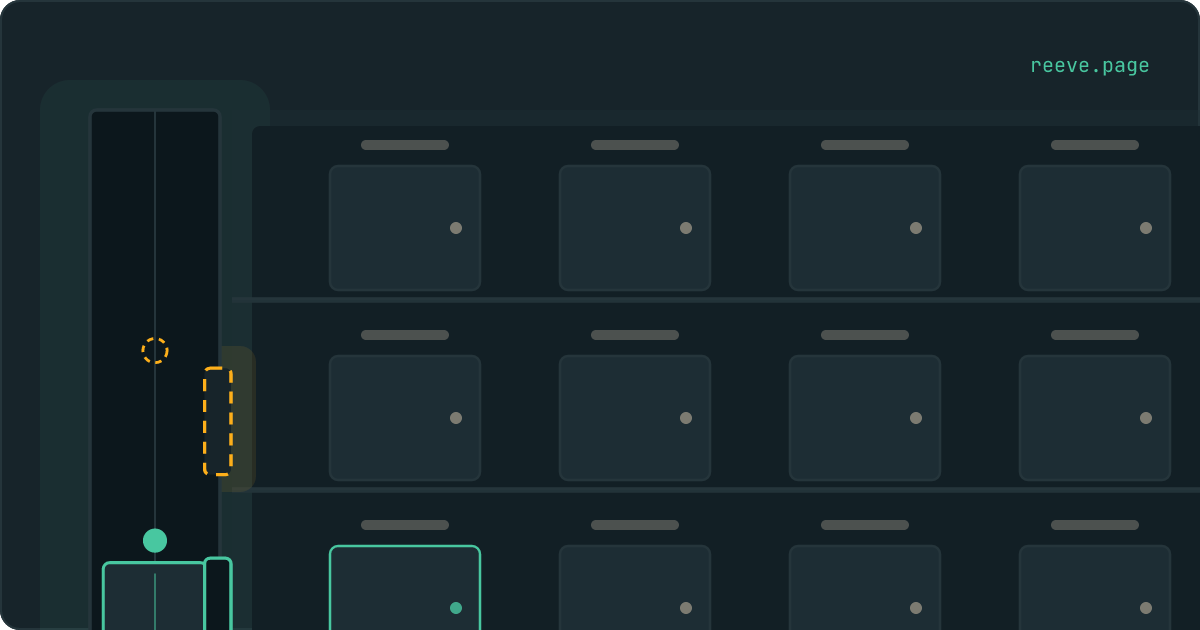
Think of your database as a building. Each schema is a floor: public is the
ground floor, and auth, where Supabase keeps your users, is another. Each
table is a room with its name on the door. A query that gives only a room's name
is looked for on the floors listed in its search path. Your app's requests ride
a lift, and the lift stops only at the floors your project exposes. The error
means nobody found a door with that name on the floors they checked.
Which wording you see depends on where the query ran:
| Where the query ran | What comes back |
|---|---|
| The SQL Editor, a migration, a function or a trigger | relation "invoices" does not exist, code 42P01 |
| Your app, on PostgREST 13 or later | Could not find the table 'public.invoices' in the schema cache, code PGRST205, HTTP 404 |
| Your app, on an older PostgREST | a read gets relation "public.invoices" does not exist, HTTP 404, and an insert gets an empty error |
| Your app, asking for a schema the project does not expose | Invalid schema: billing, code PGRST106, HTTP 406 |
PostgREST's changelog
dates the newer wording to version 13.0.0, released on 8 May 2025: "Querying
non-existent table now returns PGRST205 error". Before that, as one of its
maintainers explained on issue #3697,
a read went to Postgres unchecked and came back as 42P01. Supabase's
guide to securing the Data API
says you can check your project's PostgREST version in the Dashboard.
PostgREST's own code
fixes the rest: PGRST205's hint, when there is one, names the closest table it
knows on the same floor.
If the message says permission denied for table instead, the table was found
and your app was refused at the door. That one has
a different fix.
Cause 1: the name on the door has a capital letter
The name has to match exactly, capitals included, and two of the tools you use treat capitals differently from the third.
Postgres's documentation puts the rule in one sentence: "Quoting an identifier also makes it case-sensitive, whereas unquoted names are always folded to lower case." The other two keep what you typed:
- Supabase's Table Editor creates a table under exactly the name you give it.
Its code
puts the name in quotes when it needs them, so
InvoicesstaysInvoices. - PostgREST wraps every name your app sends in double quotes
(
pgFmtIdent), so.from('invoices')asks forinvoicesand for nothing else.
| How the table was made | In SQL, write | In your app, write |
|---|---|---|
create table invoices, or Invoices typed in SQL without quotes | invoices | .from('invoices') |
create table "Invoices", or Invoices typed in the Table Editor | "Invoices", quotes included | .from('Invoices') |
The second row produces this error from both sides. Your app calls
.from('invoices') and gets PGRST205, with the real name in the hint, as in the
message at the top of this page. Or the app works, and a function or a policy
that names Invoices without quotes fails with relation "invoices" does not exist, because Postgres folded the name before it went looking.
To see every table with that name, on any floor and in any capitals, run this in the SQL Editor:
select table_schema, table_name
from information_schema.tables
where table_name ilike 'invoices';
The fix that touches nothing in your data is in the code: write "Invoices"
with its quotes in SQL, and the exact capitals in the app. Renaming the table
instead breaks every screen still using the old name.
The column version of this error has
the same trap for column names.
Cause 2: the table is on another floor
Your app looks in public unless it is told otherwise, so a table in any other
schema is missing as far as it can tell. That is why the message says
public.invoices: public is the floor the lift went to.
It happens in three ways:
- your builder created the table in a schema of its own, such as
billingorprivate, and the app calls a plain.from('invoices') - the schema is written into the name, as
.from('billing.invoices'). PostgREST reads the whole string as one table name and looks for it inpublic - the table is
auth.users. Supabase's guide to user data says: "For security, the Auth schema is not exposed in the auto-generated API." Its answer is a table of your own inpublic,profilesin its example, filled in by a trigger when someone signs up, and that trigger can fail in ways of its own
A table on another floor is read with .schema('billing').from('invoices'), and
that schema has to be listed under Exposed schemas in the project's API
settings, as
Supabase's guide to custom schemas
shows. Until it is, the answer changes to PGRST106:
{
  "code": "PGRST106",
  "details": null,
  "hint": "Only the following schemas are exposed: public, graphql_public",
  "message": "Invalid schema: billing"
}
The hint lists the floors the lift does stop at. PostgREST 12 words the same
error differently, with the list in the message itself:
The schema must be one of the following: public, graphql_public. That is the
text its code for that version
produces, and the changelog moved the schema name into the message in 13.0.7.
Your secret key rides the same lift. Exposure is a setting of the API, so server
code using supabase-js with that key gets the same PGRST106.
What does exposing a schema open?
It makes the lift stop at that floor, and with the grants Supabase's guide gives, it hands every visitor a key to every room there. Row Level Security is then the only thing deciding what each of them can read or change.
The guide to custom schemas has two steps. The first is the Exposed schemas setting. The second is a block of SQL, and its first two lines are:
GRANT USAGE ON SCHEMA myschema TO anon, authenticated, service_role;
GRANT ALL ON ALL TABLES IN SCHEMA myschema TO anon, authenticated, service_role;
anon is the role behind every request from someone who has not signed in.
ALL is read, add, change and delete. The block goes on with
ALTER DEFAULT PRIVILEGES, which hands the same access to every table created on
that floor later.
That is safe where Row Level Security, the per-row rules Supabase checks on every request, is on and written for each table. Supabase's guide to securing the Data API says: "Tables created through the Supabase Dashboard have RLS enabled by default. Enable RLS explicitly for tables created in the SQL Editor or through another tool." A schema your builder set up in SQL may hold tables with it off. Exposed with those grants, a table like that hands every row to anyone who has your public key, and accepts their changes too.
Check before you expose:
select tablename, rowsecurity
from pg_tables
where schemaname = 'billing';
Every row that says false is a table with no rules at all.
Turning Row Level Security on for every table
covers switching it on and writing the first rule, and
"RLS disabled in public" covers the open
read rule that leaves a table just as reachable with it on.
You can also grant less than the guide does. A floor with one table that only signed-in users read needs two lines:
grant usage on schema billing to authenticated;
grant select on billing.invoices to authenticated;
Whether your tables answer a stranger is something you can check from outside. Our free scan reads your live app with the same public key a visitor gets, reports which tables hand back rows, and needs no account.
Should you expose the schema or move the table?
Decide by who reads the table. A table your app reads from the browser needs a
grant for the role reading it and Row Level Security with a rule, wherever it
sits, so moving it to public saves you the exposure step and nothing else.
If you do move it:
alter table billing.invoices set schema public;
The table keeps its grants and its rules. A function whose body names
billing.invoices then fails with this same error, because the body keeps the
name as it was written.
A table only server code needs can stay on a floor the lift never visits. A
function in public can do the one job your app needs with it, and
calling a Supabase function covers taking
execute away from visitors who are not signed in.
Cause 3: a function with an empty search path
A function set to search_path = '' searches no floor at all, so every table
inside it needs its schema written in front: public.invoices, never a bare
invoices.
Supabase's Security Advisor asks for that setting. Its
warning function_search_path_mutable
says: "We recommend pinning functions' search_path to an empty string". The same
page ends: "once you set the search_path = '' all references to
tables/functions/views/etc in your function's body must be qualified with a
schema name."
So the warning is fixed by adding one line, and the function then fails on its first bare table name:
create or replace function public.count_invoices()
returns bigint
language plpgsql
set search_path = ''
as $$
begin
  return (select count(*) from invoices);  -- relation "invoices" does not exist
end;
$$;
Write from public.invoices and it works again. Keep the setting: it is there so
that whoever calls the function cannot point a bare name at a table of their own.
Called from your app with .rpc(), the error passes through PostgREST as 42P01
with HTTP 404, the status
PostgREST's code
gives an undefined table. A trigger on new sign-ups that fails this way shows up
as "Database error saving new user".
Cause 4: the table is not in that project yet
The table exists in another database, or only in your code.
One Supabase account can hold several projects, and a branch is a separate project with its own database. A table created in the SQL Editor of the wrong one is a room in a different building. The column version of this error shows how to compare the project reference in your app's Supabase address with the one in the dashboard.
If you build with Lovable, look back through the chat for SQL you were asked to approve. Lovable's Supabase documentation says it "writes the SQL, shows it to you, and asks for your approval in the project chat before running it". Until you approve it, the table exists only in the code that reads it.
Moving a table your app depends on
Keep a copy of the database from before the move, and hear about it when something your app exposes changes.
Reeve Care keeps a copy of your Supabase database:
- an encrypted copy on a schedule, on Reeve's own storage in the EU, outside your Supabase account
- every schema you made,
publicand the others, with their tables and rows as they were before your change - each copy verified before it counts, by counting the rows in every table
- your uploaded files as well, once you connect a Storage credential
- a one-click restore, with a safety copy of the current state taken first
- everything Monitor does
Reeve Monitor keeps checking from outside:
- whether your app is up, checked every minute
- the full security check every hour, on up to three apps
- a message when a result changes, so a deploy that changes what your app exposes reaches you without you going to look
- a monthly report, in plain language, of what it saw
What to do now
What to do
- Read the message: the name in quotes is what was asked for, and
public.in front of it is the schema that was searched. - Compare the name with the Table Editor, capitals included. A table with a capital in its name needs double quotes in SQL.
- Find which schema the table is in with the
information_schema.tablesquery, and call a table outsidepublicwith.schema('name').from(...). - Before you expose a schema, run the
pg_tablesquery and switch Row Level Security on for every table that saysfalse. - Inside a function with
search_path = '', write every table aspublic.name. - Check that the project your app calls is the one where you made the table.
Start with the two names in the message, the table and the schema in front of it, because they say exactly which door was asked for and on which floor. Before you move, rename or expose anything people use, keep a copy of the database from before the change.
FAQ
Why does Supabase say my table does not exist?
Because no table with that exact name sits in the schema the query searched. Check four things in order: the capitals in the name, the schema the table is in (your app looks in public unless told otherwise), the project your app talks to, and whether the query runs inside a function set to an empty search_path, where every table needs its schema written in front.
What does "the schema must be one of the following" mean?
It is error PGRST106 in the wording older PostgREST versions use. Your app asked for a schema the project does not expose, for example through .schema('name'), and the list after it is the schemas that are exposed. Newer versions say "Invalid schema: name" and put the same list in the hint. Exposing the schema fixes it, and it is worth deciding on purpose.
Is it safe to expose a schema in Supabase?
Only once every table in it has Row Level Security switched on and a rule written. Supabase's guide to custom schemas grants anon, the role of every visitor who is not signed in, full access to every table in the schema, including tables made there later. Its security guide adds that tables created in the SQL Editor do not get Row Level Security by default.
Does table name capitalisation matter in Supabase?
Yes. A name typed in SQL without double quotes is folded to lower case, while the Table Editor and supabase-js keep the capitals exactly as written. A table created as Invoices has to be written "Invoices", in quotes, in SQL, and .from('Invoices') in your app.
Should I move the table to public instead?
Moving it fixes the schema half of the error and none of the safety half: a table your app reads from the browser needs a grant for the role reading it and Row Level Security with a rule, wherever it sits. A table only server code needs can stay in a schema that is not exposed, reached through a function in public that does the one job your app needs.